
Utilities Windows
SoftMaker FreeOffice
Write documents, build spreadsheets and create slide presentations with FreeOffice, a free Windows office suite for personal and business use.
- Operating system
- Windows 11, 10, 8 and 7; Windows Server 2008 R2 or later
- Architecture
- Not specified on the cited publisher download page
- Download package
- MSI installer
Requirements and revision are publisher-listed. The installer was not downloaded or run; processor architecture was not independently verified.
Link checked · Download guidance
What is SoftMaker FreeOffice?
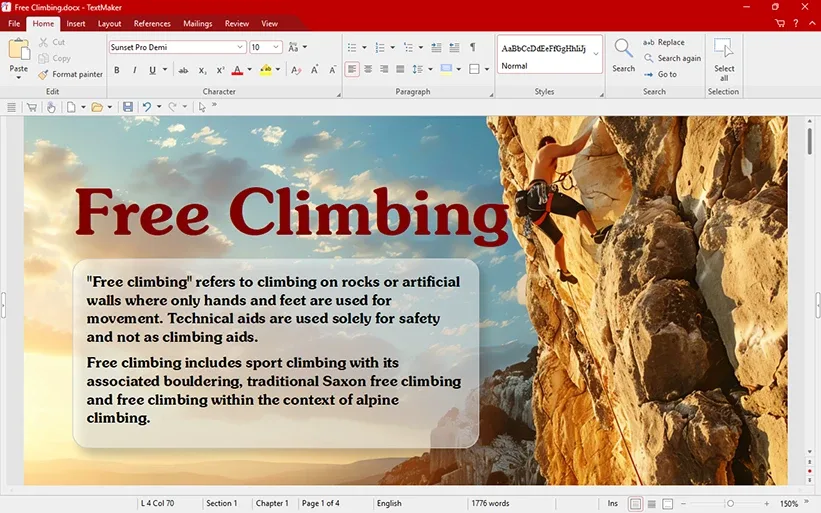
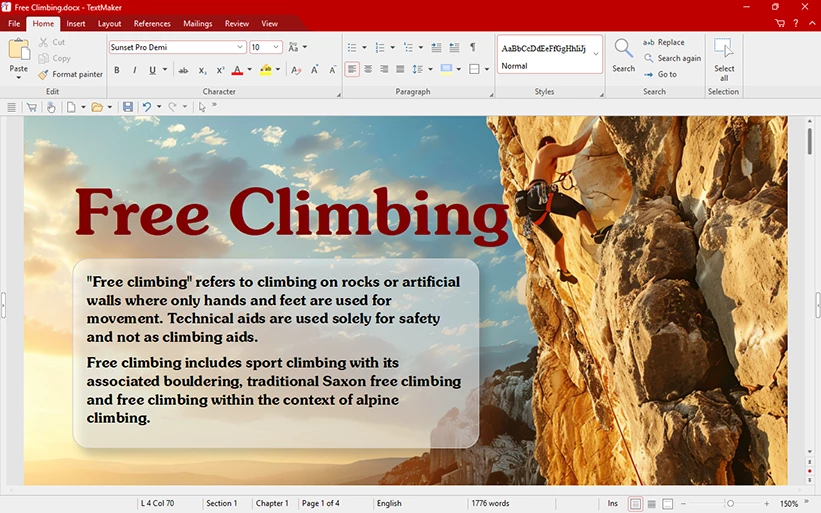
SoftMaker FreeOffice combines TextMaker for documents, PlanMaker for spreadsheets and Presentations for slide decks. It suits everyday work such as writing letters, preparing worksheets and making presentations without paying for an office suite. TextMaker opens and saves Word DOC and DOCX files and can export documents as PDF.
Choose a ribbon interface or classic menus and toolbars. A touch mode increases icon size and spacing on touchscreen computers. The Windows download linked here is the publisher’s FreeOffice 2024 MSI installer; the publisher lists revision 1238 dated October 8, 2026.
Free use does not mean unrestricted licensing. The published agreement permits one copy on up to three computers in the same family household or one computer belonging to an organization. Check those terms before deploying it across multiple work computers.
What it offers
- Use TextMaker, PlanMaker and Presentations for documents, spreadsheets and slide decks.
- Open and save DOC and DOCX documents in TextMaker; export documents to PDF.
- Switch between ribbons and classic menus with toolbars.
- Enable touch mode for larger icons and more space between controls.
Good to know
- The published license permits one copy on up to three computers in the same family household or one computer belonging to an organization; it is not an unrestricted organization-wide license.
Product images
Sources
References used for this listing. Retrieval dates do not indicate hands-on testing.
More in utilities
View category ↗
1.1.1.1 with WARP 2026.8.2115.0
Encrypt traffic from your Mac to Cloudflare’s network with WARP, or use DNS-only mode for encrypted DNS queries to the 1.1.1.1 resolver.
1.1.1.1 with WARP 2026.8.2115.0
Encrypt traffic between your Windows PC and Cloudflare, or use encrypted DNS only, with the free 1.1.1.1 with WARP app.

3uTools 9.12.005
Manage iPhone and iPad photos, music, apps and backups from Windows with 3uTools, a free utility that also includes device checks and firmware flashing tools.