
Utilities Windows
SoftPerfect Network Scanner
Discover network devices, inspect open ports and shared folders, and export inventories with SoftPerfect Network Scanner for Windows. The trial displays up to 10 devices.
Version 26.9 · Direct publisher file
Link checked · Download guidance
What is SoftPerfect Network Scanner?
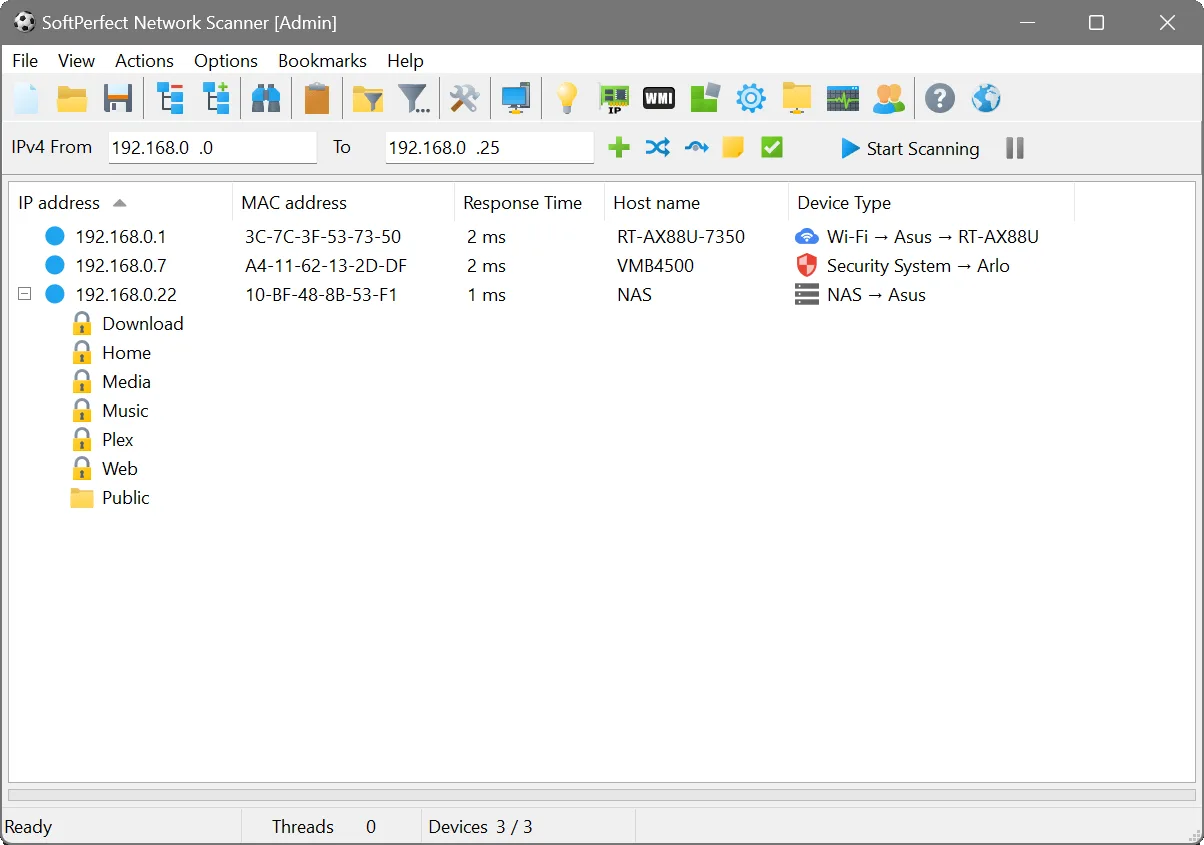
SoftPerfect Network Scanner helps administrators inventory devices on a network and investigate the services they expose. It supports IPv4 and IPv6 discovery, ping sweeps, TCP port scanning and shared-folder discovery. Results can include MAC addresses and system details collected through protocols such as WMI and SNMP.
Use its filtering and display options to review scan results, then export them to HTML, XML, JSON, CSV or TXT for reporting. The publisher offers a Windows installer and a separate portable package that can run from a USB drive; the download here is the installer.
This is commercial software with an unlimited-duration trial, not unrestricted freeware: the trial displays a maximum of 10 devices. The publisher also offers Nmap integration for additional analysis; those capabilities depend on an external tool rather than the scanner alone.
What it offers
- Discover devices using IPv4 and IPv6 scans and ping sweeps.
- Inspect listening TCP ports and discover hidden or writable shared folders.
- Retrieve device information through WMI, SNMP, HTTP, SSH and PowerShell.
- Filter scan results and export them to HTML, XML, JSON, CSV or TXT.
- Use Wake-On-LAN and remote shutdown for network administration.
Good to know
- The unlimited-duration trial displays no more than 10 devices; a paid licence is needed to remove that limit.
- Additional analysis through Nmap integration requires the separate Nmap tool.
Product images
Sources
References used for this listing. Retrieval dates do not indicate hands-on testing.
More in utilities
View category ↗
1.1.1.1 with WARP 2026.8.2115.0
Encrypt traffic from your Mac to Cloudflare’s network with WARP, or use DNS-only mode for encrypted DNS queries to the 1.1.1.1 resolver.
1.1.1.1 with WARP 2026.8.2115.0
Encrypt traffic between your Windows PC and Cloudflare, or use encrypted DNS only, with the free 1.1.1.1 with WARP app.

3uTools 9.12.005
Manage iPhone and iPad photos, music, apps and backups from Windows with 3uTools, a free utility that also includes device checks and firmware flashing tools.