
Utilities Windows
SpeechPulse
Dictate into Windows apps with Whisper-based speech recognition, transcribe recordings and create SRT or VTT subtitles. SpeechPulse offers a 30-day trial before purchase.
- Operating system
- Windows 10 version 1809 or later, or Windows 11
- Architecture
- 64-bit
- Download package
- EXE installer
Includes the English base model. Larger models and NVIDIA CUDA libraries are available through built-in downloaders.
Link checked · Download guidance
What is SpeechPulse?
SpeechPulse turns speech into text for text editors, browsers and office applications. Its offline speech recognition option processes dictation on your computer. Automatic speech detection and customizable push-to-talk hotkeys provide different ways to control input, with automatic or manually dictated punctuation.
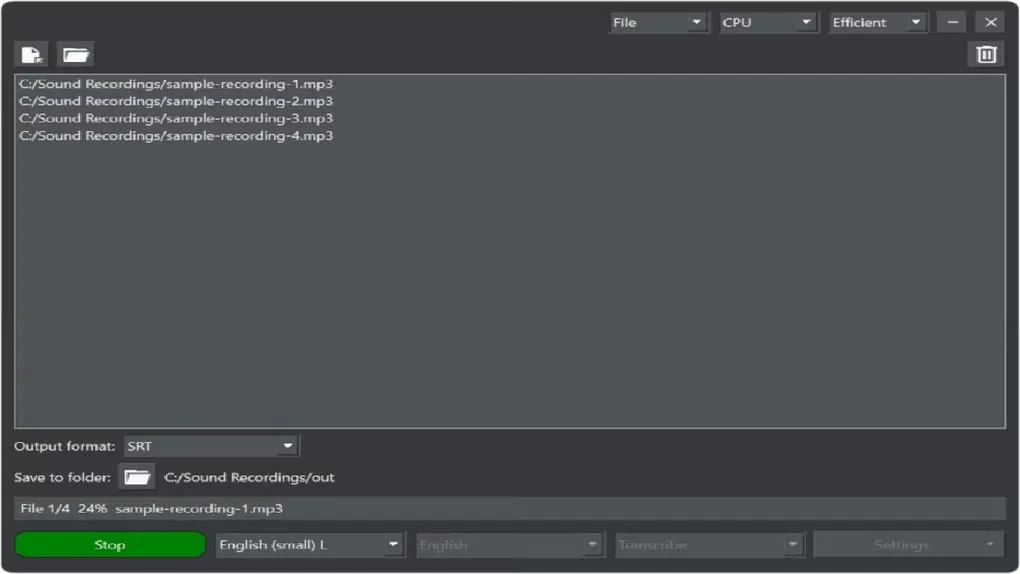
File mode transcribes or translates recordings and supports automatic speaker diarization. The publisher lists 99 transcription languages, translation into English, and subtitle output in SRT and VTT formats. This Windows entry links to the publisher's 64-bit EXE installer.
The installer includes only the English base model; larger models are obtained through the built-in downloader. Medium and large models can be too slow for live dictation on a CPU, so the publisher recommends an NVIDIA GPU for those models. Windows 11 Notepad requires Paste mode rather than Type mode or real-time processing. The 30-day trial is not a permanently free license.
What it offers
- Dictate into text editors, web browsers and office applications, with an offline recognition option.
- Use automatic speech detection or push-to-talk hotkeys with automatic or manual punctuation.
- Transcribe in 99 languages and translate speech into English.
- Transcribe audio files with automatic speaker diarization, including MP3, WAV, M4A, FLAC, OGG and WebM input.
- Generate SRT or VTT subtitles from audio and video files.
Good to know
- The free trial lasts 30 days; continued use requires a commercial license.
- Only the English base model is included in the installer; larger models require separate downloads.
- Medium and large models can be too slow for live dictation on a CPU; the publisher recommends an NVIDIA GPU for these models.
- Windows 11 Notepad does not support Type mode or real-time processing; use Paste mode instead.
- Text-editor autocorrection can disrupt real-time transcription. An unelevated SpeechPulse process also cannot type into apps running as administrator.
Product images
Sources
References used for this listing. Retrieval dates do not indicate hands-on testing.
- SpeechPulse - Download ↗Retrieved
- SpeechPulse ↗Retrieved
- SpeechPulse — Buy ↗Retrieved
- SpeechPulse — official downloads and system requirements ↗Retrieved
More in utilities
View category ↗
1.1.1.1 with WARP 2026.8.2115.0
Encrypt traffic from your Mac to Cloudflare’s network with WARP, or use DNS-only mode for encrypted DNS queries to the 1.1.1.1 resolver.
1.1.1.1 with WARP 2026.8.2115.0
Encrypt traffic between your Windows PC and Cloudflare, or use encrypted DNS only, with the free 1.1.1.1 with WARP app.

3uTools 9.12.005
Manage iPhone and iPad photos, music, apps and backups from Windows with 3uTools, a free utility that also includes device checks and firmware flashing tools.