
Utilities macOS
SpeedCrunch for macOS
Calculate scientific expressions, work with units and complex numbers, and keep calculations in separate sessions with SpeedCrunch, a free, open-source calculator for Mac.
- Operating system
- macOS 14.4 (Sonoma) or later
- Architecture
- ARM64 (Apple Silicon)
- Download package
- DMG disk image
The selected publisher download is the macOS ARM64 DMG. The publisher also lists a separate portable ZIP. First launch may be blocked by macOS developer verification.
Link checked · Download guidance
What is SpeedCrunch?
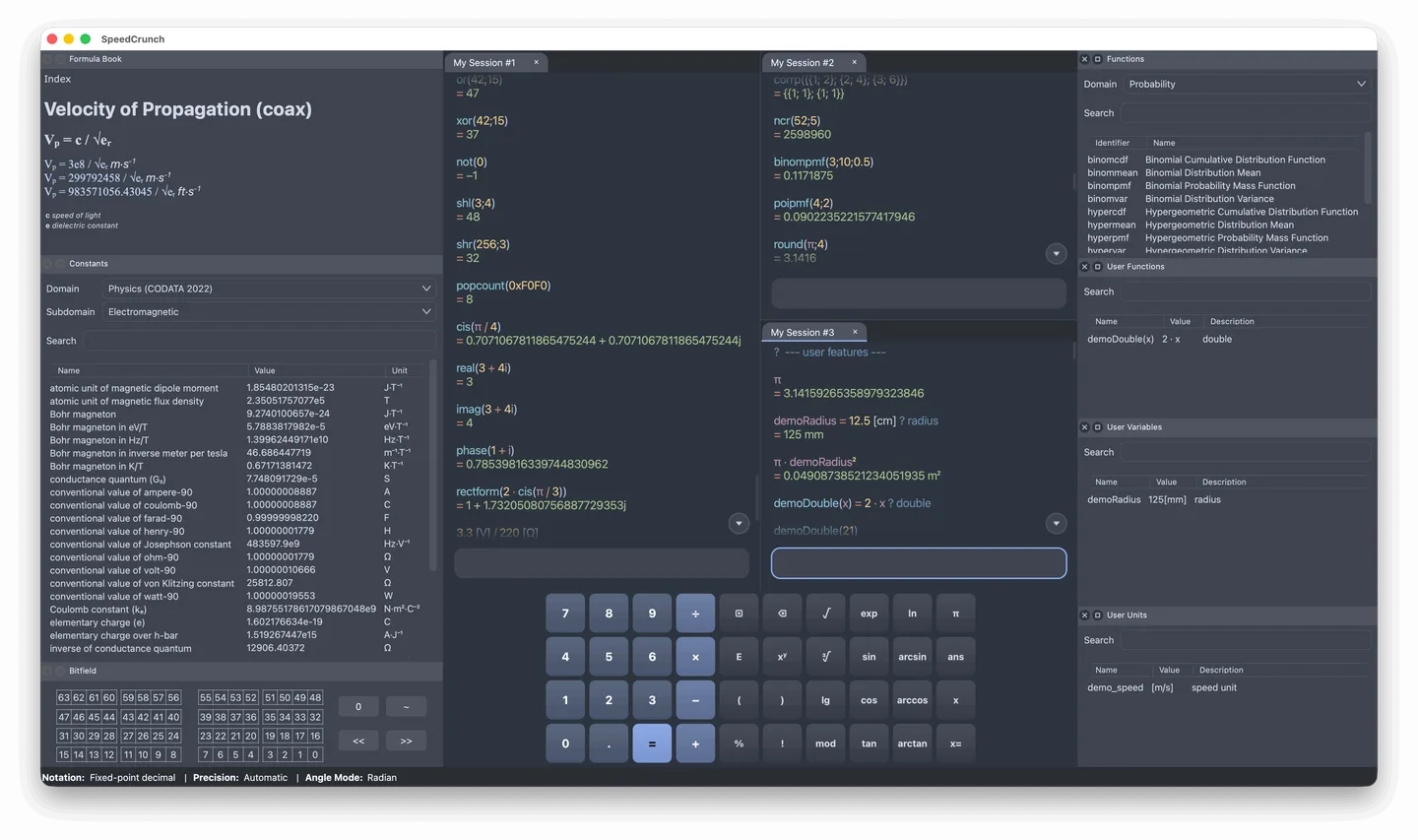
SpeedCrunch is a scientific desktop calculator for entering expressions rather than working only through a keypad. Its keyboard-oriented editor provides syntax highlighting and completion for functions and variables, while a formula book and reference panels help you find constants and operations. It supports up to 50 digits of precision, complex numbers, vectors and matrices.
You can define your own variables, functions and units, then organize calculations in tabs, split panes or separate windows. Calculation history can be saved between launches, and earlier expressions can be edited and recalculated. A customizable keypad offers an alternative to typing.
The linked version 1.1 download is a DMG for Apple Silicon Macs running macOS 14.4 or later; it is not an Intel Mac package. The publisher warns that macOS may block the first launch because it cannot verify the developer. The official installation guide explains the system security exception, but this listing does not establish that the application is signed, notarized or tested on your Mac.
What it offers
- Enter expressions with syntax highlighting, function and variable completion, and keyboard-focused controls.
- Calculate with up to 50 digits of precision, complex numbers, vectors and matrices.
- Use built-in functions, units and constants, or define your own variables, functions and units.
- Keep multiple calculation sessions in tabs, split panes or windows, with saved history and editable earlier expressions.
- Consult a formula book and use keypad presets or a customized keypad layout.
Good to know
- This download targets Apple Silicon (ARM64) and requires macOS 14.4 or later; it is not an Intel Mac download.
- macOS may block the first launch because it cannot verify the developer, according to the publisher's installation guide.
Product images
Sources
References used for this listing. Retrieval dates do not indicate hands-on testing.
More in utilities
View category ↗
1.1.1.1 with WARP 2026.8.2115.0
Encrypt traffic from your Mac to Cloudflare’s network with WARP, or use DNS-only mode for encrypted DNS queries to the 1.1.1.1 resolver.
1.1.1.1 with WARP 2026.8.2115.0
Encrypt traffic between your Windows PC and Cloudflare, or use encrypted DNS only, with the free 1.1.1.1 with WARP app.

3uTools 9.12.005
Manage iPhone and iPad photos, music, apps and backups from Windows with 3uTools, a free utility that also includes device checks and firmware flashing tools.