
Utilities Windows
SpeedFan for Windows
Monitor temperatures, fan speeds and voltages with SpeedFan, a free Windows utility that can adjust fan speeds on supported hardware.
- Operating system
- Windows 10, 8, 7, Vista, XP and older Windows versions; Windows Server 2003, 2008 and 2012
- Architecture
- 64-bit Windows support stated; installer architecture unspecified
- Download package
- EXE installer
Publisher-listed operating systems, not independently tested. Fan control requires compatible motherboard hardware and configuration; Windows 11 support is unverified.
Link checked · Download guidance
What is SpeedFan?
SpeedFan reads hardware-monitoring chips to show temperatures, fan speeds and voltages in one Windows utility. It also reads S.M.A.R.T. information and temperatures from supported hard disks. For a compatible system, these readings help you inspect cooling behavior without relying on fan noise alone.
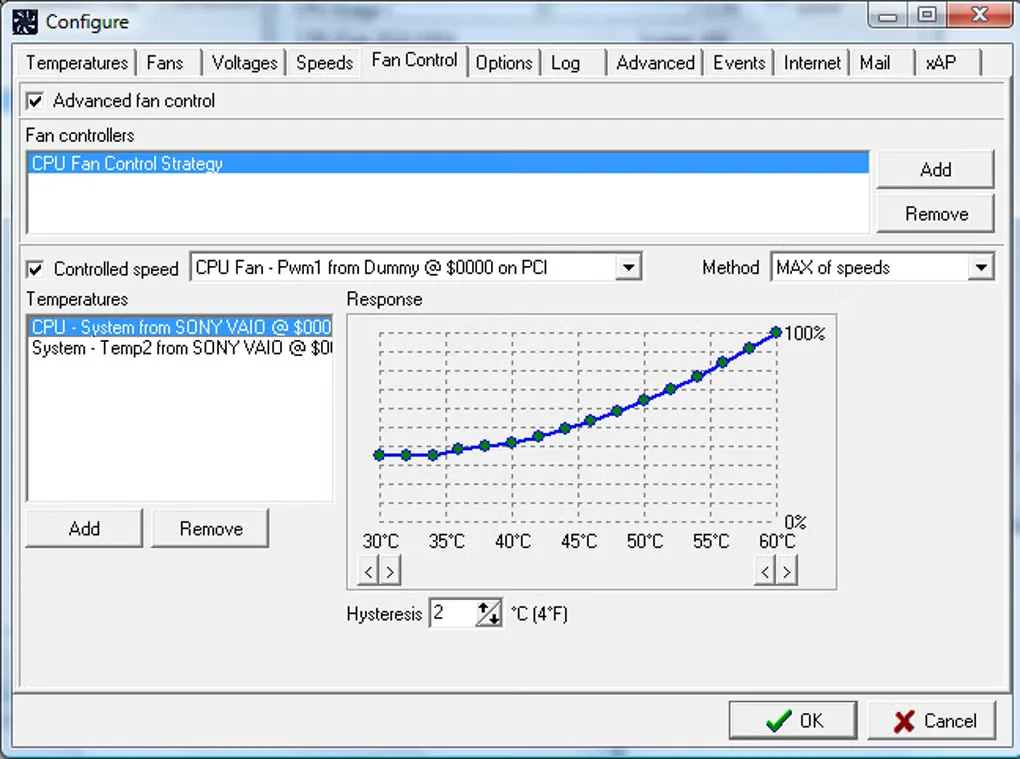
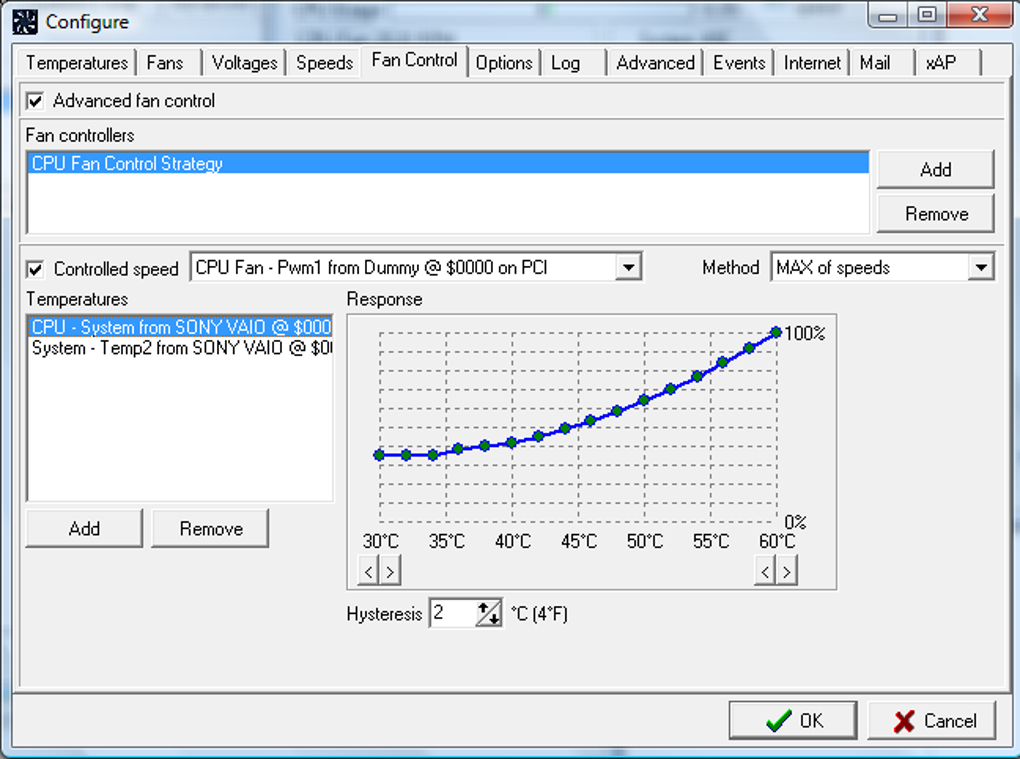
Fan control is the main reason to choose it over a readout-only monitor. With supported hardware and the right configuration, SpeedFan can adjust fan speeds in response to temperatures. Its advanced controls let you build response curves and use more than one temperature input for a fan.
Hardware compatibility is a real constraint: a monitoring chip can expose readings without the motherboard providing the circuitry needed to change fan speeds. Unused sensor inputs and custom voltage circuitry can also produce misleading values. Identify the readings before relying on automatic control; the publisher warns that setting fan speeds too low can allow overheating.
This entry links to the publisher-listed 4.52 installer. The publisher lists Windows support through Windows 10 and Windows Server 2012, including 64-bit Windows. Windows 11 and compatibility with a particular current motherboard are not established by those pages.
What it offers
- Read temperatures, fan RPM and voltages from supported hardware-monitoring chips.
- Adjust fan speeds according to temperatures when the hardware supports software control.
- Create custom fan-response curves, including multiple temperature inputs for a fan.
- View S.M.A.R.T. information and temperatures from supported hard disks.
- Inspect sensor behavior with temperature charts.
Good to know
- Fan-speed adjustment depends on motherboard circuitry and correct configuration; detecting a sensor does not guarantee fan control.
- Unused sensors or nonstandard voltage circuitry can produce misleading readings.
- Fan speeds set too low can permit overheating; the publisher advises observing behavior before leaving control unattended.
- Publisher compatibility information stops at Windows 10 and Windows Server 2012; Windows 11 and specific current motherboards are unverified.
Product images
Sources
References used for this listing. Retrieval dates do not indicate hands-on testing.
- SpeedFan - Access temperature sensor in your computer ↗Retrieved
- Download SpeedFan - Access temperature sensor in your computer ↗Retrieved
- SpeedFan Screenshots Page ↗Retrieved
- SpeedFan - FAQ about sensors' readings, fan control and more ↗Retrieved
- SpeedFan - Download — Windows product page and screenshot gallery ↗Retrieved
More in utilities
View category ↗
1.1.1.1 with WARP 2026.8.2115.0
Encrypt traffic from your Mac to Cloudflare’s network with WARP, or use DNS-only mode for encrypted DNS queries to the 1.1.1.1 resolver.
1.1.1.1 with WARP 2026.8.2115.0
Encrypt traffic between your Windows PC and Cloudflare, or use encrypted DNS only, with the free 1.1.1.1 with WARP app.

3uTools 9.12.005
Manage iPhone and iPad photos, music, apps and backups from Windows with 3uTools, a free utility that also includes device checks and firmware flashing tools.