
Utilities macOS
Sphinx (Esfinge)
Encrypt text and files, generate passwords and keep credentials in an encrypted vault with Esfinge, listed as Sphinx on Softonic. The Mac download is a universal DMG for Apple Silicon and Intel.
- Operating system
- macOS; exact supported OS release range not verified
- Architecture
- Universal: Apple Silicon and Intel
- Download package
- DMG disk image
Selected package: Esfinge-2.58.7.dmg. Publisher says the application is unsigned. Separate command-line and browser-extension downloads are not this package.
Link checked · Download guidance
What is Sphinx (Esfinge)?
Esfinge is Webcafeína's desktop encryption and password-vault application, listed as Sphinx on Softonic. It can turn a password, token or connection string into an encrypted text line, or encrypt files dragged into its window without changing the originals. The publisher describes XChaCha20-Poly1305 encryption with Argon2id key derivation; these are publisher specifications, not an independent security assessment.
For recurring credentials, the encrypted local vault adds search, password imports and one-time authentication codes. Local use does not require an account; the publisher also describes an optional encrypted account for use across computers. Browser filling requires a separate extension and enabling its local connection in the application's settings.
The selected 2.58.7 download is a universal macOS disk image, not the separately offered command-line binary or browser extension. The publisher says the application is unsigned, so macOS can display an opening warning. An exact supported macOS release range has not been verified for this packaged release.
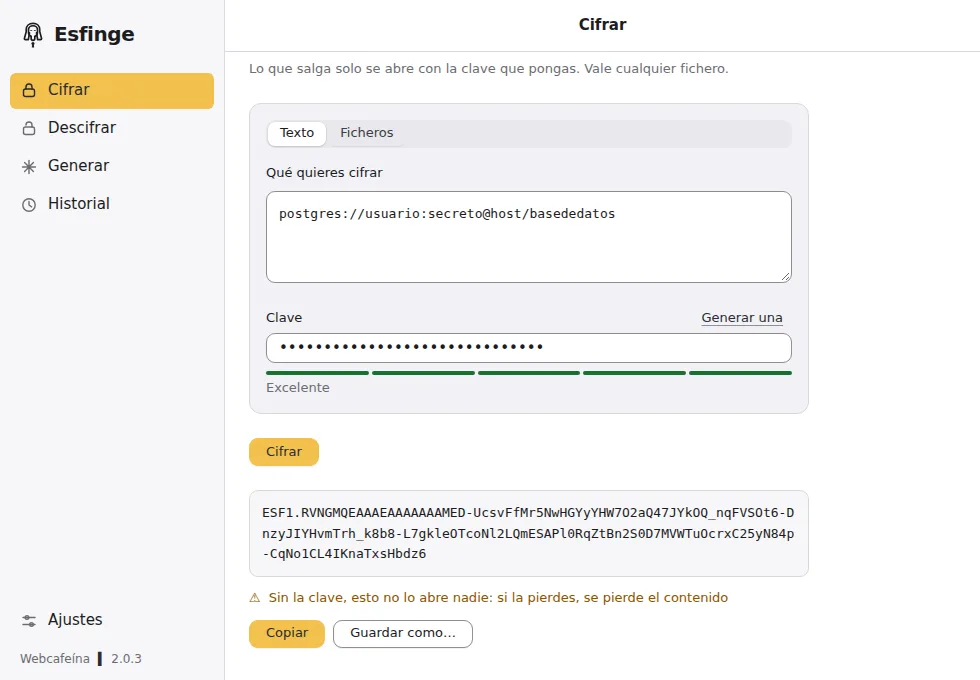
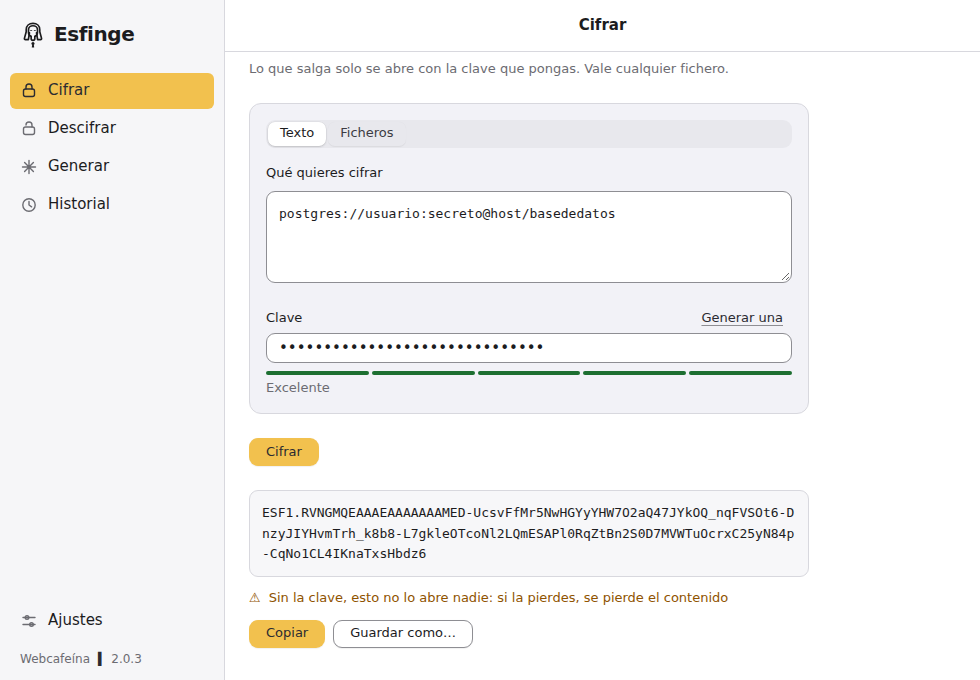
Keep encryption keys separately from the content they unlock. The publisher warns that encrypted text and files cannot be recovered after key loss; the vault has a separate recovery key shown when it is created. The screenshot is the publisher's older Spanish-language interface demonstration, visibly marked 2.0.3, not a capture of the selected 2.58.7 release.
What it offers
- Encrypt and decrypt text such as passwords, tokens and connection strings.
- Encrypt multiple files by dragging them into the window; originals remain unchanged.
- Generate passwords, with hexadecimal output as the documented default.
- Store credentials in a searchable encrypted vault with imports and one-time authentication codes.
- Use local mode without an account, or the publisher's optional encrypted account across computers.
- Connect a separate browser extension for credential filling through an explicitly enabled local channel.
Good to know
- The publisher says the application is unsigned; macOS can warn or block the first opening.
- Losing the encryption key makes encrypted text and files unrecoverable. The vault's separately issued recovery key is an exception, not recovery for arbitrary encrypted files.
- Source availability is not an open-source license: the publisher reserves rights and restricts redistribution, derivative works and commercial exploitation without written permission.
- The publisher screenshot shows a Spanish-language 2.0.3 interface, not the selected 2.58.7 release. English interface availability and the packaged release's exact macOS minimum were not verified.
Product images
Sources
References used for this listing. Retrieval dates do not indicate hands-on testing.
More in utilities
View category ↗
1.1.1.1 with WARP 2026.8.2115.0
Encrypt traffic from your Mac to Cloudflare’s network with WARP, or use DNS-only mode for encrypted DNS queries to the 1.1.1.1 resolver.
1.1.1.1 with WARP 2026.8.2115.0
Encrypt traffic between your Windows PC and Cloudflare, or use encrypted DNS only, with the free 1.1.1.1 with WARP app.

3uTools 9.12.005
Manage iPhone and iPad photos, music, apps and backups from Windows with 3uTools, a free utility that also includes device checks and firmware flashing tools.