

Development Windows
Spyder for Windows
Write Python code, inspect variables and view scientific plots with Spyder, a free, open-source IDE for data analysis. This entry links to the Windows x64 standalone installer.
- Operating system
- Windows 10 or later
- Architecture
- x64 (x86_64)
- Download package
- EXE standalone installer
Publisher FAQ lists at least 4 GB RAM and strongly recommends 8 GB. Scientific workloads can need additional resources.
Link checked · Download guidance
What is Spyder?
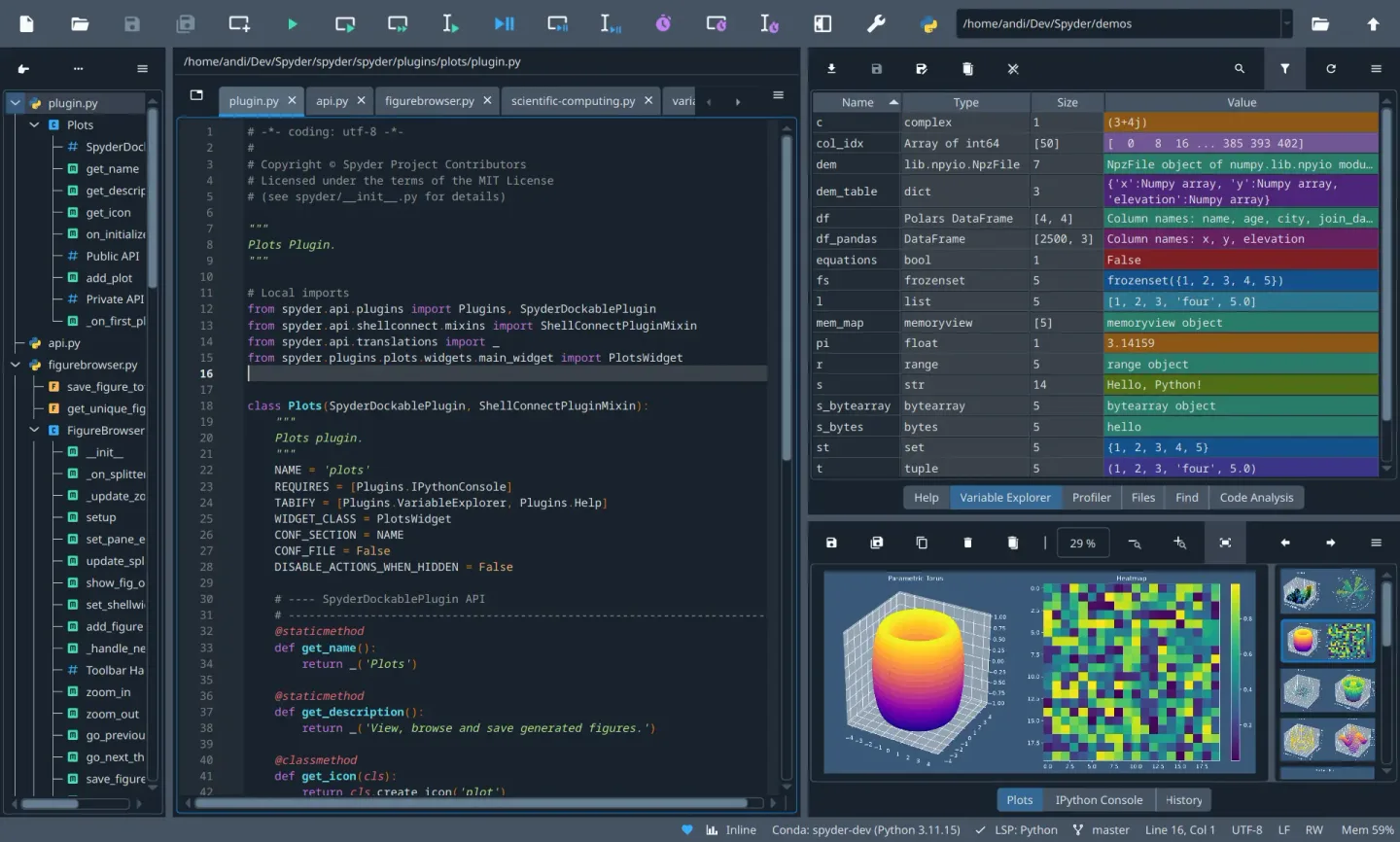
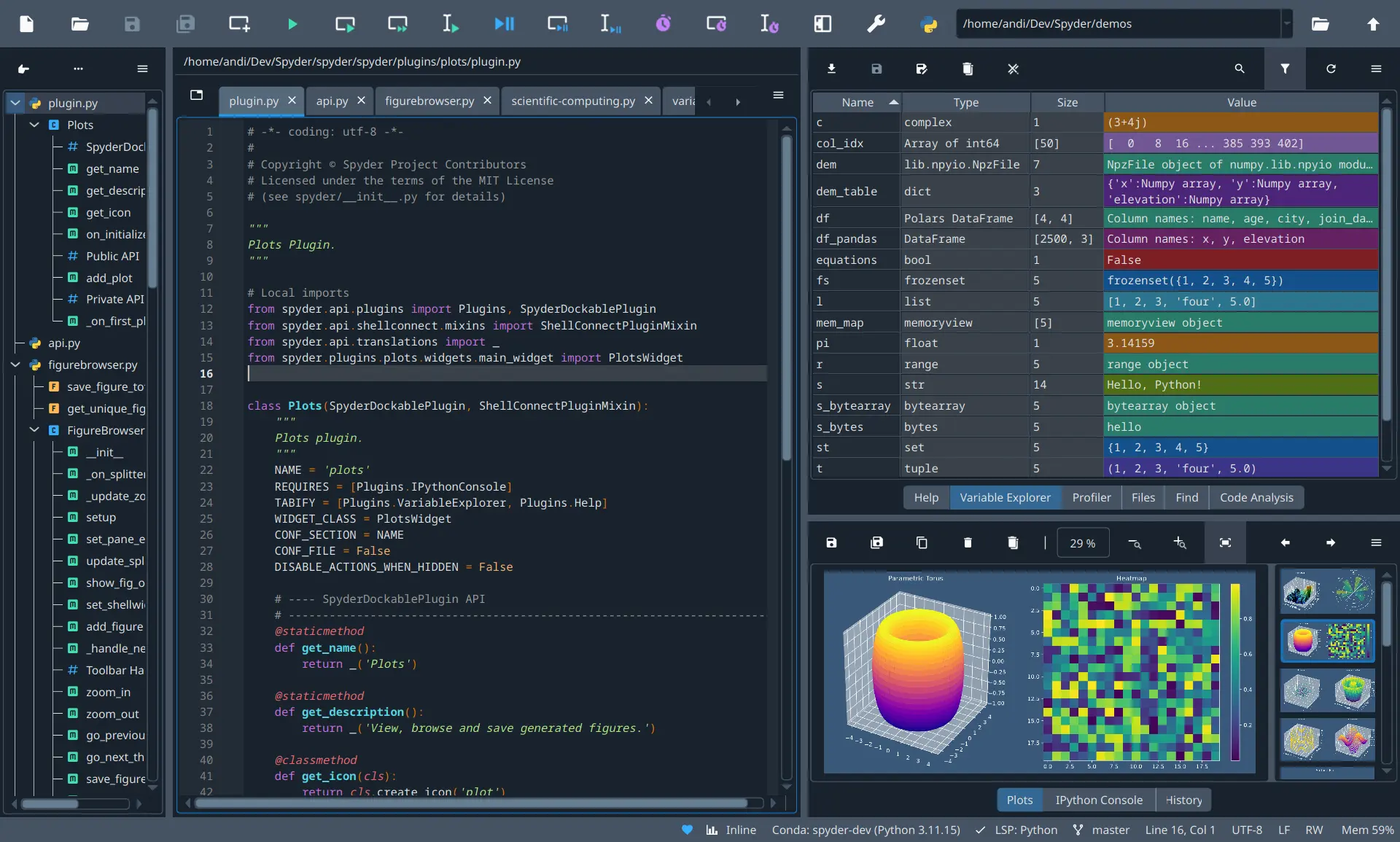
Spyder brings Python editing, interactive execution and data inspection into one workspace. It is aimed at scientists, engineers and data analysts who want to move between code, variables and visual results without switching applications. Its editor, IPython Console, Variable Explorer and Plots pane support that workflow, alongside debugging and profiling tools.
The Windows standalone installer includes a Python environment with common scientific libraries such as NumPy, SciPy, pandas and Matplotlib. For packages outside that bundle, the publisher recommends connecting an external Python environment with the appropriate spyder-kernels package. Third-party plugin installation and full Variable Explorer support for specialized packages are limited in the standalone distribution; the installation guide recommends a Conda-based setup when those capabilities are required.
The screenshot is the publisher documentation’s cross-platform workspace view, not a capture of this Windows installer or proof of the exact release appearance.
What it offers
- Edit Python code and run it interactively through an IPython Console.
- Inspect variables and data structures in the Variable Explorer.
- Browse generated figures in the Plots pane.
- Use integrated debugging, code analysis and profiling tools.
- Start with a bundled Python environment and common scientific libraries in the standalone installer.
Good to know
- Additional packages outside the standalone bundle require a separate Python environment connected to Spyder.
- Third-party plugins and full inspection of objects from specialized libraries are not fully supported by the standalone installer; the publisher recommends a Conda-based installation for these needs.
Product images
Sources
References used for this listing. Retrieval dates do not indicate hands-on testing.
- Spyder (64-bit) - Download — source identity and gallery ↗Retrieved
- Welcome to Spyder’s Documentation — Spyder 6 ↗Retrieved
- Install Guide — Spyder 6 documentation ↗Retrieved
- Frequently Asked Questions — Spyder 6 documentation ↗Retrieved
- Release Spyder 6.1.8 — publisher repository ↗Retrieved
- Spyder software MIT License ↗Retrieved
- Spyder documentation MIT License ↗Retrieved
- Tour — Spyder 6 documentation ↗Retrieved
More in development
View category ↗
010 Editor 17.0
Inspect and edit binary files on Mac with 010 Editor, a paid text and hex editor with Binary Templates, file comparison and a 30-day trial.
010 Editor 17.0
Inspect and edit binary files with 010 Editor for Windows, a text and hex editor with Binary Templates, file comparison and scripting. Includes a 30-day trial.
10x Editor
Edit and navigate C++ projects on Windows with a built-in parser, workspace search and Visual Studio project support. A paid license is required after the 30-day trial.