

Development Windows
SQLite Expert Personal for Windows
Browse and edit SQLite databases on Windows with a free graphical tool for table design, SQL queries, data editing and database maintenance.
- Operating system
- Windows 7, 8, 10 and 11
- Architecture
- 64-bit
- Download package
- EXE installer
This link selects Personal Edition for Windows 64-bit. The publisher separately lists a 32-bit package. Exact installer version is not asserted because source version displays differ.
Link checked · Download guidance
What is SQLite Expert Personal?
SQLite Expert Personal is a free Windows application for working with SQLite 3 databases. It combines visual table and view designers, an SQL editor and an editable data grid. Use it to inspect a database, change table definitions, write queries with syntax highlighting and completion, or edit individual records without doing every operation at the command line.
The Personal edition includes query-plan viewing, integrity and foreign-key checks, and maintenance operations such as vacuum, reindex, analyze and WAL checkpoint. Its grid provides editors for text, images, BLOBs and JSON cell values.
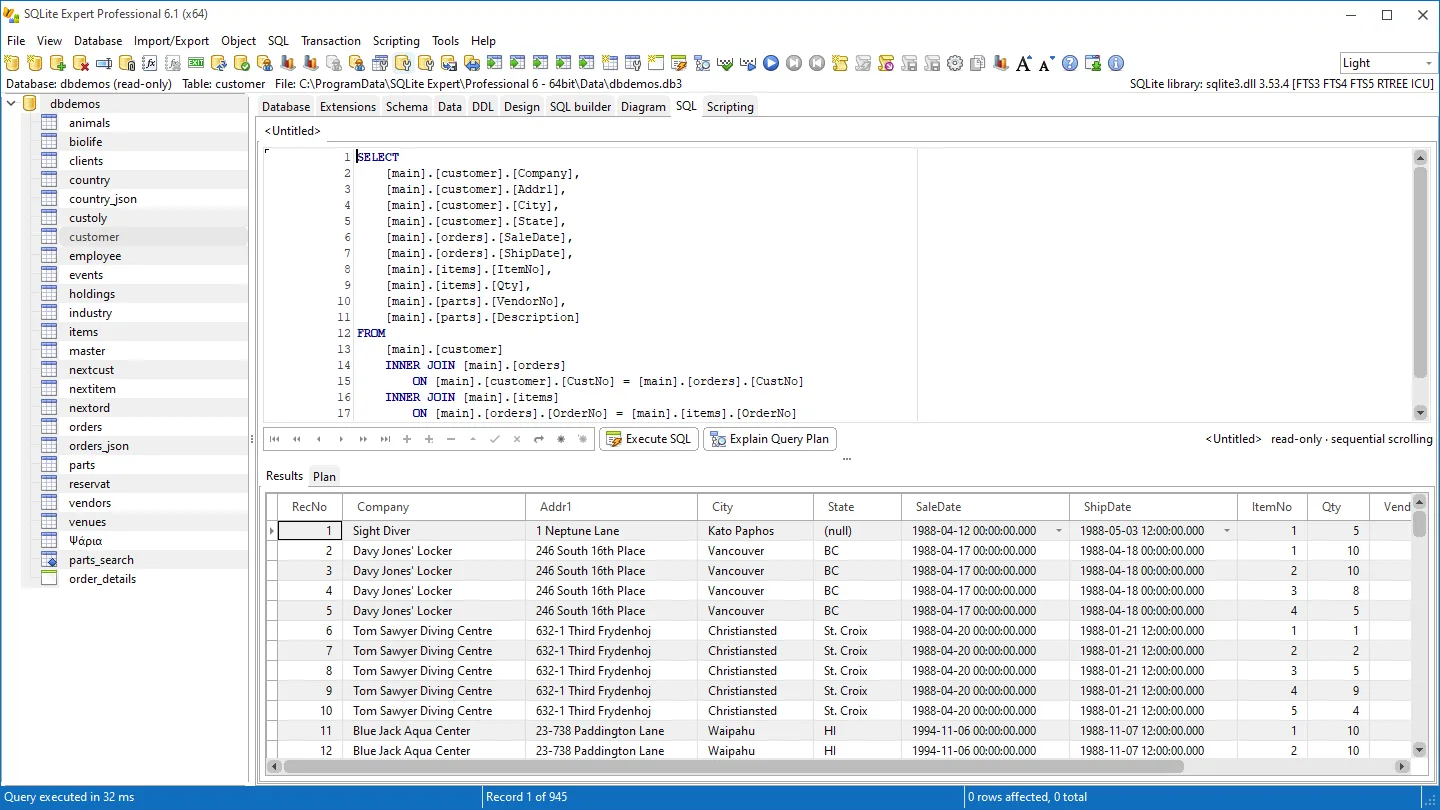
Edition choice matters: the visual Query Builder, schema diagram, import/export tools, encrypted-database support, repair/recovery and Lua/Pascal scripting belong to Professional, not this free edition. The screenshot is the publisher's Professional-edition example of the shared SQL editor and results grid; visible Professional-only tabs do not indicate Personal features.
The linked package is the publisher's Windows 64-bit Personal EXE installer. A separate 32-bit package is listed on the publisher's download page. The publisher's static pages and Softonic display different version numbers, so this entry does not assert an exact package version or release date.
What it offers
- Create and restructure tables and views with visual designers, including columns, indexes, constraints and triggers.
- Write SQL with syntax highlighting, completion, formatting and parameters; inspect query plans.
- Edit records in a data grid with text, image, BLOB and JSON cell editors.
- Check database integrity and foreign keys; run vacuum, reindex, analyze and WAL checkpoint operations.
- Work with attached databases, transactions, SQLite extensions, STRICT tables and generated columns.
Good to know
- The visual Query Builder, schema diagram and import/export tools require Professional Edition.
- Encrypted databases, repair/recovery and Lua/Pascal scripting are Professional-only features.
Product images
Sources
References used for this listing. Retrieval dates do not indicate hands-on testing.
- SQLite Expert Personal - Download ↗Retrieved
- Features — SQLite Expert ↗Retrieved
- Download — SQLite Expert ↗Retrieved
- SQLite Expert — the visual tool for SQLite databases ↗Retrieved
- SQLite Expert Terms and Conditions ↗Retrieved
More in development
View category ↗
010 Editor 17.0
Inspect and edit binary files on Mac with 010 Editor, a paid text and hex editor with Binary Templates, file comparison and a 30-day trial.
010 Editor 17.0
Inspect and edit binary files with 010 Editor for Windows, a text and hex editor with Binary Templates, file comparison and scripting. Includes a 30-day trial.
10x Editor
Edit and navigate C++ projects on Windows with a built-in parser, workspace search and Visual Studio project support. A paid license is required after the 30-day trial.