

Development Windows
SQuirreL SQL Client for Windows
Browse JDBC database structures, inspect table data and run SQL queries with SQuirreL SQL Client, an open-source Java desktop tool for Windows that requires Java 17 or later.
- Operating system
- Windows; publisher also supports Linux and other Java-capable systems
- Architecture
- No processor-specific build stated for the standard Java installer
- Download package
- Java installer JAR
Requires Java 17 or later and an appropriate JDBC driver. Windows launch script: squirrel-sql.bat.
Link checked · Download guidance
What is SQuirreL SQL Client?
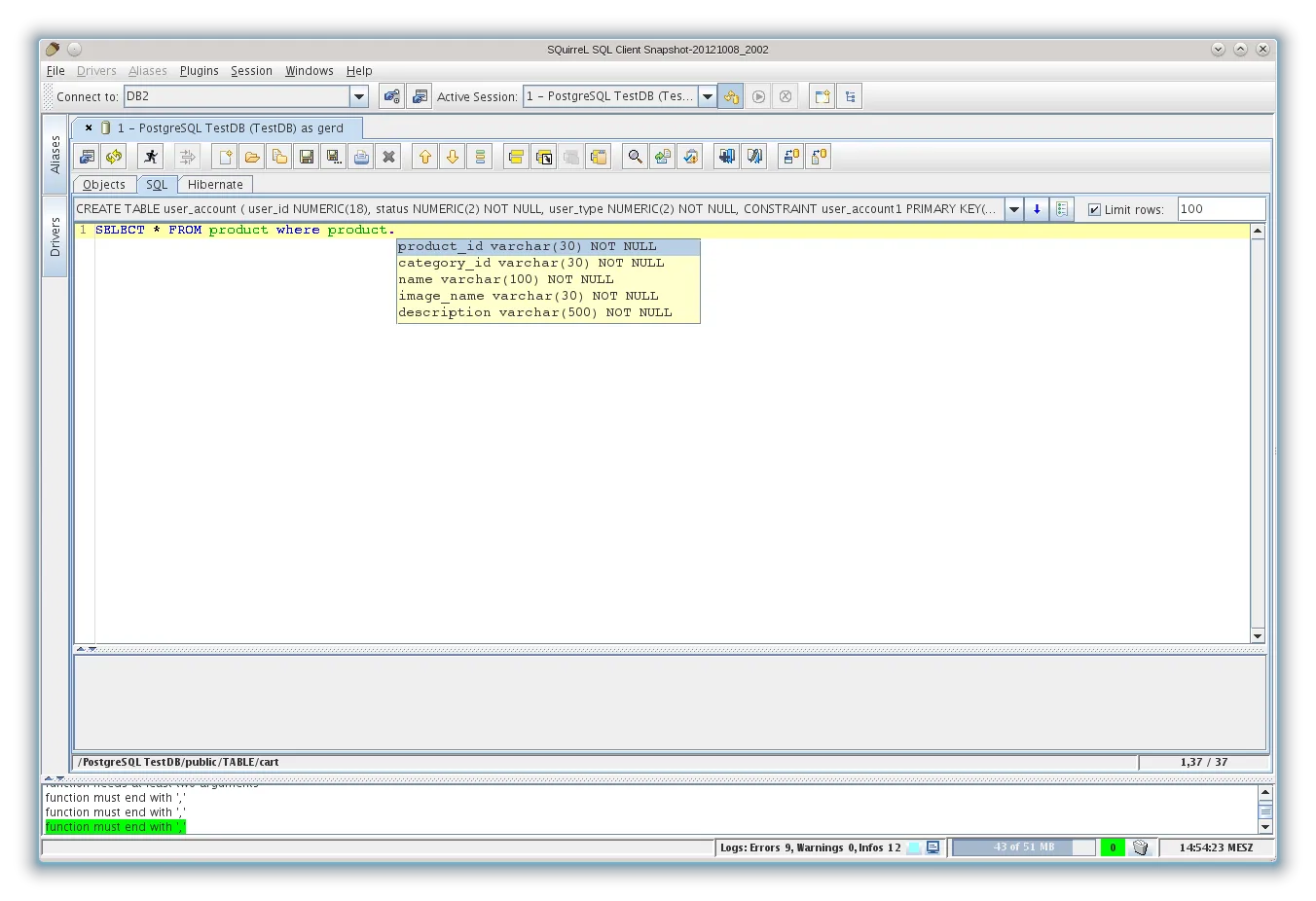
SQuirreL SQL Client gives you a graphical workspace for databases that provide a JDBC driver. Configure a driver and a connection alias, then explore database objects, browse table contents and issue SQL commands. Its SQL editor offers code completion for database objects and keywords, while bookmarks hold reusable SQL templates. The Graph plugin can draw table relationships and build queries.
The linked 5.1.0 download is the publisher’s standard Java installer JAR for Windows, Linux and other systems, not a Windows EXE or a bundled database server. Install Java 17 or later first; the publisher documents launching the installer with java -jar and starting the installed Windows application with squirrel-sql.bat. Database connections also need the appropriate JDBC driver library and connection configuration.
Version 5.1.0 adds options for automatically rerunning SQL results and executing SQL in multiple sessions. Editing query results is more limited than querying: the publisher documents it for results from a single table. The illustration is a historical publisher screenshot of the cross-platform SQL editor, not a capture of version 5.1.0 on Windows.
What it offers
- Browse the structure and table data of JDBC-compliant databases.
- Write SQL with code completion for keywords, tables, columns, views and stored procedures.
- Reuse SQL templates through bookmarks.
- Use the Graph plugin for table relationship diagrams and query building.
- Configure automatic query reruns and execute SQL in multiple sessions in version 5.1.0.
Good to know
- Java 17 or later must be installed separately for version 5.1.0; the download is a Java installer JAR.
- Connections require the appropriate JDBC driver library and a configured connection alias.
- The publisher documents query-result editing for single-table queries; do not assume arbitrary multi-table results are editable.
Product images
Sources
References used for this listing. Retrieval dates do not indicate hands-on testing.
More in development
View category ↗
010 Editor 17.0
Inspect and edit binary files on Mac with 010 Editor, a paid text and hex editor with Binary Templates, file comparison and a 30-day trial.
010 Editor 17.0
Inspect and edit binary files with 010 Editor for Windows, a text and hex editor with Binary Templates, file comparison and scripting. Includes a 30-day trial.
10x Editor
Edit and navigate C++ projects on Windows with a built-in parser, workspace search and Visual Studio project support. A paid license is required after the 30-day trial.