

Utilities macOS
Steam for macOS
Browse games, manage your library and keep supported titles updated with Valve's Steam client for Mac. The client is free; individual games may cost extra.
What is Steam?
Steam brings Valve's game store, library and community into a desktop client for Mac. Browse game listings, acquire titles and manage downloaded games from your library. Automatic game updates help keep supported titles up to date, while friends chat and game hubs provide places to talk about what you play.
The free client does not include every game for free. A Steam account is required to use its content and services, and some content requires an Internet connection. Check each game's platform and system requirements before buying: installing the Mac client is not a guarantee that a particular game will run on your Mac.
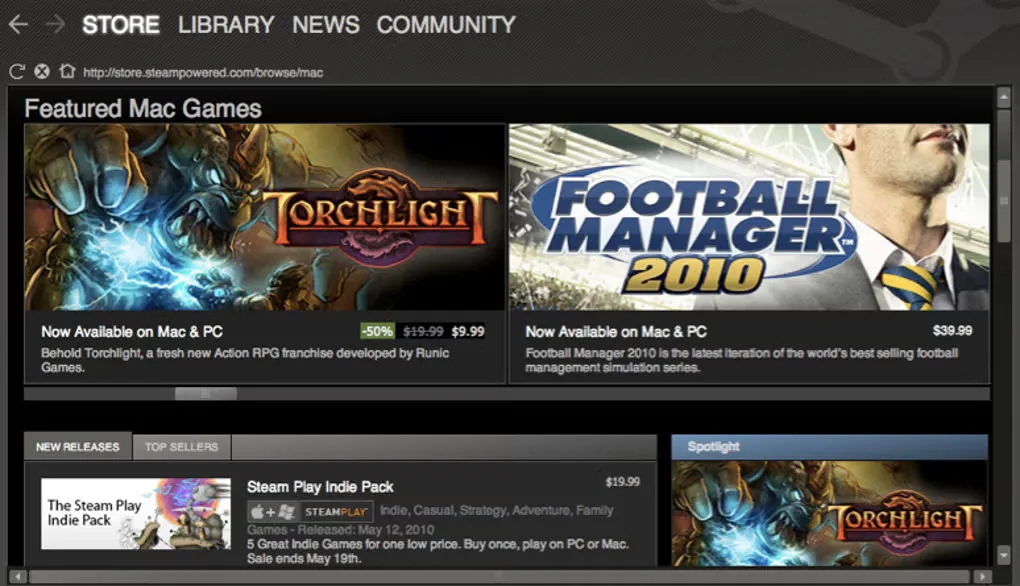
The download here is the publisher-linked steam.dmg disk image. The screenshot is an older Mac storefront view retained in Softonic's Steam for Mac gallery; its interface, offers and displayed games are historical, not a representation of today's catalogue or pricing.
What it offers
- Browse the Steam store and manage acquired games in a personal library.
- Receive automatic updates for games distributed through Steam.
- Talk with friends or groups using Steam's text and voice chat.
- Join game-hub discussions and discover player-created Workshop content for supported games.
Good to know
- A Steam account is required for content and services; some content also requires an Internet connection.
- The free client does not make paid games free, and individual games have their own platform and system requirements.
Product images
Sources
References used for this listing. Retrieval dates do not indicate hands-on testing.
- Steam for Mac - Download ↗Retrieved
- Steam, The Ultimate Online Game Platform ↗Retrieved
- Steam Subscriber Agreement ↗Retrieved
More in utilities
View category ↗
1.1.1.1 with WARP 2026.8.2115.0
Encrypt traffic from your Mac to Cloudflare’s network with WARP, or use DNS-only mode for encrypted DNS queries to the 1.1.1.1 resolver.
1.1.1.1 with WARP 2026.8.2115.0
Encrypt traffic between your Windows PC and Cloudflare, or use encrypted DNS only, with the free 1.1.1.1 with WARP app.

3uTools 9.12.005
Manage iPhone and iPad photos, music, apps and backups from Windows with 3uTools, a free utility that also includes device checks and firmware flashing tools.