

Utilities Windows
Stellarium for Windows
Explore stars, planets and constellations in a 3D sky with Stellarium, a free desktop planetarium for Windows.
- Operating system
- Windows 10 or later
- Architecture
- x64 (x86_64)
- Download package
- EXE installer (Qt6)
Requires 64-bit Windows and compatible 3D graphics. Publisher minimum: OpenGL 2.1 with GLSL 1.3, or OpenGL ES 2.0; recommends OpenGL 3.3 or later. ARM64 and Qt5 builds are separate downloads.
Link checked · Download guidance
What is Stellarium?
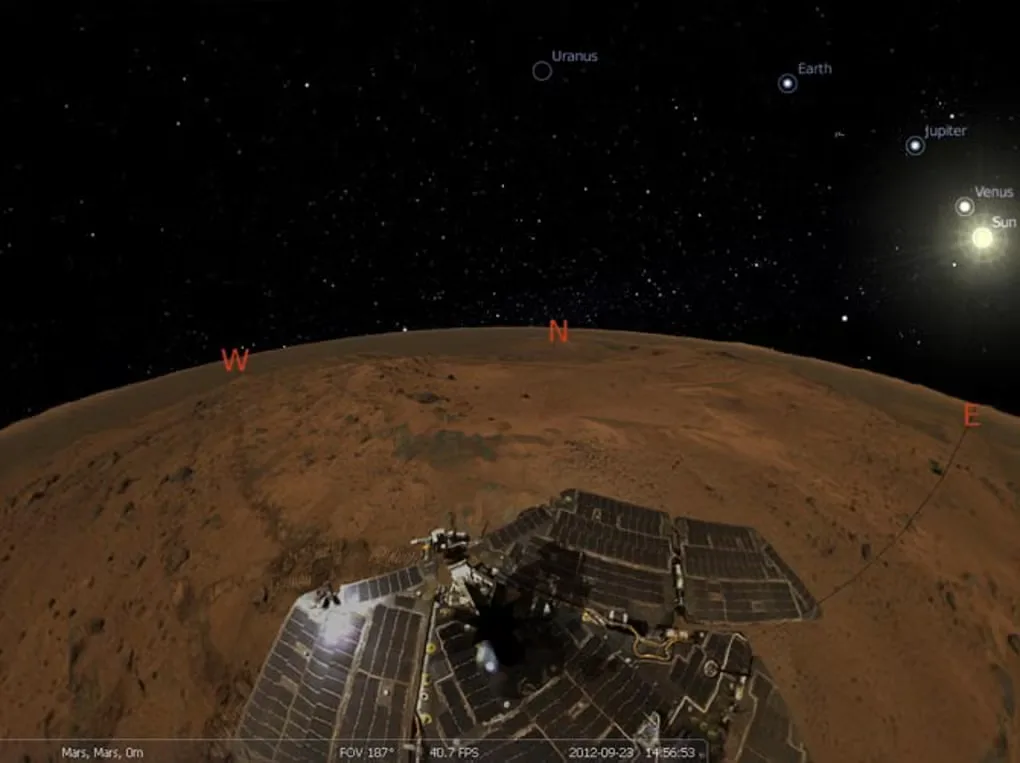
Stellarium turns your computer into a planetarium for exploring the night sky. Zoom in on celestial objects, change the simulation time and display constellation lines or artwork to learn how the sky fits together. It includes stars, planets and deep-sky objects, with extra catalogues available for a larger collection.
This download is the Qt6 x64 EXE installer for Windows 10 or later, not the separate ARM64 or Windows 7-compatible Qt5 package. A graphics card supporting the publisher's OpenGL requirements is needed; a compatible Windows version alone is not sufficient.
What it offers
- Explore a 3D sky with zoom and simulation-time controls.
- Display constellation artwork, coordinate grids, planets and deep-sky objects.
- Simulate eclipses and view the Milky Way, atmosphere, sunrise and sunset.
- Extend the planetarium with extra star catalogues, landscapes and scripts.
Good to know
- Needs compatible 3D graphics; the publisher lists OpenGL 2.1 with GLSL 1.3 or OpenGL ES 2.0 as the minimum and recommends OpenGL 3.3 or later.
- The linked Qt6 x64 package requires Windows 10 or later; Windows 7 and ARM64 use different packages.
Product images
Sources
References used for this listing. Retrieval dates do not indicate hands-on testing.
More in utilities
View category ↗
1.1.1.1 with WARP 2026.8.2115.0
Encrypt traffic from your Mac to Cloudflare’s network with WARP, or use DNS-only mode for encrypted DNS queries to the 1.1.1.1 resolver.
1.1.1.1 with WARP 2026.8.2115.0
Encrypt traffic between your Windows PC and Cloudflare, or use encrypted DNS only, with the free 1.1.1.1 with WARP app.

3uTools 9.12.005
Manage iPhone and iPad photos, music, apps and backups from Windows with 3uTools, a free utility that also includes device checks and firmware flashing tools.