
Utilities Windows
StExBar
Copy file paths, open a console in the current folder and batch-rename files with StExBar, a free Explorer extension. Toolbar availability varies on Windows 11.
- Operating system
- Publisher minimum: Windows Vista or later; Windows XP excluded
- Architecture
- 64-bit (StExBar64 package)
- Download package
- MSI installer
Selected download is StExBar64-1.11.2.msi; a separate MSI is also listed. Windows 11 toolbar compatibility is build-dependent and not guaranteed. Screenshots show historical interfaces.
Link checked · Download guidance
What is StExBar?
StExBar adds file-management commands to Windows Explorer through a toolbar, hotkeys and a context menu. It is useful when you repeatedly copy selected file names or full paths, open a console at the folder you are browsing, or rename several files using regular expressions. Custom commands let you add your own tools and assign keyboard shortcuts.
The publisher documents Windows Vista or later and excludes Windows XP, but that minimum requirement is not a guarantee of compatibility with current Explorer versions. The project issue tracker contains reports of the toolbar disappearing after Windows 11 updates, including 25H2. Older activation workarounds have also stopped working for some users. Do not assume that installing the MSI will make the toolbar available on your Windows 11 build.
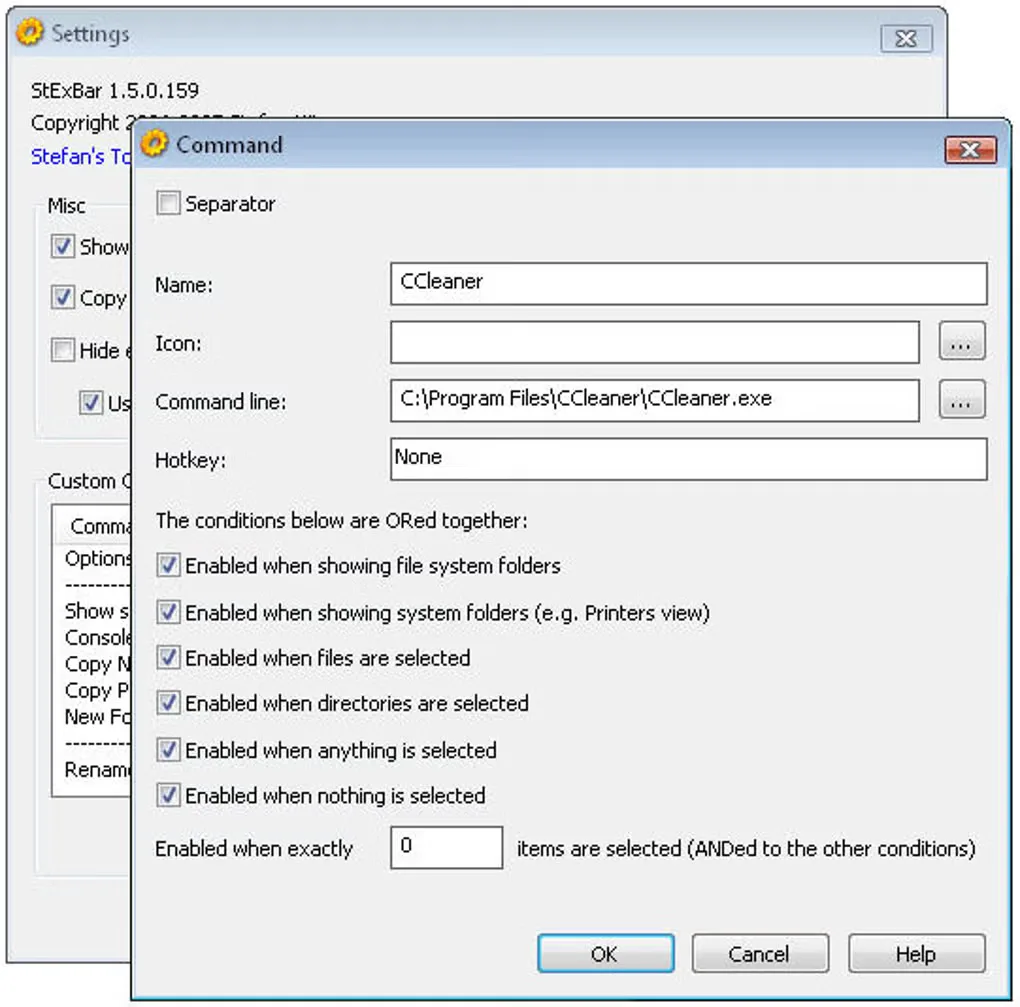
This entry links to the publisher's 64-bit MSI for version 1.11.2, dated January 15, 2021. Softonic still lists version 1.8.1; its gallery image here illustrates an older settings interface, not the selected release. The publisher's toolbar screenshot shows the extension inside a ribbon-style Explorer window.
What it offers
- Copy the names or full paths of selected files and folders to the clipboard.
- Open a console in the current Explorer directory with the toolbar or Ctrl+M.
- Rename multiple files using regular expressions.
- Add custom commands and assign hotkeys to your own tools.
- Access commands through the toolbar, hotkeys or a context menu.
Good to know
- Windows 11 updates can prevent the legacy Explorer toolbar from appearing; the issue tracker reports build-dependent failures, so current Windows 11 compatibility is not guaranteed.
- Windows XP is not supported; the publisher requires Windows Vista or later.
- On Windows 10, StExBar omits its New Folder command because Explorer already provides the same shortcut.
Product images

Sources
References used for this listing. Retrieval dates do not indicate hands-on testing.
- StExBar - Stefans Tools: commands, requirements and publisher screenshots ↗Retrieved
- Stefans Tools - publisher version table ↗Retrieved
- Publisher release StExBar 1.11.2 ↗Retrieved
- Publisher release assets for StExBar 1.11.2 ↗Retrieved
- Publisher source repository and license classification ↗Retrieved
- How to enable/make visible on Windows 11? - publisher issue tracker ↗Retrieved
- Windows 11 breaks StExBar - Explorer extension: user reports ↗Retrieved
- StExBar - Download: normal-browser product page and gallery ↗Retrieved
More in utilities
View category ↗
1.1.1.1 with WARP 2026.8.2115.0
Encrypt traffic from your Mac to Cloudflare’s network with WARP, or use DNS-only mode for encrypted DNS queries to the 1.1.1.1 resolver.
1.1.1.1 with WARP 2026.8.2115.0
Encrypt traffic between your Windows PC and Cloudflare, or use encrypted DNS only, with the free 1.1.1.1 with WARP app.


3uTools 9.12.005
Manage iPhone and iPad photos, music, apps and backups from Windows with 3uTools, a free utility that also includes device checks and firmware flashing tools.