

Utilities Windows
Stickies for Windows
Keep text and image notes on your Windows desktop with Stickies, a freeware app with alarms, recurring reminders and customizable note styles.
- Operating system
- Windows 7, 8, 10 and 11
- Architecture
- Not specified in the publisher download catalog
- Download package
- EXE installer
The download catalog explicitly includes Windows 11; the homepage lists only Windows 7, 8 and 10. No installation or runtime compatibility test was performed.
Link checked · Download guidance
What is Stickies?
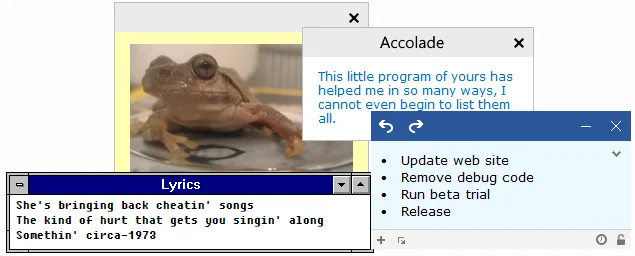
Stickies puts digital sticky notes on the Windows desktop for reminders, short lists and information you want to leave visible. Notes can hold text or images, keep their positions across restarts, and use different fonts and colours. You can resize notes, line them up with snapping, or attach a note to a particular application, website, document or folder so it appears with that window.
For time-based reminders, send a note to sleep until a chosen time, give it a repeating schedule, or set an alarm. The Manage dialog provides a place to view and search notes instead of leaving every note on the desktop.
The publisher's download catalog lists version 10.2a for Windows 7, 8, 10 and 11. Stickies is freeware, but its code and software remain copyrighted rather than public domain. The publisher also reports antivirus detections affecting the application and installer and disputes those detections. The download link was checked with HEAD only; the software has not been installed, run or independently assessed for safety. If upgrading from an older version, note that the publisher documents no conversion route from v10 data back to v9.
What it offers
- Create text and image notes that remain in place across restarts.
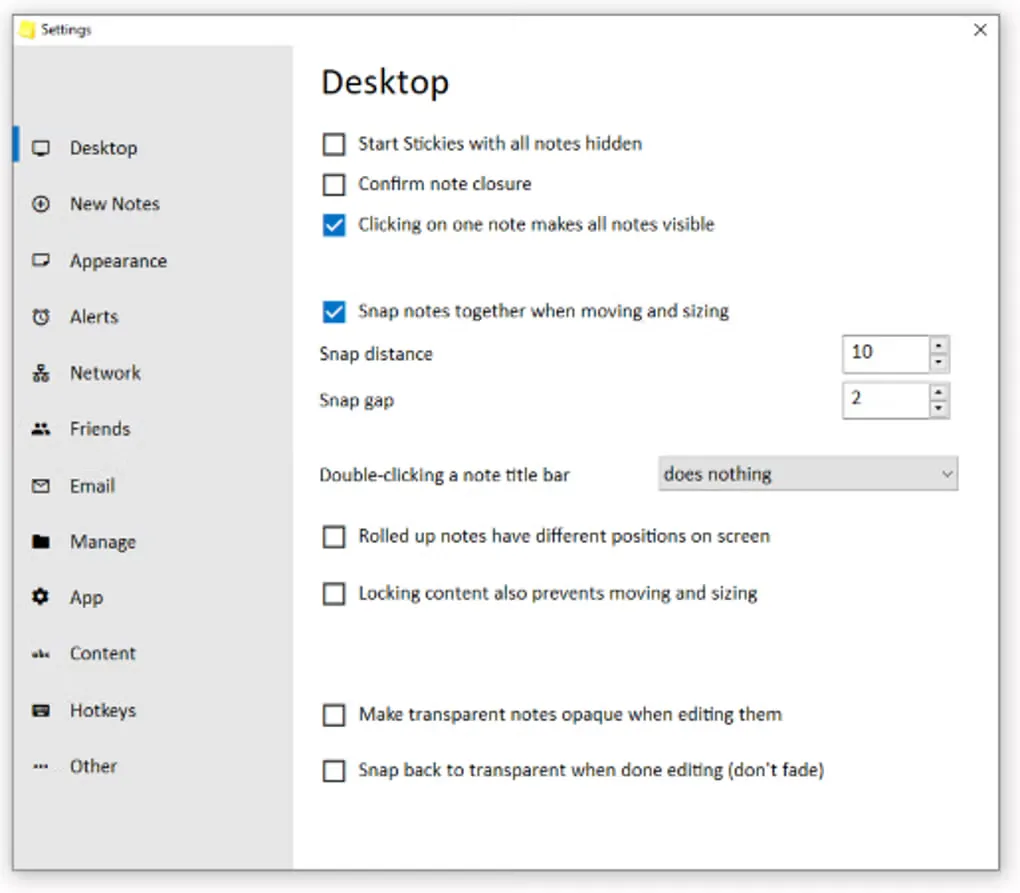
- Customize note fonts, colours and sizes, and snap notes together or to screen edges.
- Set alarms or hide notes until a chosen time, with daily, weekly or monthly recurrence.
- Attach notes to an application, website, document or folder so they appear with it.
- View and search notes in the Manage dialog.
Good to know
- Windows versions earlier than Windows 7 are not supported by the current publisher download.
- The publisher documents no conversion route from Stickies v10 data back to v9 data.
- The publisher reports antivirus detections and disputes them; a successful download-link check does not establish that the application or installer is safe.
Product images
Sources
References used for this listing. Retrieval dates do not indicate hands-on testing.
- Stickies — publisher features ↗Retrieved
- Download Stickies — publisher license, compatibility and installer ↗Retrieved
- Stickies Versions — publisher release history ↗Retrieved
- Stickies Screenshots — publisher UI gallery ↗Retrieved
- Stickies - Download — normally observed Windows product page ↗Retrieved
More in utilities
View category ↗
1.1.1.1 with WARP 2026.8.2115.0
Encrypt traffic from your Mac to Cloudflare’s network with WARP, or use DNS-only mode for encrypted DNS queries to the 1.1.1.1 resolver.
1.1.1.1 with WARP 2026.8.2115.0
Encrypt traffic between your Windows PC and Cloudflare, or use encrypted DNS only, with the free 1.1.1.1 with WARP app.

3uTools 9.12.005
Manage iPhone and iPad photos, music, apps and backups from Windows with 3uTools, a free utility that also includes device checks and firmware flashing tools.