
Utilities macOS
Story Architect
Write screenplays, novels, plays and comics in organized story projects. This Mac download is the universal DMG; the free editing core is separate from paid planning and cloud tools.
- Operating system
- macOS 13+ (publisher badge for the selected universal download)
- Architecture
- Universal: Apple Silicon and Intel x64
- Download package
- DMG disk image
The page also mentions High Sierra generally; its explicitly labeled macOS 10.13+ x86/Qt5 DMG is separate. This entry does not extend that older-system claim to the universal package. No installation test performed.
Link checked · Download guidance
What is Story Architect?
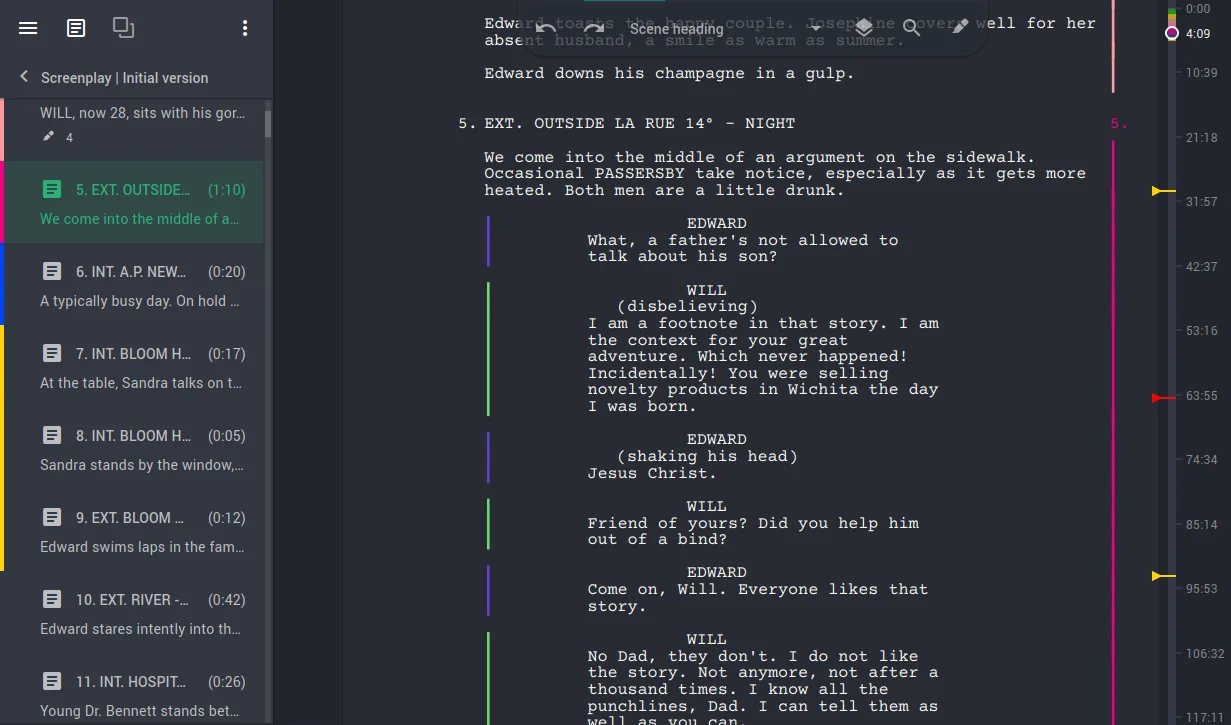
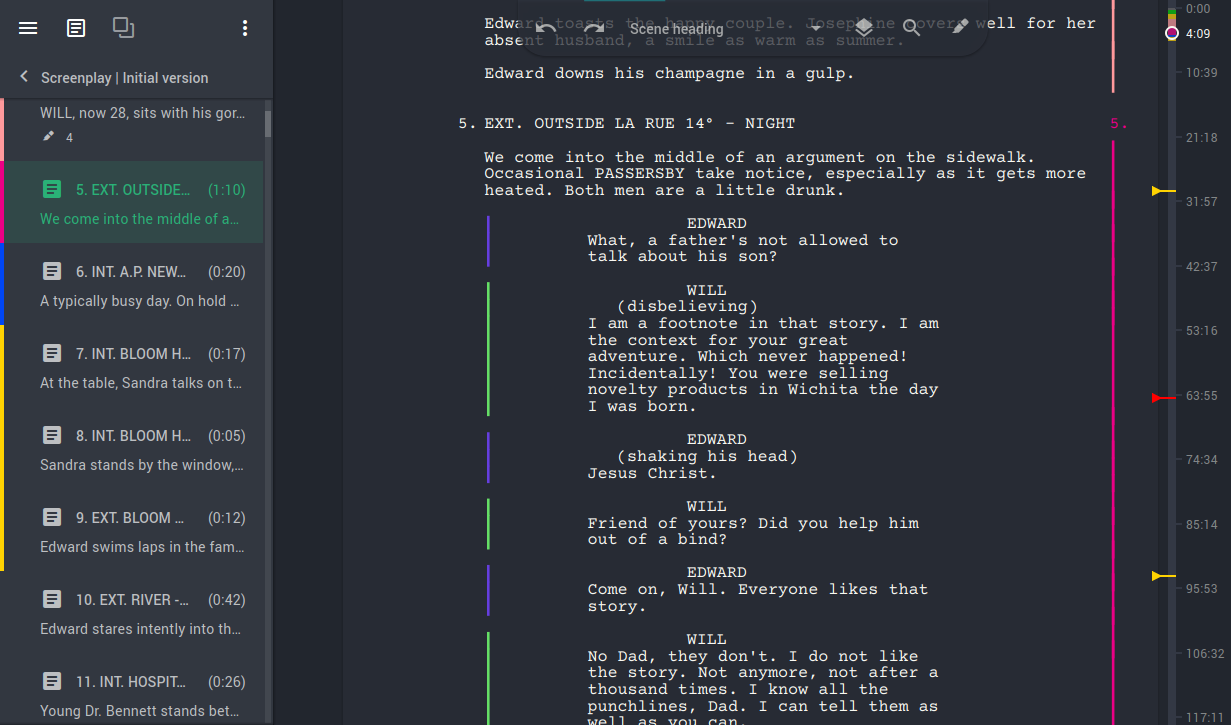
Story Architect brings script writing and story reference material into one project. You can keep episodes, character descriptions, locations and worldbuilding alongside screenplays, comics, plays or novels instead of separating each part of a story into unrelated files. Its screenplay editor changes paragraph formats with Tab and Enter, while theme settings let you adjust the writing workspace. The publisher places text editors, project management and document import/export in the free GPLv3 core.
The download here is version 0.8.4's universal DMG for Apple Silicon and Intel x64. Use the publisher's macOS 13+ badge for this package: its download page also mentions High Sierra generally, but labels a separate x86/Qt5 DMG for macOS 10.13+. Do not assume that older-system label applies to this universal file. Story Architect uses an open-core model, not an all-features-free license; cloud synchronization, the corkboard and timeline, mind maps, extended character tools and AI tools require commercial licensing.
What it offers
- Keep multiple episodes and story formats in one project with shared character, location and world notes.
- Write screenplays with paragraph-format changes controlled by Tab and Enter.
- Use the free core's screenplay, comicbook, play, novel, treatment and simple-text editors.
- Manage projects and import or export documents through the free core; the publisher does not limit the number of free projects.
- Choose light, dark or custom application themes.
Good to know
- Cloud synchronization, corkboard and timeline, mind maps, extended character tools and AI tools are commercial premium features, not included in the free editing core.
- The publisher lists macOS 13+ beside the universal build but also has a general High Sierra note. The explicitly labeled macOS 10.13+ x86/Qt5 package is a different download; older-system compatibility is not claimed for this file.
- Package availability was checked with HEAD only. The application was not installed or tested on a Mac.
Product images
Sources
References used for this listing. Retrieval dates do not indicate hands-on testing.
More in utilities
View category ↗
1.1.1.1 with WARP 2026.8.2115.0
Encrypt traffic from your Mac to Cloudflare’s network with WARP, or use DNS-only mode for encrypted DNS queries to the 1.1.1.1 resolver.
1.1.1.1 with WARP 2026.8.2115.0
Encrypt traffic between your Windows PC and Cloudflare, or use encrypted DNS only, with the free 1.1.1.1 with WARP app.

3uTools 9.12.005
Manage iPhone and iPad photos, music, apps and backups from Windows with 3uTools, a free utility that also includes device checks and firmware flashing tools.