

Development macOS
Sublime Merge for macOS
Review Git changes, stage individual lines and resolve merge conflicts with Sublime Merge for Mac. Free evaluation; a license is required for continued use.
- Operating system
- macOS; minimum version not stated on the current download page
- Architecture
- 64-bit; Mac CPU architectures not specified on the download page
- Download package
- ZIP archive
This link is the macOS package, not the Windows installer or Linux archive. Confirm compatibility with your Mac before choosing it; no installation was tested.
Link checked · Download guidance
What is Sublime Merge?
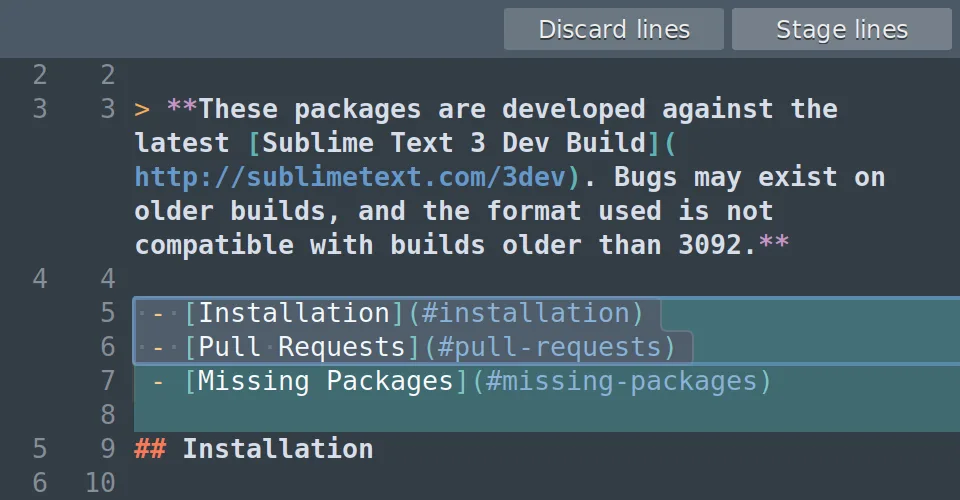
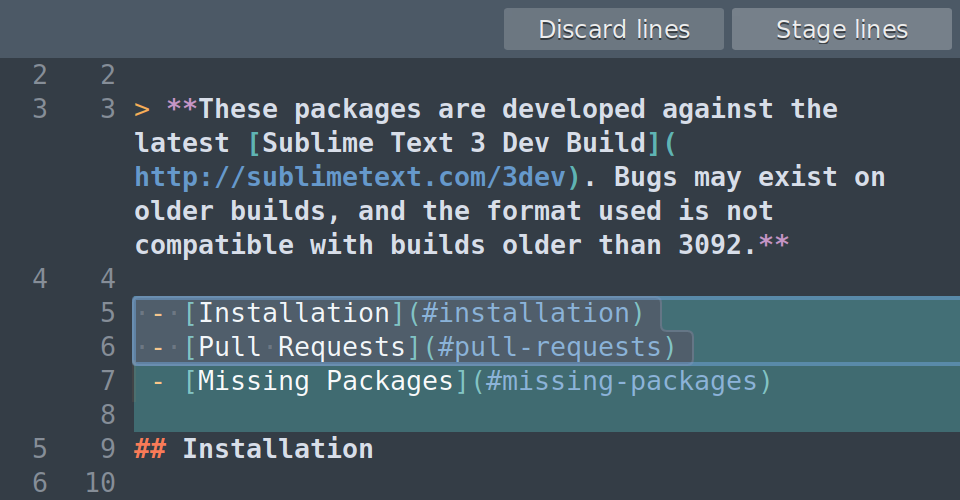
Sublime Merge is a graphical Git client for reviewing changes and preparing commits on a Mac. Stage a whole file, a hunk or selected lines to separate unrelated edits into different commits. Side-by-side diffs and syntax highlighting help you inspect changes, while repository search can locate commits by message, author, path or contents.
Use the commit graph to compare revisions, edit commits or manage branches. A built-in merge tool handles conflicting changes, and the interface can show the underlying Git commands when you need to switch between graphical and command-line work. Editing an already-pushed commit creates a replacement commit rather than updating the remote automatically; coordinate history changes with collaborators.
The linked download is the publisher's macOS ZIP archive for Build 2132. The download page specifies 64-bit platforms but does not state a minimum macOS version or identify the Mac package's CPU architectures. Evaluation has no enforced time limit, but continued use requires a purchased license.
What it offers
- Stage entire files, hunks or selected lines before committing.
- Review side-by-side diffs with syntax highlighting and character-level changes.
- Search repository history by commit message, author, path or contents.
- Compare commits, edit commit history and resolve conflicts with the built-in merge tool.
- Inspect underlying Git commands and move between the graphical client and command-line Git.
Good to know
- Free evaluation is not a free continued-use license; a license purchase is required for ongoing use.
- Editing a pushed commit rewrites its identity and does not update the remote automatically; shared-history changes require care.
Product images
Sources
References used for this listing. Retrieval dates do not indicate hands-on testing.
- Sublime Merge — official Git client features ↗Retrieved
- Sublime Merge — official download and changelog ↗Retrieved
- Sublime Merge — official macOS download destination ↗Retrieved
- Getting Started with Sublime Merge — official documentation ↗Retrieved
- Sublime Merge — publisher line-staging UI screenshot ↗Retrieved
More in development
View category ↗
010 Editor 17.0
Inspect and edit binary files on Mac with 010 Editor, a paid text and hex editor with Binary Templates, file comparison and a 30-day trial.
010 Editor 17.0
Inspect and edit binary files with 010 Editor for Windows, a text and hex editor with Binary Templates, file comparison and scripting. Includes a 30-day trial.
10x Editor
Edit and navigate C++ projects on Windows with a built-in parser, workspace search and Visual Studio project support. A paid license is required after the 30-day trial.