

Utilities Windows
SumatraPDF for Windows
Read PDFs, unencrypted EPUB books and CBZ/CBR comics with SumatraPDF, a free, open-source document reader for Windows.
- Operating system
- Windows 7–11
- Architecture
- x64 (64-bit)
- Download package
- EXE installer
Selected download: 3.6.1 x64 installer, not portable. Separate x86, ARM64 and portable packages are offered; ARM64 requires Windows 10 or 11.
Link checked · Download guidance
What is SumatraPDF?
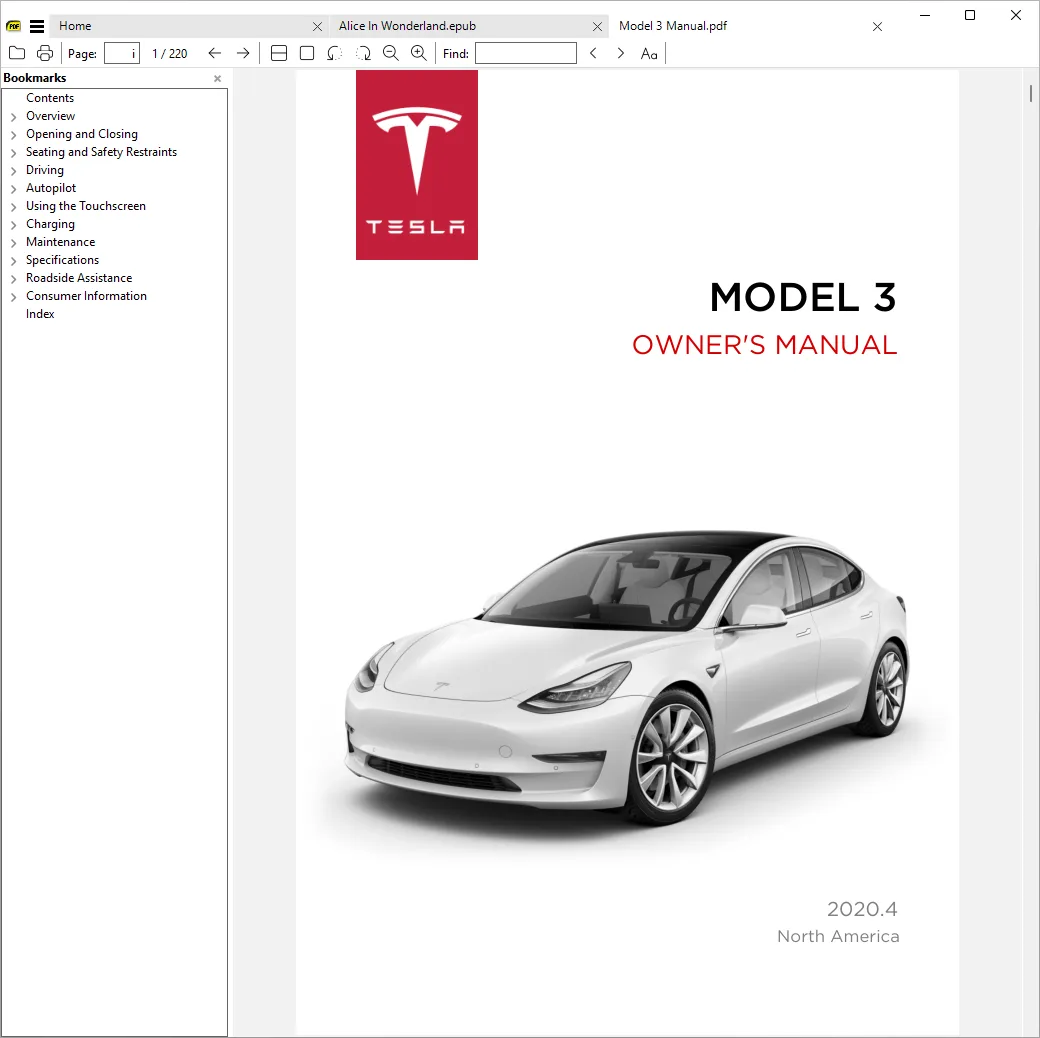
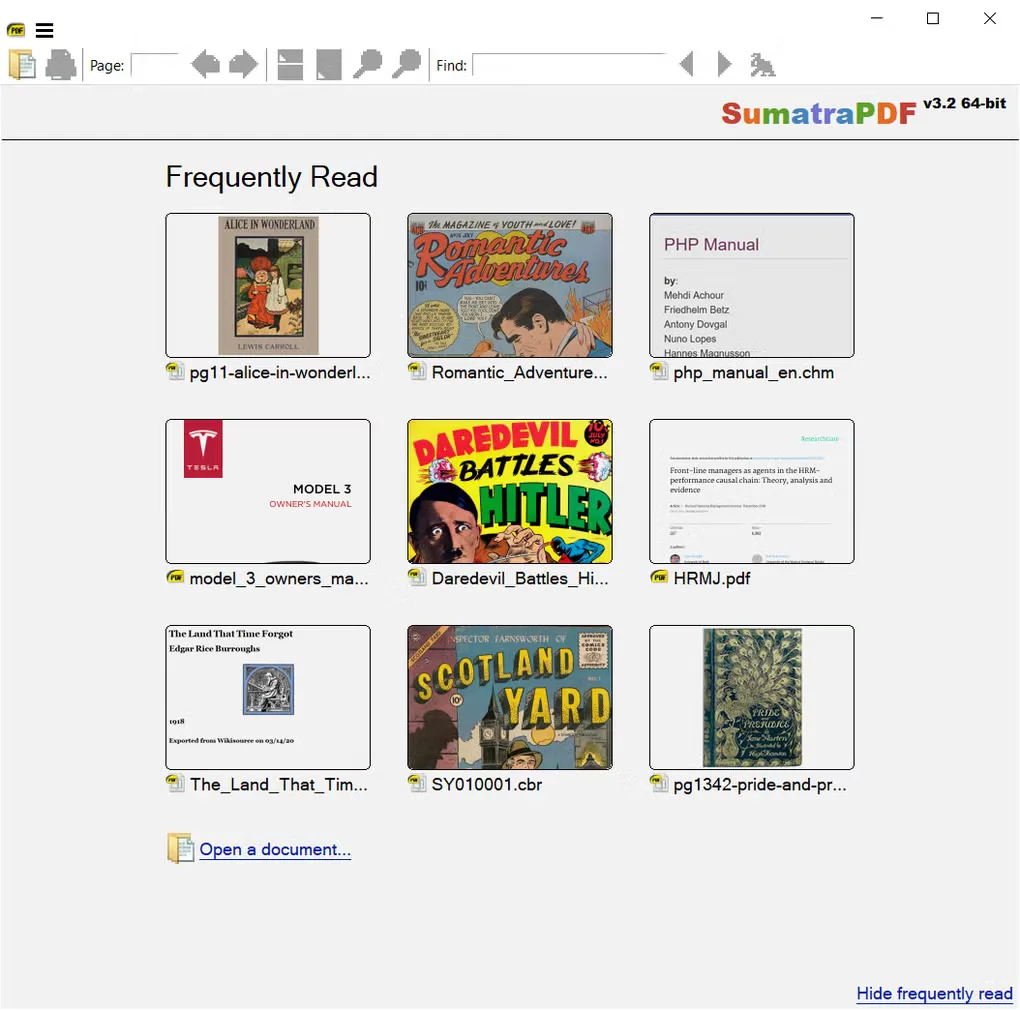
SumatraPDF opens PDFs, ebooks and comic archives in one Windows reader. It suits reading downloaded manuals, unencrypted EPUB or MOBI books, and CBZ/CBR comics without switching applications for each format. It also opens DjVu, XPS, CHM and common image files. Tabs let you keep several documents open in the same window.
This download is the 64-bit EXE installer for version 3.6.1 on Windows 7–11. The publisher offers separate 32-bit, ARM64 and portable packages; the linked file is not the portable ZIP. EPUB support is for unencrypted books, so do not choose it to open DRM-protected EPUB purchases. There is no native macOS or Linux edition.
What it offers
- Read PDF, EPUB and MOBI documents in one application.
- Open CBZ and CBR comic archives, DjVu, XPS, CHM and common image files.
- Keep multiple documents open in tabs.
- Use a separately offered portable package to run without installation.
Good to know
- EPUB support is for unencrypted books, not DRM-protected EPUB purchases.
- Windows-only application; there is no native macOS or Linux edition.
Product images
More in utilities
View category ↗
1.1.1.1 with WARP 2026.8.2115.0
Encrypt traffic from your Mac to Cloudflare’s network with WARP, or use DNS-only mode for encrypted DNS queries to the 1.1.1.1 resolver.
1.1.1.1 with WARP 2026.8.2115.0
Encrypt traffic between your Windows PC and Cloudflare, or use encrypted DNS only, with the free 1.1.1.1 with WARP app.

3uTools 9.12.005
Manage iPhone and iPad photos, music, apps and backups from Windows with 3uTools, a free utility that also includes device checks and firmware flashing tools.