
Utilities macOS
SuperDuper! for macOS
Copy Mac drives, files and folders to a backup with SuperDuper! Free full erase-and-copy backups are available; Smart Update and scheduling require a paid license.
- Operating system
- macOS 14 Sonoma or later
- Architecture
- Apple silicon and Intel (native)
- Download package
- DMG disk image
Full Disk Access is required. Publisher recommends an external SSD for bootable copies; older Macs need the separate Classic edition.
Link checked · Download guidance
What is SuperDuper!?
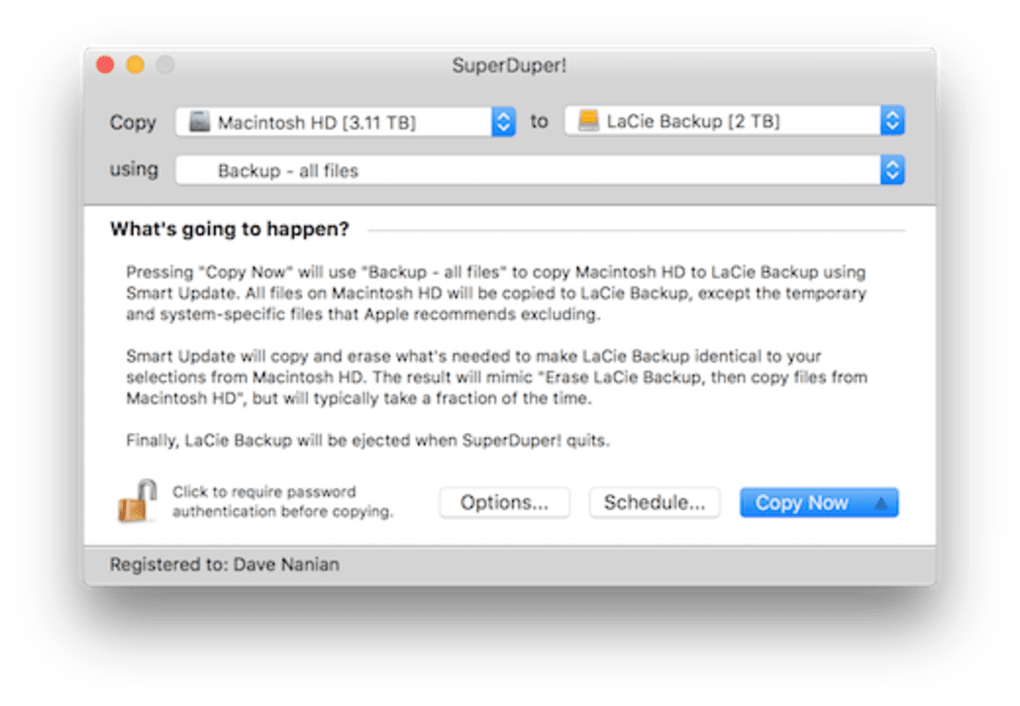
SuperDuper! makes backup copies of Mac drives and selected files or folders. Its copy jobs describe the source, destination and copy method in a plain-English sentence, so you can review what will happen before starting. It suits keeping a separate, directly accessible copy of a Mac or an external-drive library.
The free mode provides full “Erase, then copy” backups. Registering unlocks Smart Update, which copies changes and removes items no longer present in the source, along with scheduled and unattended copies. Smart Update maintains a matching copy rather than a history of deleted files, so the destination should not hold your only copy of an archive.
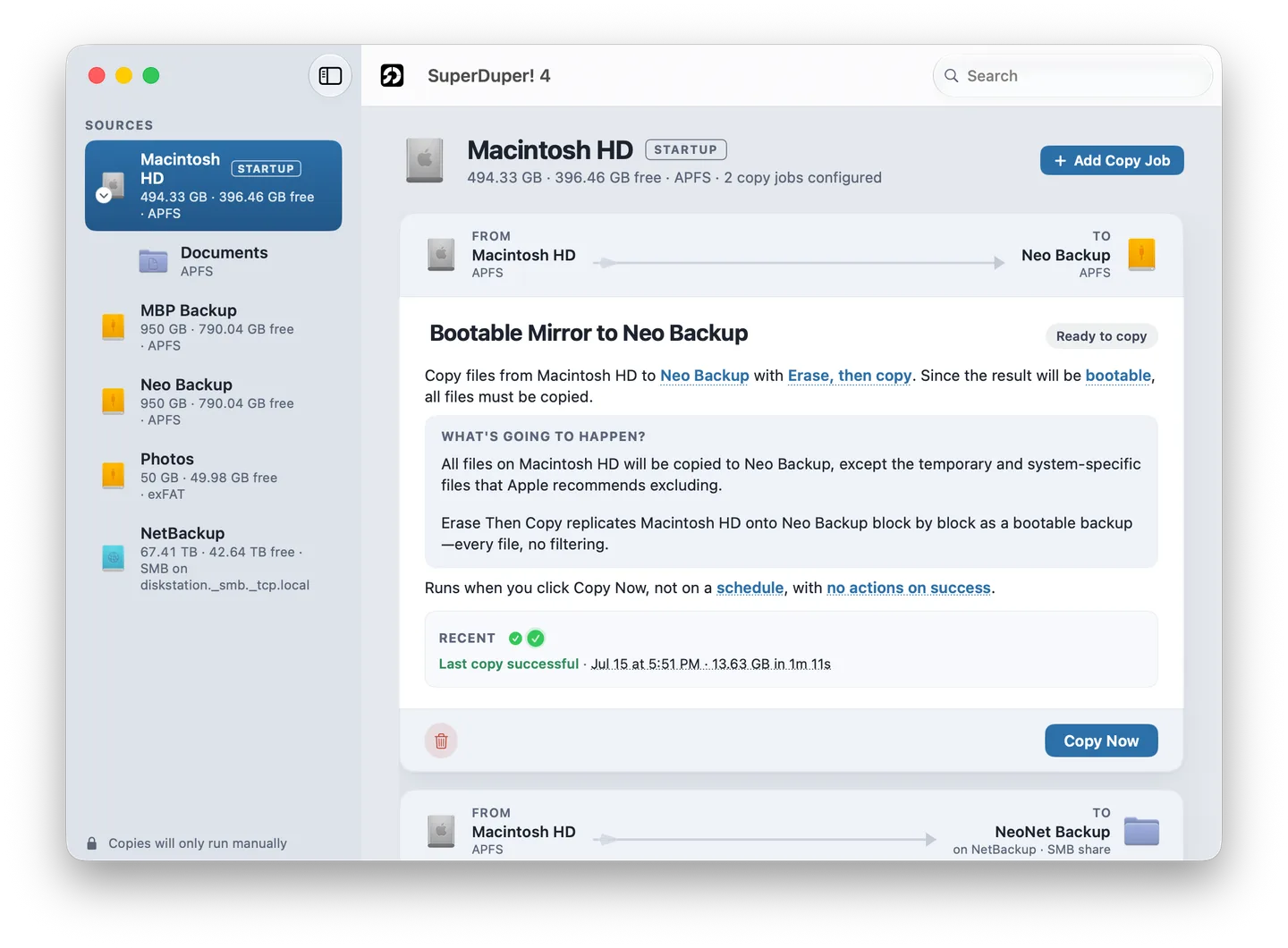
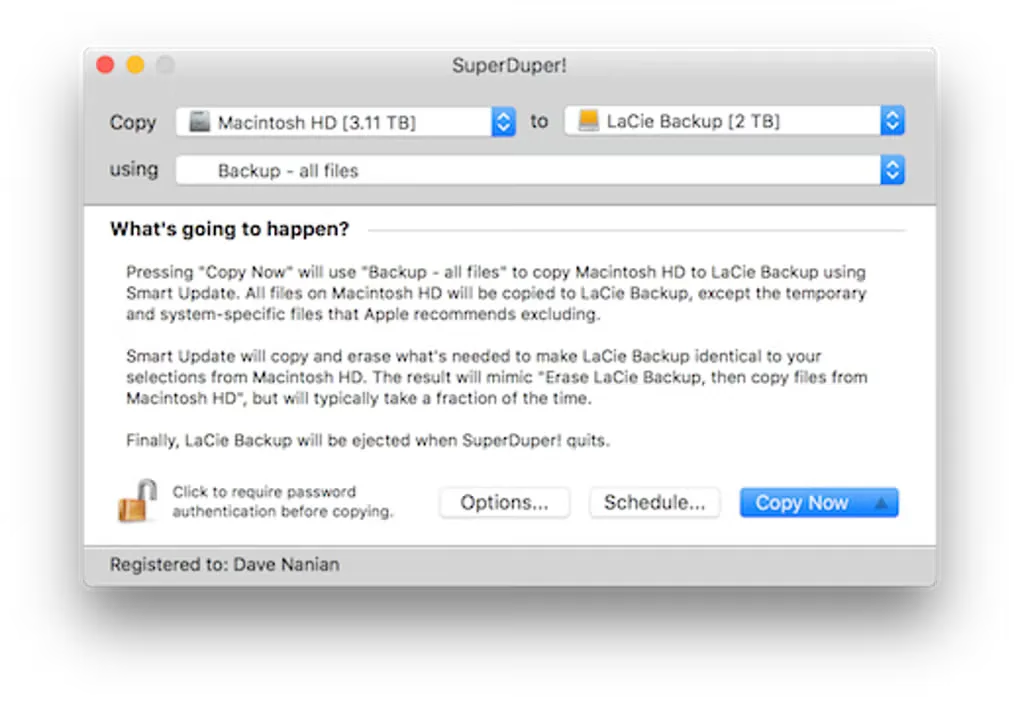
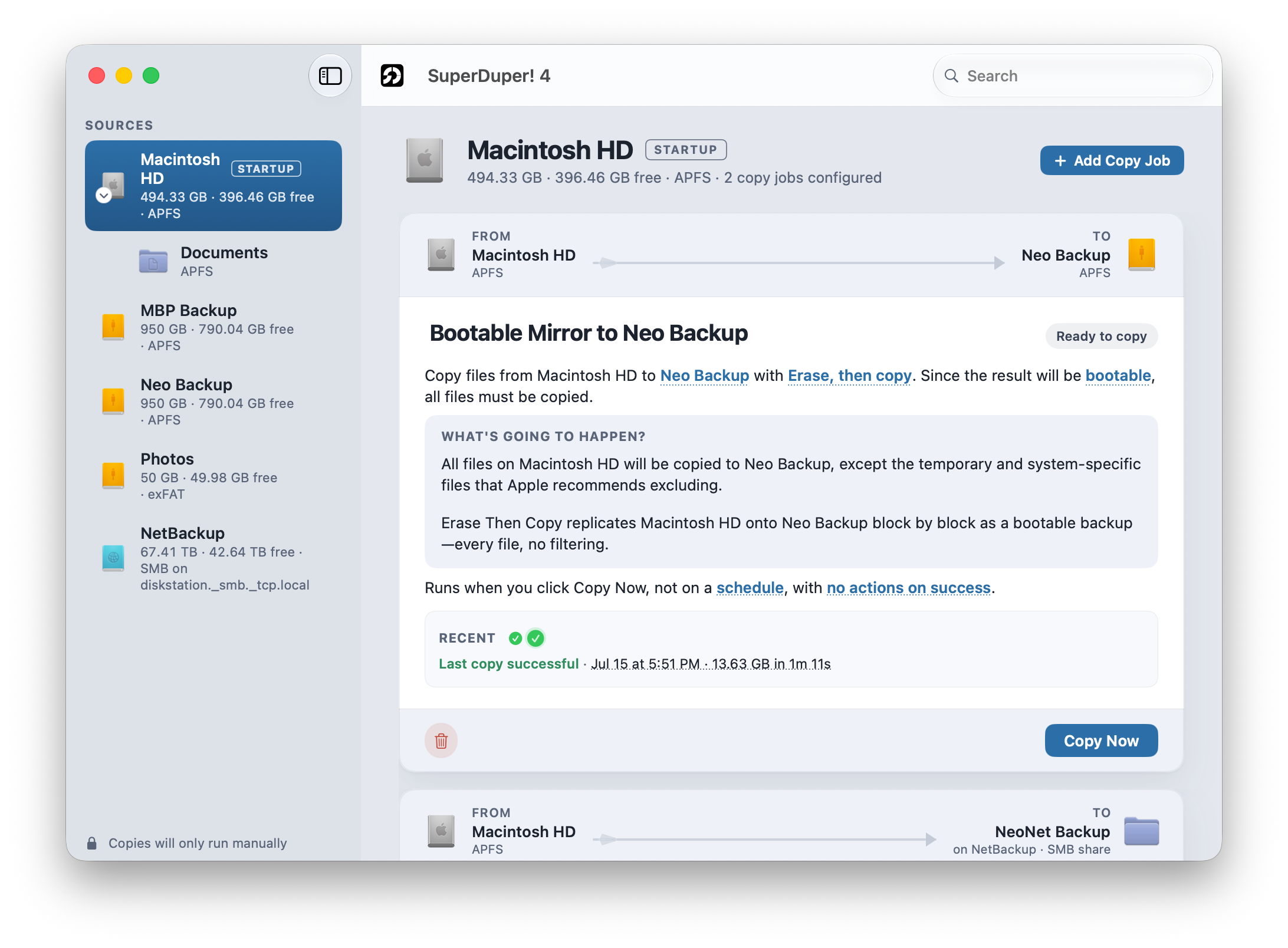
Version 4 requires macOS 14 Sonoma or later on Apple silicon or Intel. The publisher offers bootable-copy options and recommends an external SSD, but bootability is not required for a backup to be restorable. SuperDuper cannot copy APFS Time Machine volumes or move HFS+ Time Machine history onto APFS. The first screenshot shows the version 4 interface; the second is an older interface from Softonic’s gallery.
What it offers
- Create backup copies of whole drives or selected files and folders, including data on external drives.
- Review copy settings through plain-English sentences and Copy Rules.
- Use paid Smart Update to copy changed data and remove items no longer in the source.
- Schedule unattended copies and wake the Mac for a backup with a registered license.
- View live copy status and results; use Shortcuts to create, run and inspect copy jobs.
Good to know
- Scheduling, Smart Update and unattended copies require a paid license; free use is limited to full erase-and-copy backups.
- Erase-and-copy replaces destination contents, and Smart Update removes items no longer in the source; keep separate archives on a different volume.
- APFS Time Machine volumes cannot be copied, and HFS+ Time Machine history cannot be copied to APFS.
Product images
Sources
References used for this listing. Retrieval dates do not indicate hands-on testing.
More in utilities
View category ↗
1.1.1.1 with WARP 2026.8.2115.0
Encrypt traffic from your Mac to Cloudflare’s network with WARP, or use DNS-only mode for encrypted DNS queries to the 1.1.1.1 resolver.
1.1.1.1 with WARP 2026.8.2115.0
Encrypt traffic between your Windows PC and Cloudflare, or use encrypted DNS only, with the free 1.1.1.1 with WARP app.

3uTools 9.12.005
Manage iPhone and iPad photos, music, apps and backups from Windows with 3uTools, a free utility that also includes device checks and firmware flashing tools.