
Utilities macOS
Suspicious Package
Inspect the files, scripts and signing information inside macOS installer packages before installing them with Suspicious Package, a free Mac utility.
- Operating system
- macOS 14 Sonoma, 15 Sequoia, 26 Tahoe and 27 Golden Gate, as listed by the publisher
- Architecture
- Intel and Apple Silicon
- Download package
- DMG disk image
This download contains the inspection app; it examines PKG and MPKG installer packages. Older macOS releases require separate archived app versions.
Link checked · Download guidance
What is Suspicious Package?
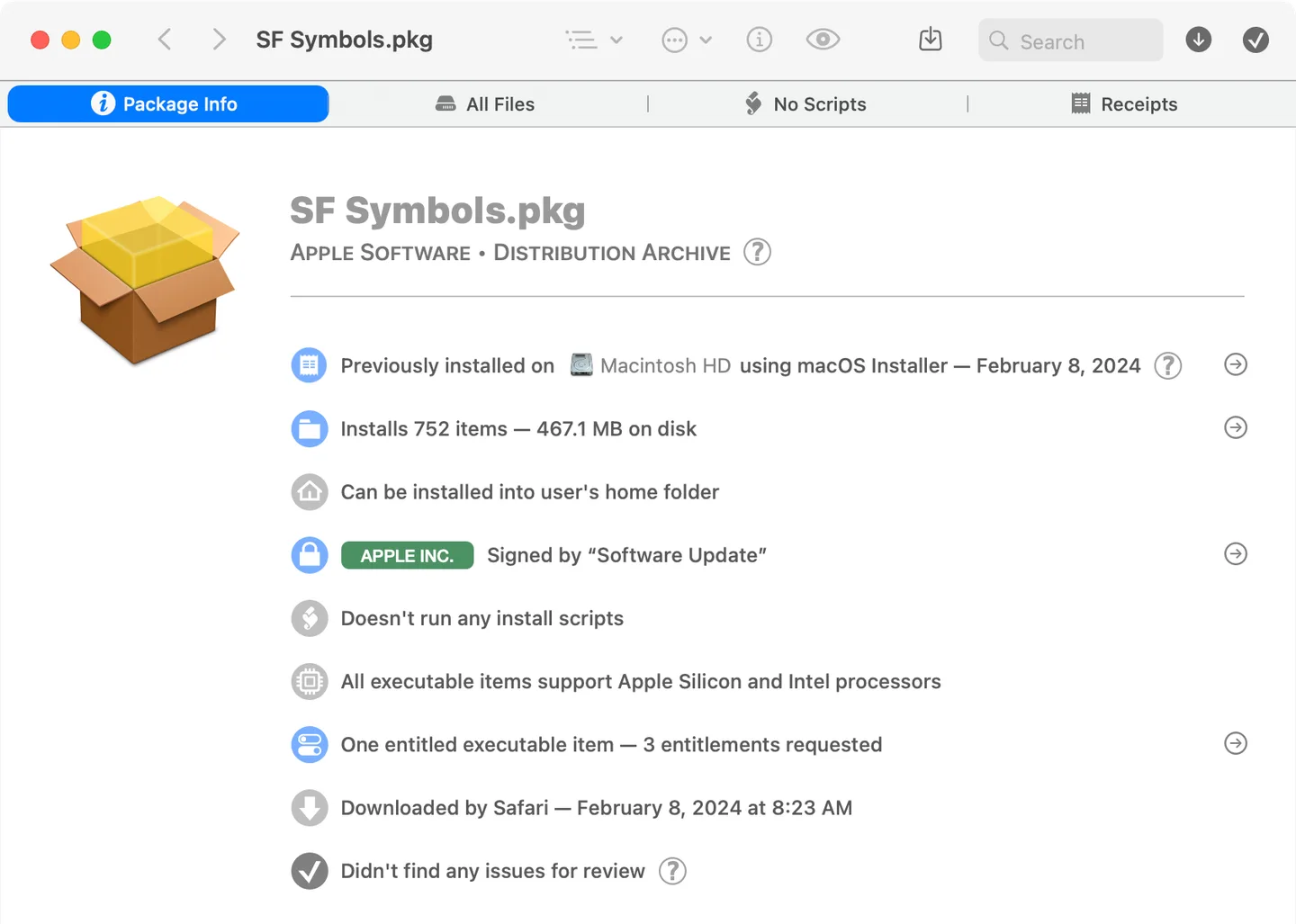
Suspicious Package opens macOS installer packages so you can inspect what they would install without running the installer. Its Package Info view brings together signing, notarization and download-origin information, while the All Files view lets you browse the payload, examine metadata and export individual files or folders. A Quick Look extension also provides a package overview from Finder.
Use it when you want to understand an unfamiliar installer or check its scripts before deciding whether to proceed. It is an inspection tool, not an automatic malware verdict: a report with no issues does not establish that a package is safe. It opens installer packages rather than disk images directly; if a package is inside a DMG, that image must be opened separately first.
What it offers
- Inspect package signing, notarization and download-origin information.
- Browse the files a package would install and examine their metadata.
- Read installer scripts and examine installer receipts.
- Preview supported payload items with Quick Look and export files or folders.
- View a package overview in Finder through the included Quick Look extension.
Good to know
- Does not determine whether a package is safe or automatically protect the Mac from malware; no issues for review is not a safety guarantee.
- Cannot open DMG disk images directly; open the image separately to access any installer package inside.
Product images
Sources
References used for this listing. Retrieval dates do not indicate hands-on testing.
More in utilities
View category ↗
1.1.1.1 with WARP 2026.8.2115.0
Encrypt traffic from your Mac to Cloudflare’s network with WARP, or use DNS-only mode for encrypted DNS queries to the 1.1.1.1 resolver.
1.1.1.1 with WARP 2026.8.2115.0
Encrypt traffic between your Windows PC and Cloudflare, or use encrypted DNS only, with the free 1.1.1.1 with WARP app.

3uTools 9.12.005
Manage iPhone and iPad photos, music, apps and backups from Windows with 3uTools, a free utility that also includes device checks and firmware flashing tools.