

Utilities macOS
Syncovery for macOS
Back up folders and synchronize files between your Mac, network storage and cloud services with reusable jobs, scheduled runs and a preview of proposed changes.
- Operating system
- macOS on Apple Silicon Macs
- Architecture
- Apple Silicon, 64-bit
- Download package
- DMG disk image
Selected Apple Silicon build. A separate Intel build is listed by the publisher. An exact minimum macOS version for this v12 package was not established.
Link checked · Download guidance
What is Syncovery?
Syncovery copies and synchronizes files across local drives, mounted network volumes and supported cloud services. Save each task as a profile to repeat a backup or sync without entering the same settings again. Run profiles manually with a Sync Preview, or use the scheduler for recurring jobs. Wizard Mode guides profile creation, while Advanced Mode exposes more detailed controls.
Choose the synchronization behavior for the job: Standard Copying, Exact Mirror or SmartTracking for two-way synchronization. Versioning can retain older copies of modified files. Supported destinations include services such as Amazon S3, Google Drive and OneDrive, alongside transfer protocols including SFTP and WebDAV.
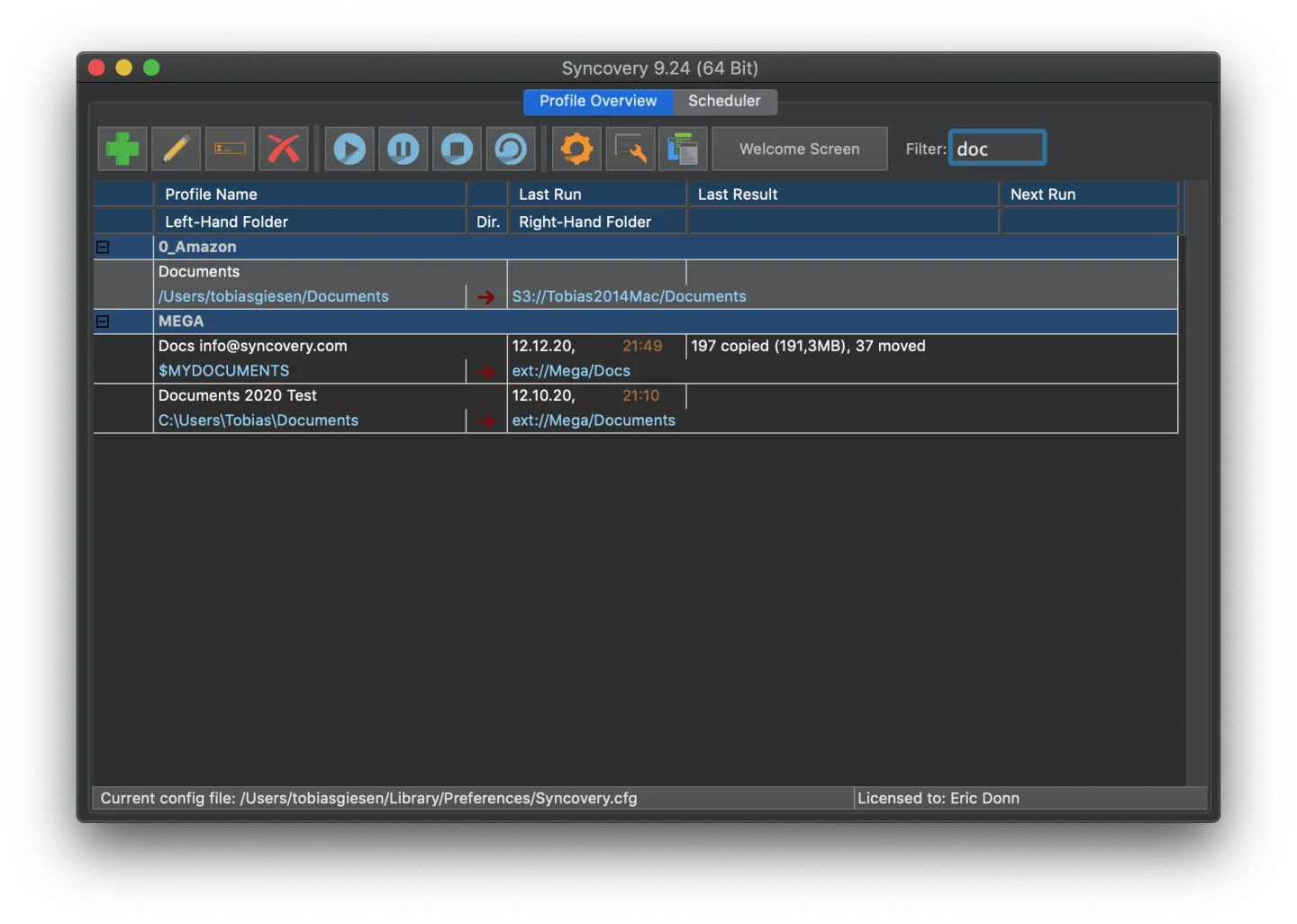
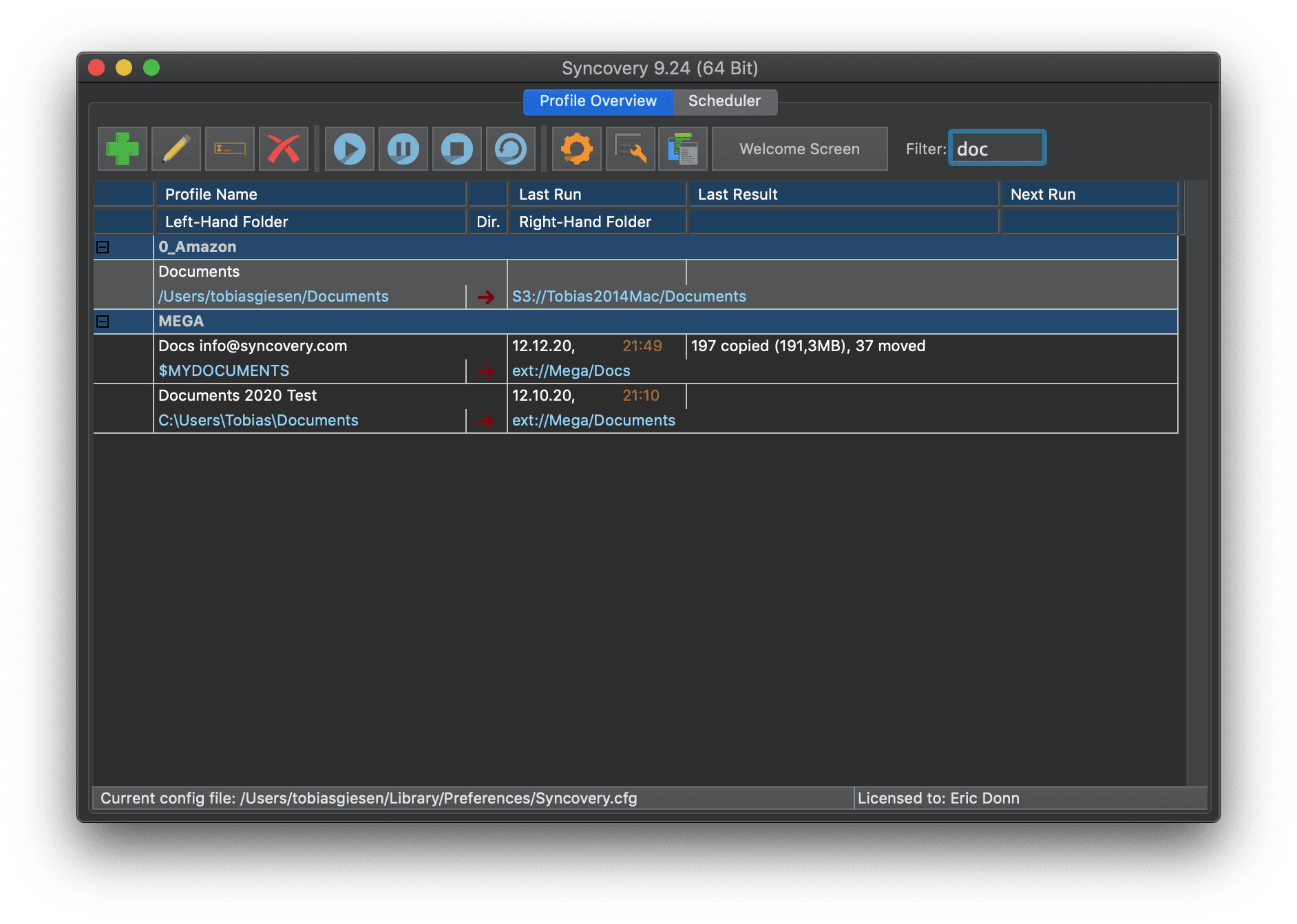
Exact Mirror can delete destination files that are absent from the source, so inspect the Sync Preview before running a new profile, especially one configured for deletions. The publisher offers a 30-day trial rather than an unrestricted free license. The linked DMG is the Apple Silicon build of version 12.9.7; Intel Macs use a separate package on the publisher's macOS page. The screenshot is the publisher's historical Syncovery 9.24 macOS interface, not a capture of version 12.9.7.
What it offers
- Save backup and synchronization settings as reusable profiles, created with a wizard or in Advanced Mode.
- Run profiles manually with a Sync Preview or schedule recurring jobs.
- Copy between local or mounted network volumes and supported cloud services, including Amazon S3, Google Drive and OneDrive.
- Use Standard Copying, Exact Mirror or SmartTracking for different one-way and two-way synchronization needs.
- Keep older versions of modified files with versioning.
Good to know
- The trial lasts 30 days; continued licensed use requires a purchased license.
- Exact Mirror can delete destination files absent from the source. Review proposed actions in Sync Preview before running a new profile.
- This download is for Apple Silicon Macs; the publisher provides a separate Intel package.
Product images
Sources
References used for this listing. Retrieval dates do not indicate hands-on testing.
More in utilities
View category ↗
1.1.1.1 with WARP 2026.8.2115.0
Encrypt traffic from your Mac to Cloudflare’s network with WARP, or use DNS-only mode for encrypted DNS queries to the 1.1.1.1 resolver.
1.1.1.1 with WARP 2026.8.2115.0
Encrypt traffic between your Windows PC and Cloudflare, or use encrypted DNS only, with the free 1.1.1.1 with WARP app.

3uTools 9.12.005
Manage iPhone and iPad photos, music, apps and backups from Windows with 3uTools, a free utility that also includes device checks and firmware flashing tools.