

Utilities macOS
Syncthing for macOS
Keep selected folders synchronized between your Mac and other computers with Syncthing, an open-source file sync tool with a browser-based interface.
- Operating system
- macOS; minimum OS version not established by the retrieved download page
- Architecture
- Universal macOS build
- Download package
- ZIP archive containing the base Syncthing executable
Browser-based interface, not the separate syncthing-macos application bundle. Publisher also lists separate macOS Intel/AMD 64-bit and ARM 64-bit archives.
Link checked · Download guidance
What is Syncthing?
Syncthing synchronizes files between computers you choose, rather than storing a central copy in a cloud account. Use it to keep selected folders available across your own devices or to share a folder with another person. You configure folders and monitor device status through its web interface. Connections use TLS, and devices must be explicitly paired before they exchange files.
This download is the base Syncthing 2.1.7 universal macOS ZIP: a command-line/daemon-style executable with a browser interface. It is not the separate syncthing-macos application bundle listed among the publisher's integrations. Choose the integration instead if you want that macOS application packaging.
Synchronization also propagates file modifications and deletions. Participating devices need to be online at the same time to exchange changes, and each side must be configured with the other's device ID. The publisher also notes that resource forks are not preserved, a relevant limitation for some Mac files.
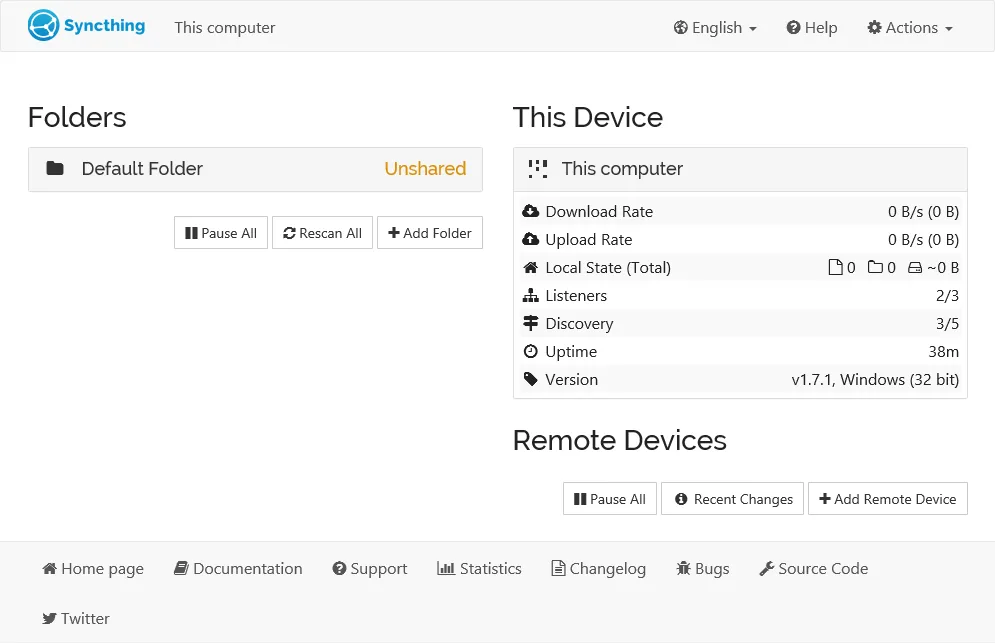
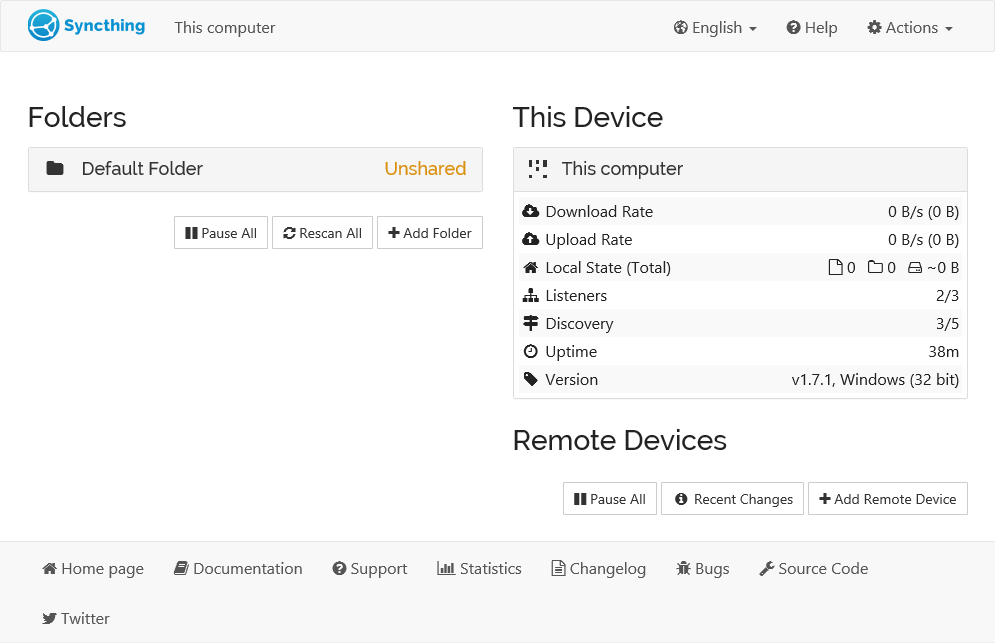
The screenshot is a historical example of the shared web interface from the official documentation. Its status panel shows Syncthing 1.7.1 on Windows (32 bit); it is not a capture of this macOS release or a native Mac window.
What it offers
- Synchronize selected folders between two or more computers.
- Configure folders and monitor devices through a browser-based interface.
- Connect explicitly allowed devices using device IDs and TLS-encrypted communication.
- Exchange files over a local network or the internet without a central cloud file store.
Good to know
- Both devices must be online at the same time to exchange changes; each side must be configured with the other's device ID.
- File modifications and deletions propagate to other devices in the synchronization setup.
- Resource forks are not preserved, according to the publisher's FAQ.
- The linked base ZIP does not provide the separate syncthing-macos application bundle.
Product images
Sources
References used for this listing. Retrieval dates do not indicate hands-on testing.
- Syncthing | Downloads ↗Retrieved
- Syncthing — continuous file synchronization ↗Retrieved
- Getting Started — Syncthing documentation ↗Retrieved
- FAQ — Syncthing documentation ↗Retrieved
- syncthing/syncthing — official source and license ↗Retrieved
- syncthing/docs — documentation license ↗Retrieved
More in utilities
View category ↗
1.1.1.1 with WARP 2026.8.2115.0
Encrypt traffic from your Mac to Cloudflare’s network with WARP, or use DNS-only mode for encrypted DNS queries to the 1.1.1.1 resolver.
1.1.1.1 with WARP 2026.8.2115.0
Encrypt traffic between your Windows PC and Cloudflare, or use encrypted DNS only, with the free 1.1.1.1 with WARP app.

3uTools 9.12.005
Manage iPhone and iPad photos, music, apps and backups from Windows with 3uTools, a free utility that also includes device checks and firmware flashing tools.