
Utilities Windows
System Information Viewer
Inspect CPU, memory, hardware sensors and network details with System Information Viewer (SIV), a portable Windows utility that is free for home use.
- Operating system
- Windows 11, 10, 8.1, 8 and 7; publisher also lists older Windows and Windows Server versions
- Architecture
- x64 and x86; additional legacy architectures listed by publisher
- Download package
- ZIP archive
Extract before use. Publisher specifies SIV64X.exe for x64 and SIV32X.exe for x86 Windows 2000 and later.
Link checked · Download guidance
What is System Information Viewer?
System Information Viewer (SIV) brings Windows, hardware and network information into a collection of detailed panels. It is useful when you need to identify components, inspect memory SPD data or examine available sensor readings while investigating a PC problem. CPU, PCI, USB, SMBus and ACPI information sit alongside operating system and network details.
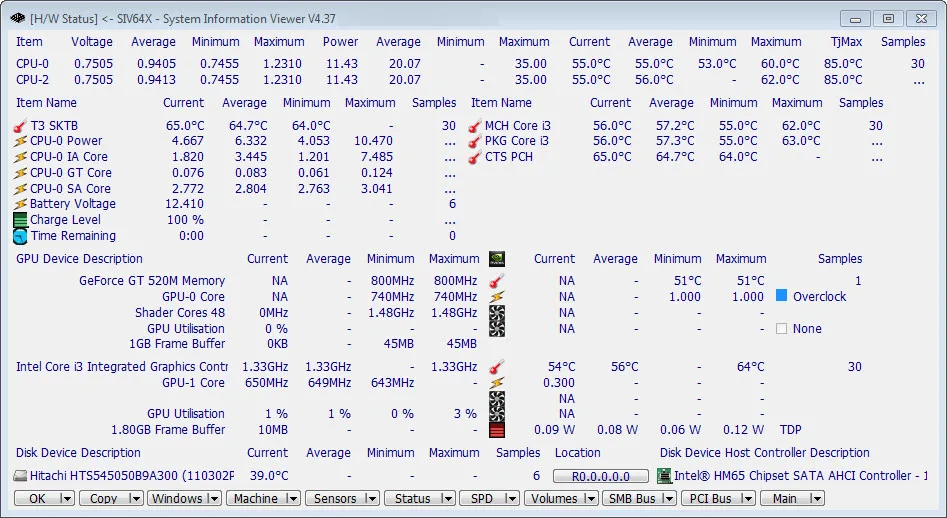
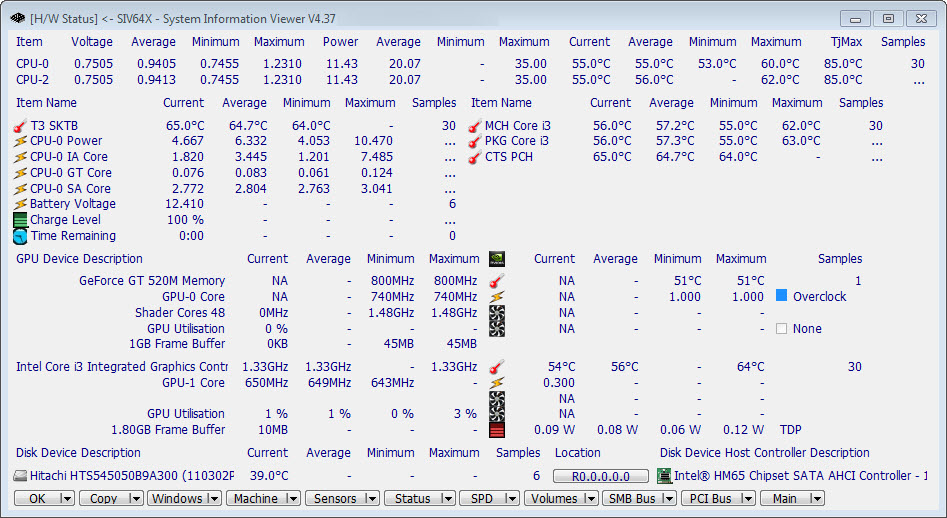
The Windows download is a ZIP archive. Extract it and choose the executable for your system: the publisher identifies SIV64X.exe for x64 Windows and SIV32X.exe for x86 Windows 2000 and later. The linked OlderGeeks mirror identifies the package as version 5.88. The screenshot shows the hardware-status panel in older version 4.37, illustrating the interface rather than documenting the current release.
Sensor and disk information depend on the hardware. The publisher documents systems where SMART information or temperature, fan-speed and voltage readings are missing. SIV also offers optional AIO fan and LED control; those controls are not purely read-only and can change device settings. The publisher warns against using ASUS AI Suite alongside SIV because of incompatible SMBus locking. Home use is free; contact the author about commercial use.
What it offers
- Inspect CPU, PCI, USB, SMBus, SPD and ACPI information.
- View available hardware sensor readings alongside Windows and network information.
- Use a portable ZIP package with executables for different Windows architectures.
- Control supported AIO fans and LEDs with the optional -AIOCTL mode.
Good to know
- Free home use does not grant commercial-use permission; contact the author for commercial terms.
- SMART and sensor readings can be unavailable on some hardware, as documented by the publisher.
- The publisher warns against concurrent use with ASUS AI Suite because its SMBus access is not interlocked with SIV.
- Optional AIO control can change registry settings and restart a USB device; it is not a read-only inspection mode.
Product images
Sources
References used for this listing. Retrieval dates do not indicate hands-on testing.
More in utilities
View category ↗
1.1.1.1 with WARP 2026.8.2115.0
Encrypt traffic from your Mac to Cloudflare’s network with WARP, or use DNS-only mode for encrypted DNS queries to the 1.1.1.1 resolver.
1.1.1.1 with WARP 2026.8.2115.0
Encrypt traffic between your Windows PC and Cloudflare, or use encrypted DNS only, with the free 1.1.1.1 with WARP app.

3uTools 9.12.005
Manage iPhone and iPad photos, music, apps and backups from Windows with 3uTools, a free utility that also includes device checks and firmware flashing tools.