
Utilities Windows
System Scheduler
Schedule programs, batch files and popup reminders with System Scheduler Free for Windows. Its Window Watcher can respond to application windows; running jobs while logged off requires Professional.
- Operating system
- Windows 7, 8, 10, 11; Windows Server 2008, 2012, 2016, 2019, 2022 and 2025
- Architecture
- Publisher lists 32-bit and 64-bit Windows support; installer architecture unspecified
- Download package
- Self-extracting EXE, Free edition
Publisher-listed compatibility, not locally tested. Free requires a logged-in user; service-mode scheduling requires Professional.
Link checked · Download guidance
What is System Scheduler?
System Scheduler Free automates recurring desktop work without depending on Windows Task Scheduler. Use it to launch an application, run a batch file or script, or display a popup reminder. It can also send keypresses and mouse clicks to programs. Window Watcher monitors application windows so the scheduler can dismiss or respond to prompts.
The important edition boundary is your Windows session: the Free version requires a user to remain logged in. For jobs that must run after logoff, Splinterware offers a separate Professional edition with Windows Service mode. Email notifications and file, process and service watchers also belong to Professional, not the Free download linked here.
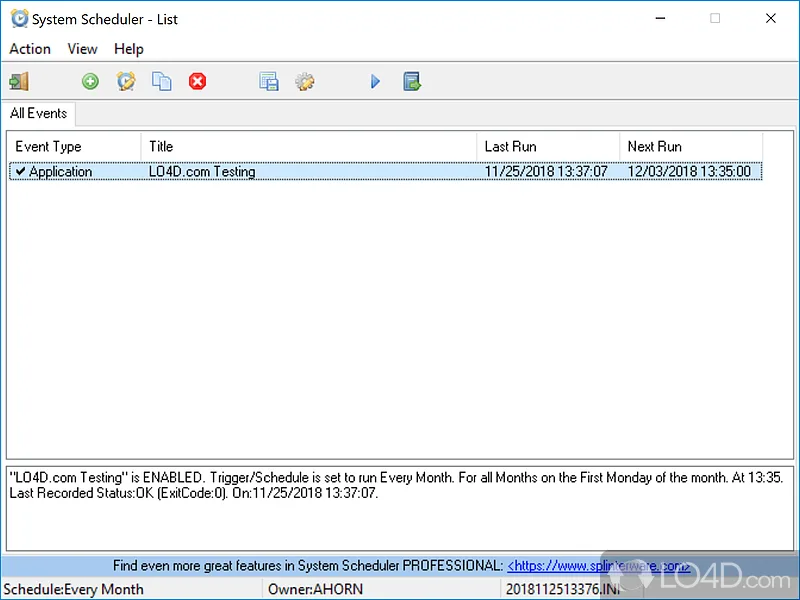
The publisher lists version 6.00 and support for 32-bit and 64-bit Windows 7, 8, 10 and 11, plus Windows Server 2008, 2012, 2016, 2019, 2022 and 2025. The screenshot is a historical Free-edition interface illustration from LO4D, not a verified capture of version 6.00. No installer was downloaded or run for this entry.
What it offers
- Schedule applications, batch files and scripts independently of Windows Task Scheduler.
- Create popup reminders for scheduled tasks.
- Send keypresses and mouse clicks to applications.
- Use Window Watcher to monitor and respond to application windows.
Good to know
- The Free version requires a user to remain logged in; Windows Service mode for jobs while logged off requires Professional.
- Email notifications, exit-code error detection and file, process and service watchers are Professional-only features.
Product images
Sources
References used for this listing. Retrieval dates do not indicate hands-on testing.
More in utilities
View category ↗
1.1.1.1 with WARP 2026.8.2115.0
Encrypt traffic from your Mac to Cloudflare’s network with WARP, or use DNS-only mode for encrypted DNS queries to the 1.1.1.1 resolver.
1.1.1.1 with WARP 2026.8.2115.0
Encrypt traffic between your Windows PC and Cloudflare, or use encrypted DNS only, with the free 1.1.1.1 with WARP app.


3uTools 9.12.005
Manage iPhone and iPad photos, music, apps and backups from Windows with 3uTools, a free utility that also includes device checks and firmware flashing tools.