

Utilities macOS
TaskExplorer for macOS
Inspect running Mac processes, code signatures, loaded libraries, open files and network connections with TaskExplorer, an open-source process explorer.
- Operating system
- macOS 14 (Sonoma) or newer
- Architecture
- Intel and Apple silicon
- Download package
- ZIP archive containing TaskExplorer.app
Move the app to /Applications. Approve its system extension and grant the extension Full Disk Access. On-device AI has additional requirements.
Link checked · Download guidance
What is TaskExplorer?
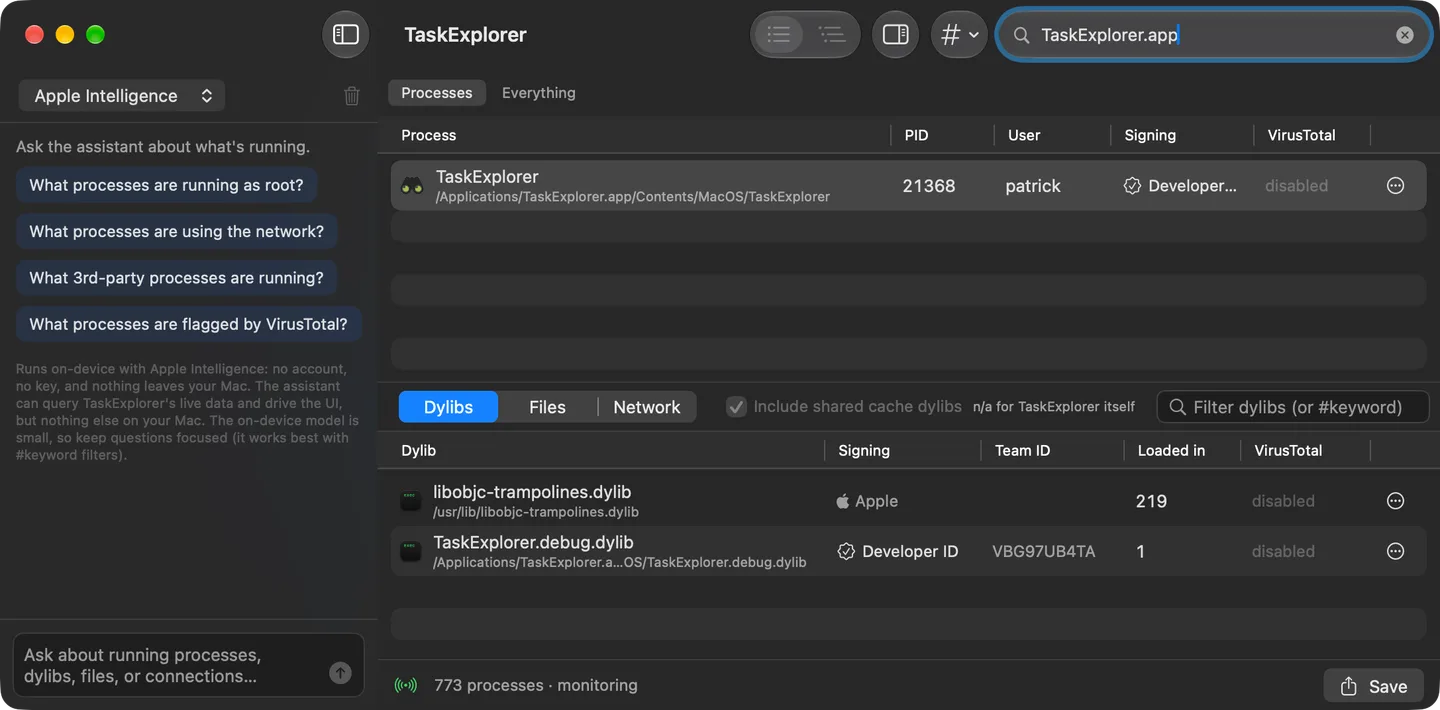
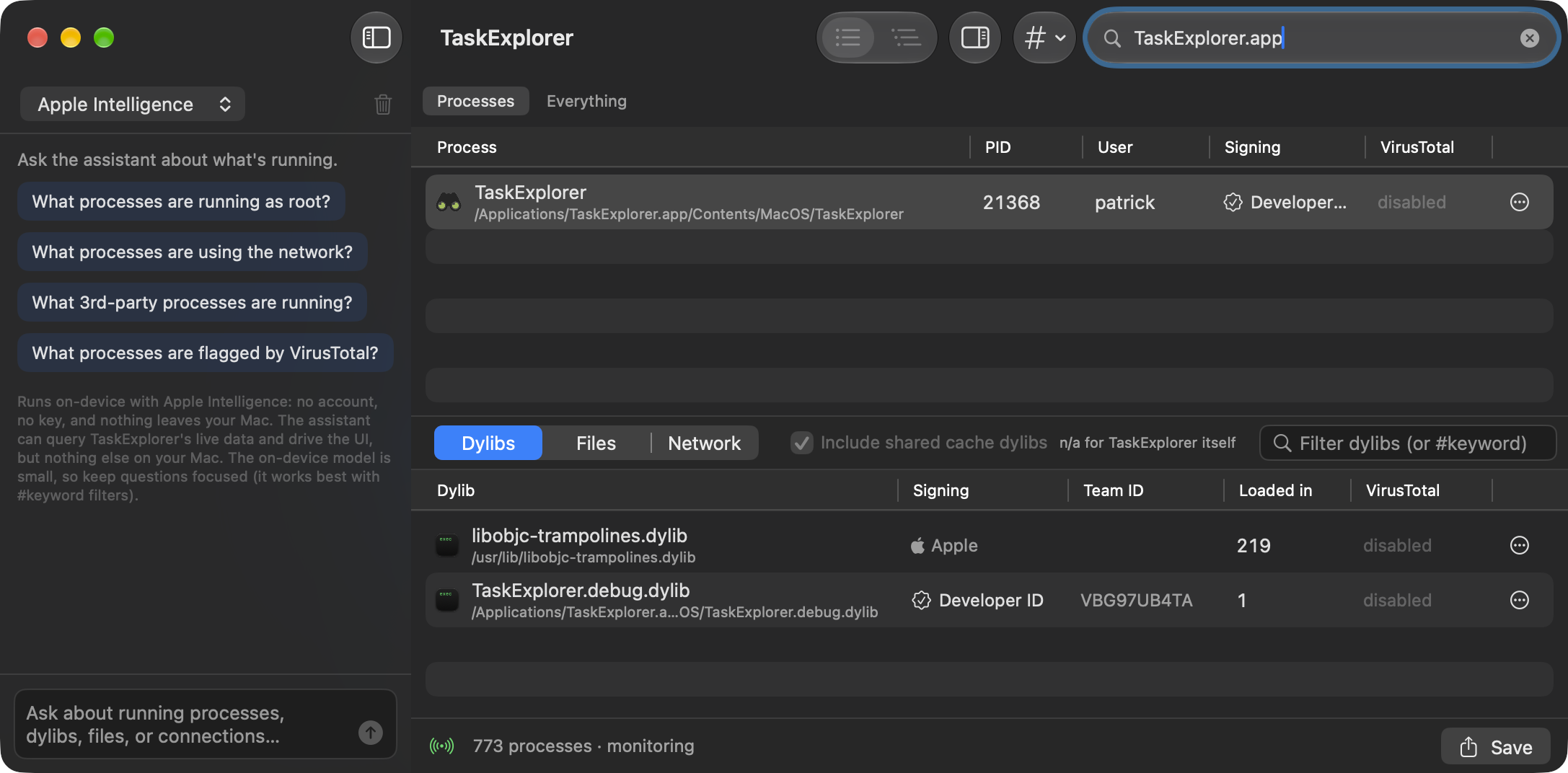
TaskExplorer helps you investigate what is running on a Mac and what each process is doing. Its live process list shows code-signing information, while separate panes expose loaded dynamic libraries, open files and network connections. Switch between a flat list and a parent-child tree, or use text and keyword filters to narrow an investigation.
The app can export process information as JSON and offers an assistant that queries its live data. Apple Intelligence handles supported on-device requests; Claude and ChatGPT use your own API key. Choosing a cloud assistant sends the process data it queries, such as names, paths and command lines, to that provider.
Version 3.1.0 requires macOS 14 or newer on Intel or Apple silicon. Live monitoring uses a system extension that needs approval and Full Disk Access. VirusTotal checks require your own API key and use its quota; a detection or an assistant response is a lead for investigation, not a definitive verdict.
What it offers
- Follow processes as they start and exit using Apple's Endpoint Security framework.
- Inspect code signatures, loaded dylibs, open files and network connections for a selected process.
- Use tree or flat views, text filters and keyword tokens to search process information.
- Export processes, libraries, files and connections as JSON from the app or command line.
- Query live process data with an optional assistant, or check binary hashes through VirusTotal with your own key.
Good to know
- Requires approval of a system extension and Full Disk Access; the app must run from /Applications.
- The Apple Intelligence assistant requires macOS 26, Apple silicon and Apple Intelligence enabled. Cloud assistants require your own API key and send queried process data to the selected provider.
- VirusTotal lookups require your own API key and count against its quota; flags and assistant answers are not definitive security verdicts.
Product images
Sources
References used for this listing. Retrieval dates do not indicate hands-on testing.
More in utilities
View category ↗
1.1.1.1 with WARP 2026.8.2115.0
Encrypt traffic from your Mac to Cloudflare’s network with WARP, or use DNS-only mode for encrypted DNS queries to the 1.1.1.1 resolver.
1.1.1.1 with WARP 2026.8.2115.0
Encrypt traffic between your Windows PC and Cloudflare, or use encrypted DNS only, with the free 1.1.1.1 with WARP app.

3uTools 9.12.005
Manage iPhone and iPad photos, music, apps and backups from Windows with 3uTools, a free utility that also includes device checks and firmware flashing tools.