

Utilities Windows
TCPView for Windows
See which Windows processes own TCP and UDP endpoints, inspect local and remote addresses, and save connection listings with TCPView from Microsoft Sysinternals.
- Operating system
- Windows 8.1 and higher; Windows Server 2012 and higher, as listed by the publisher
- Architecture
- Not specified on the publisher product page
- Download package
- ZIP archive
Includes the TCPView graphical application and Tcpvcon command-line tool. Architecture and the archive's current version were not independently verified.
Link checked · Download guidance
What is TCPView?
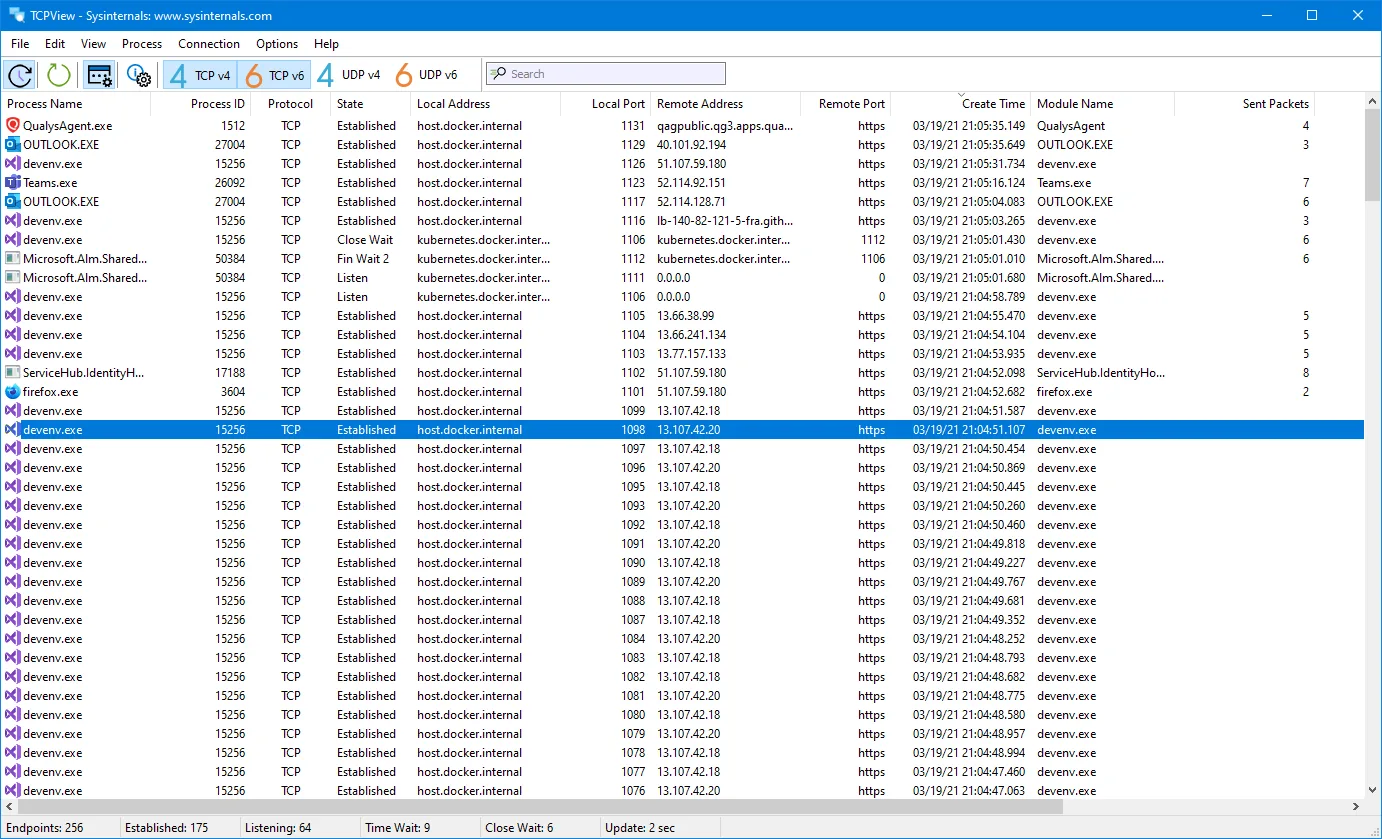
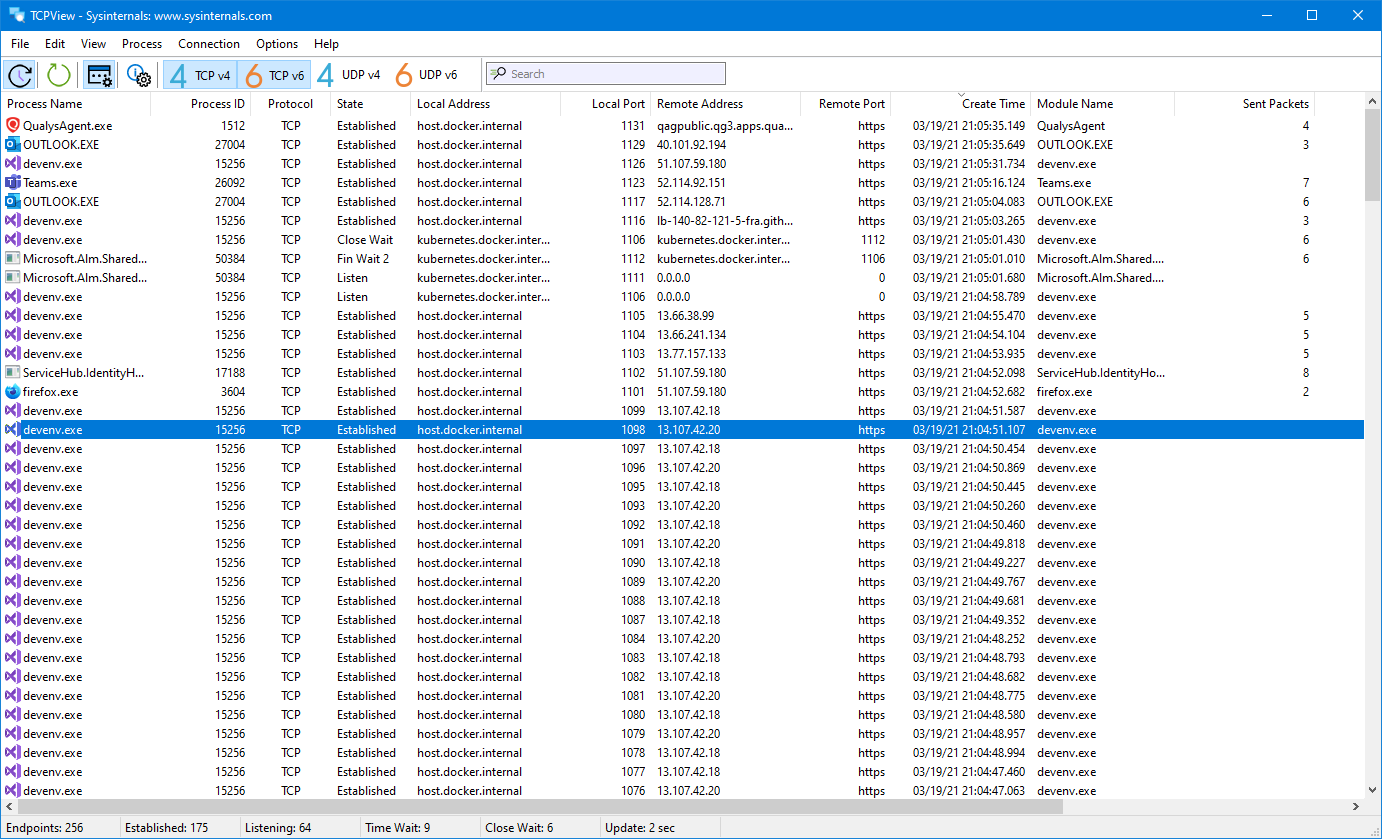
TCPView lists TCP and UDP endpoints on your Windows computer alongside the processes that own them. Local and remote addresses, ports and TCP connection states help you identify which application is using a connection without reading netstat output. Address resolution can be switched on or off, and the listing refresh rate is adjustable.
The interface highlights new endpoints in green, deleted endpoints in red and state changes in yellow. You can save the output to a file or close an established TCP connection from its context menu. The publisher's ZIP download also includes Tcpvcon, a command-line companion that can print CSV output and filter by process name or PID.
The Close Connections command is documented for established TCP connections, not every endpoint in the list. Tcpvcon also shows only established TCP connections by default; use its -a option when you need all endpoints. The download linked here is the publisher's ZIP archive, not a separate installer.
What it offers
- List local TCP and UDP endpoints with their owning processes and available service names.
- Inspect local and remote addresses, ports and TCP connection states; toggle resolved address names.
- Adjust the refresh rate and distinguish new, deleted and changed endpoints by color.
- Save the output listing or close an established TCP connection.
- Use the included Tcpvcon command-line tool for CSV output and process-name or PID filtering.
Good to know
- The publisher documents Close Connections for established TCP connections, not arbitrary UDP or listening endpoints.
- Tcpvcon lists established TCP connections by default; its -a option is needed to show all endpoints.
Product images
Sources
References used for this listing. Retrieval dates do not indicate hands-on testing.
More in utilities
View category ↗
1.1.1.1 with WARP 2026.8.2115.0
Encrypt traffic from your Mac to Cloudflare’s network with WARP, or use DNS-only mode for encrypted DNS queries to the 1.1.1.1 resolver.
1.1.1.1 with WARP 2026.8.2115.0
Encrypt traffic between your Windows PC and Cloudflare, or use encrypted DNS only, with the free 1.1.1.1 with WARP app.

3uTools 9.12.005
Manage iPhone and iPad photos, music, apps and backups from Windows with 3uTools, a free utility that also includes device checks and firmware flashing tools.