

Utilities Windows
Telegram for Windows
Message contacts, share files and follow groups or channels from Windows with Telegram Desktop, synced with your Telegram cloud chats.
- Operating system
- Windows; minimum OS version not established by the cited publisher page
- Architecture
- x64 (64-bit)
- Download package
- EXE installer
Selected publisher link is Windows x64. Portable and other platform editions are separate. No installation or compatibility test performed.
Link checked · Download guidance
What is Telegram?
Telegram Desktop brings your Telegram conversations to a Windows computer. It suits typing longer messages, sharing documents and keeping up with groups or broadcast channels while working at a desk. Cloud chats sync across your signed-in devices, so you can continue a conversation from your phone or computer.
That synchronization has a privacy distinction: ordinary cloud chats use client-server encryption, not end-to-end encryption. Secret Chats are separate, device-specific conversations and do not sync from their originating device to your PC. Telegram also offers a paid Premium subscription for additional features.
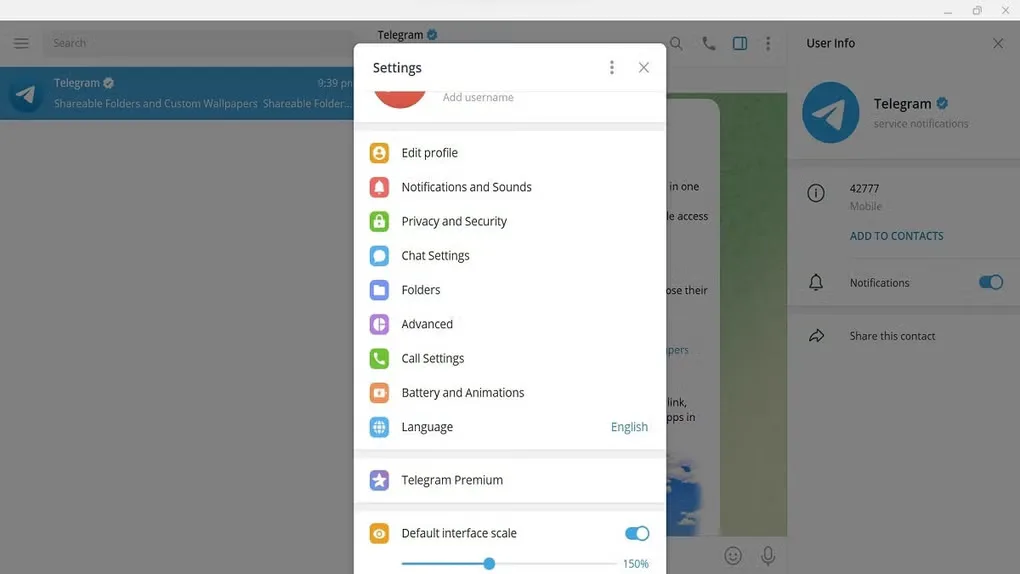
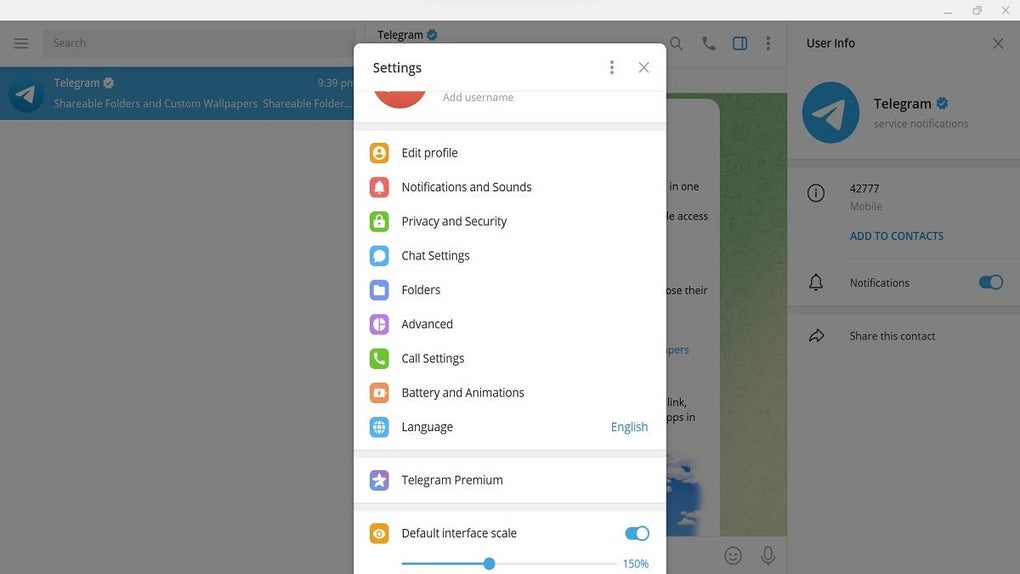
The download here is the publisher’s Windows x64 installer. A portable edition is listed separately by the publisher; this card does not link to that package. The gallery screenshot shows the desktop Settings panel, not a guarantee of the appearance of every release.
What it offers
- Continue cloud-chat conversations across signed-in phones, tablets and computers.
- Send messages, photos, videos and files from the desktop.
- Participate in groups and follow broadcast channels.
Good to know
- Ordinary cloud chats are not end-to-end encrypted; Secret Chats remain on their originating device and do not sync to this Windows client.
- Some additional features require the optional paid Telegram Premium subscription.
Product images
Sources
References used for this listing. Retrieval dates do not indicate hands-on testing.
More in utilities
View category ↗
1.1.1.1 with WARP 2026.8.2115.0
Encrypt traffic from your Mac to Cloudflare’s network with WARP, or use DNS-only mode for encrypted DNS queries to the 1.1.1.1 resolver.
1.1.1.1 with WARP 2026.8.2115.0
Encrypt traffic between your Windows PC and Cloudflare, or use encrypted DNS only, with the free 1.1.1.1 with WARP app.

3uTools 9.12.005
Manage iPhone and iPad photos, music, apps and backups from Windows with 3uTools, a free utility that also includes device checks and firmware flashing tools.