
Utilities macOS
Ten Thumbs Typing Tutor
Practice touch typing on Mac with guided lessons, adjustable speed goals and two typing games. The paid tutor offers a trial that ends after 10 days or one third of the keyboard, whichever comes first.
- Operating system
- Mac desktop or laptop; publisher FAQ names Mac OS 10.1 through macOS Sonoma 14
- Architecture
- Selected DMG CPU architecture not specified by the cited publisher pages
- Download package
- DMG disk image — single-user trial
Publisher mentions 32- and 64-bit formats, without identifying this package’s CPU target. Newer macOS and native Apple Silicon support are unconfirmed; no installation test performed.
Link checked · Download guidance
What is Ten Thumbs Typing Tutor?
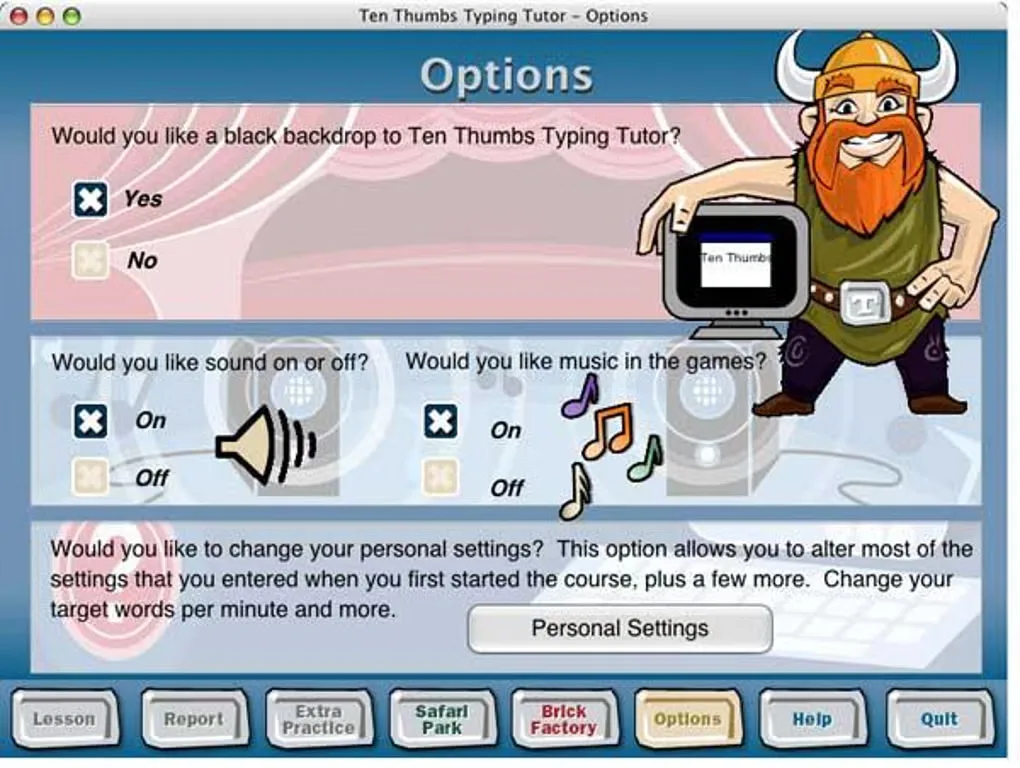
Ten Thumbs Typing Tutor teaches keyboard skills through step-by-step lessons led by a Viking character. Its generated practice sentences, adjustable words-per-minute target and on-screen keyboard give learners ways to practice without repeatedly typing the same passage. It supports Qwerty and Dvorak layouts plus several language-specific keyboards, with seven interface languages. Safari Park and Brick Factory provide typing practice in game form.
This download is the publisher’s single-user Mac trial, not the school network edition. The trial ends after 10 days or after learning one third of the keyboard, whichever happens first; its timer starts when you first open the installed program. Continuing requires a purchased unlock code. The separate multi-user edition adds classroom reporting and network features.
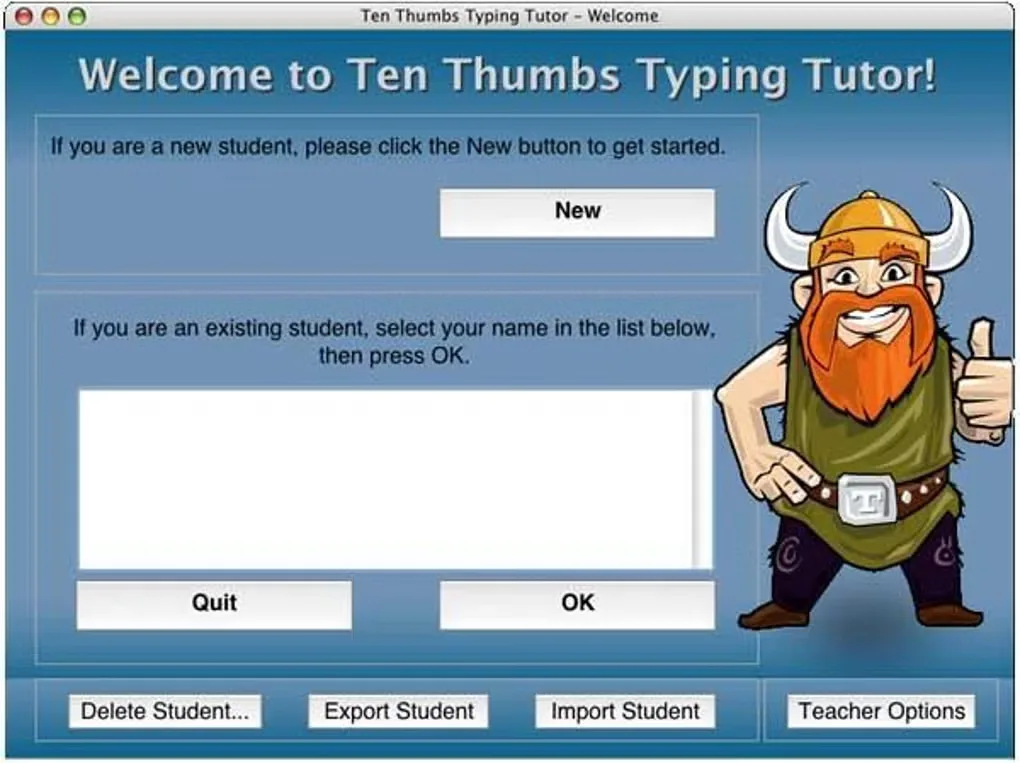
Check compatibility before buying: the publisher FAQ names Mac OS 10.1 through macOS Sonoma 14 and mentions 32- and 64-bit formats, but it does not identify the processor architecture of this DMG. Its homepage also uses an unversioned “latest MacOS” claim. These statements do not establish compatibility with newer macOS releases or native Apple Silicon support. The gallery images show an older Mac interface, including teacher controls in the welcome screen; they are reference screenshots, not a test of the selected single-user build.
What it offers
- Follow step-by-step touch-typing lessons with an on-screen keyboard and feedback.
- Practice newly generated sentences and adjust the target words per minute.
- Choose Qwerty, Dvorak and supported regional keyboards; switch among seven interface languages.
- Practice through Safari Park and Brick Factory typing games.
- Export and import student files to transfer learning progress.
Good to know
- Trial ends after 10 days or one third of the keyboard, whichever comes first; the timer starts on first launch and full access requires purchase.
- The selected single-user download is not the multi-user network edition with classroom management and reports.
- Exact DMG CPU architecture and compatibility beyond the publisher’s named macOS Sonoma 14 support are unconfirmed.
Product images
Sources
References used for this listing. Retrieval dates do not indicate hands-on testing.
- Ten Thumbs Typing Tutor — official product features ↗Retrieved
- Try Now! — official trial and edition downloads ↗Retrieved
- Ten Thumbs Typing Tutor — compatibility, trial and student transfer FAQ ↗Retrieved
- Ten Thumbs Typing Tutor — publisher EULA ↗Retrieved
- Ten Thumbs Typing Tutor for Mac - Download ↗Retrieved
More in utilities
View category ↗
1.1.1.1 with WARP 2026.8.2115.0
Encrypt traffic from your Mac to Cloudflare’s network with WARP, or use DNS-only mode for encrypted DNS queries to the 1.1.1.1 resolver.
1.1.1.1 with WARP 2026.8.2115.0
Encrypt traffic between your Windows PC and Cloudflare, or use encrypted DNS only, with the free 1.1.1.1 with WARP app.

3uTools 9.12.005
Manage iPhone and iPad photos, music, apps and backups from Windows with 3uTools, a free utility that also includes device checks and firmware flashing tools.