
Utilities Windows
Tessabyte
Measure wired and Wi-Fi network throughput, packet loss, jitter and round-trip time with Tessabyte, a client-server network testing tool for Windows.
- Operating system
- Windows 10 and 11; Windows Server 2019, 2022 and 2025
- Architecture
- Not specified in the consulted Windows requirements
- Download package
- EXE installer
Publisher minimum requirements: 8 GB RAM and 100 MB free disk space. Includes client and server components.
Link checked · Download guidance
What is Tessabyte?
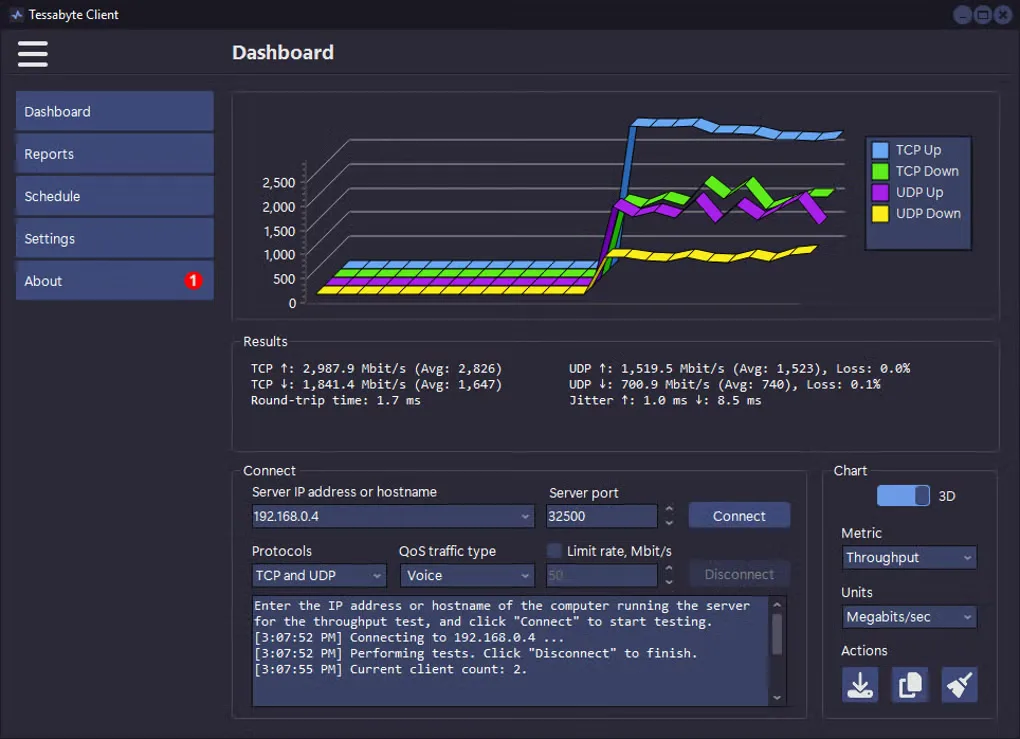
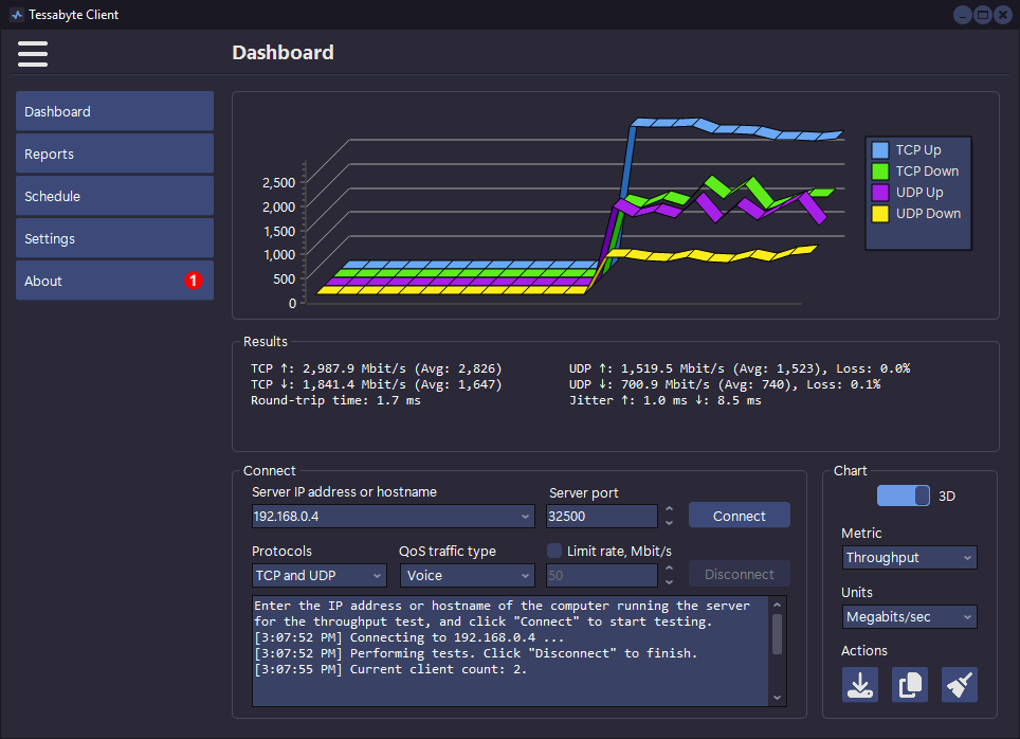
Tessabyte tests the performance of network links by exchanging TCP and UDP traffic between a client and a server. Its Windows client displays upstream and downstream throughput, packet loss, jitter and round-trip time as charts and numeric results. It suits comparing wired and Wi-Fi links, investigating bottlenecks or checking how network configuration changes affect performance.
The Windows package includes both client and server components. Run the server on one computer and connect from the client on another; for Wi-Fi testing, the publisher recommends placing the server on the wired side of the network. IPv4 and IPv6, QoS settings and customizable TCP/UDP payloads let you choose the traffic used for a test. Reports can be generated in HTML or text, and tests can be scheduled.
This is a commercial application with a 30-day Windows evaluation, not an indefinitely free tool. In the trial, some report values are replaced with "[Trial Ver.]" and only one scheduled task can be configured. Network access also matters: firewalls must allow the test traffic, and NAT can restrict WAN testing. The linked publisher download is advertised as version 2.0 Build 103; the Softonic discovery page lists the older 2.0.88.
What it offers
- Measure upstream and downstream TCP/UDP throughput, packet loss, jitter and round-trip time in numeric and chart views.
- Test wired and wireless links over IPv4 or IPv6 using client and server components included in the Windows package.
- Adjust QoS settings and customize TCP and UDP payloads for different traffic scenarios.
- Generate HTML and text reports and schedule recurring network tests.
- Connect multiple clients to one server; publisher documentation describes interoperability with other supported Tessabyte platforms.
Good to know
- The Windows trial expires after 30 days, replaces some report values with "[Trial Ver.]" and permits only one scheduled task; unrestricted use requires a purchased license.
- A throughput test requires a reachable Tessabyte server and client, not just a single standalone speed-test window.
- Firewalls must permit test traffic. NAT can complicate WAN testing and may limit clients behind NAT to TCP tests.
Product images
Sources
References used for this listing. Retrieval dates do not indicate hands-on testing.
- Wi-Fi & LAN Performance and Speed Test Software | Tessabyte ↗Retrieved
- Introduction to Tessabyte Network Performance Testing ↗Retrieved
- System Requirements | Tessabyte Network Test Manual ↗Retrieved
- Installing and Configuring Tessabyte Network Test | Manual ↗Retrieved
- About Netmantics | Developer of Tessabyte Network Test ↗Retrieved
- Tessabyte - Download ↗Retrieved
More in utilities
View category ↗
1.1.1.1 with WARP 2026.8.2115.0
Encrypt traffic from your Mac to Cloudflare’s network with WARP, or use DNS-only mode for encrypted DNS queries to the 1.1.1.1 resolver.
1.1.1.1 with WARP 2026.8.2115.0
Encrypt traffic between your Windows PC and Cloudflare, or use encrypted DNS only, with the free 1.1.1.1 with WARP app.

3uTools 9.12.005
Manage iPhone and iPad photos, music, apps and backups from Windows with 3uTools, a free utility that also includes device checks and firmware flashing tools.