

Utilities Windows
TestDisk for Windows
Recover lost partitions, repair supported boot sectors and undelete files with TestDisk, a free, open-source recovery utility for Windows.
- Operating system
- Windows / Windows Server
- Architecture
- x64 (64-bit Windows)
- Download package
- Portable ZIP containing TestDisk and PhotoRec
Extract the archive before use. This is the stable 7.2 win64 package; 32-bit Windows and beta downloads are separate. Physical-drive access requires administrator privileges.
Link checked · Download guidance
What is TestDisk?
TestDisk helps recover access to lost partitions and repair certain partition-table or boot-sector problems. It is useful when a partition disappears after accidental deletion or a disk stops booting because its filesystem metadata is damaged. Its recovery tools include NTFS and FAT boot-sector repair, partition searches and file copying from supported deleted partitions.
This download is the publisher's stable TestDisk 7.2 package for 64-bit Windows, released on February 22, 2024. Extract the ZIP to use the portable tools; no installer is required. PhotoRec is included in the same distribution for a different, signature-based file-recovery workflow. The publisher lists 7.3-WIP separately as a beta, so this card does not substitute that build for the stable release.
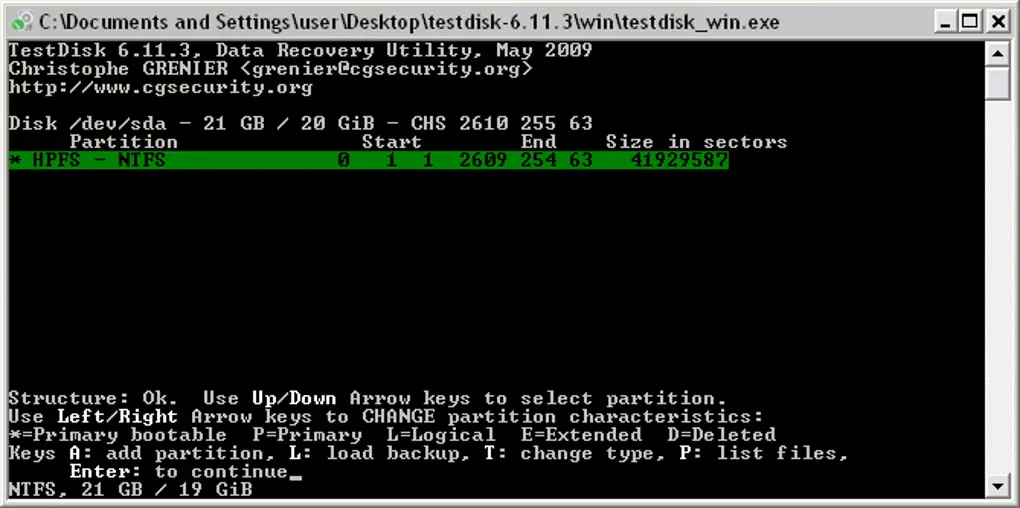
TestDisk uses keyboard-driven text menus rather than a graphical recovery wizard. Physical-device recovery requires administrator privileges. Review the detected partition structure and file listings before choosing Write: the publisher's walkthrough says to write the partition table only when all partitions are correctly listed. File undelete support is narrower than partition detection support; it covers FAT, exFAT, NTFS and ext2 rather than every filesystem TestDisk can recognize.
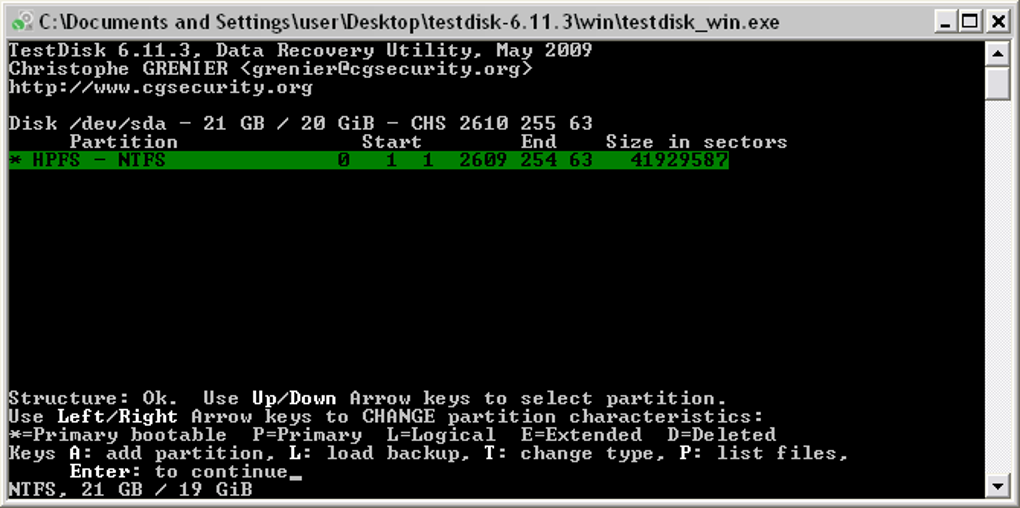
The screenshot is a historical Windows TestDisk 6.11.3 partition-selection screen from the source gallery. It illustrates the text interface, not the appearance or results of a tested 7.2 session.
What it offers
- Search for lost partitions and repair supported partition-table problems.
- Rebuild FAT and NTFS boot sectors or restore them from available backups.
- Undelete files on FAT, exFAT, NTFS and ext2 filesystems.
- Copy files from deleted FAT, exFAT, NTFS and ext2/ext3/ext4 partitions.
- Use portable tools from an extracted Windows ZIP, with PhotoRec included.
Good to know
- Keyboard-driven text interface; TestDisk does not provide a graphical recovery wizard.
- Administrator privileges are required to access physical drives for recovery.
- Partition-table writes require checking the discovered structure; the publisher advises Write only when all partitions are correctly listed.
- Recognizing a filesystem for partition recovery does not mean TestDisk can undelete files from it.
Product images
Sources
References used for this listing. Retrieval dates do not indicate hands-on testing.
More in utilities
View category ↗
1.1.1.1 with WARP 2026.8.2115.0
Encrypt traffic from your Mac to Cloudflare’s network with WARP, or use DNS-only mode for encrypted DNS queries to the 1.1.1.1 resolver.
1.1.1.1 with WARP 2026.8.2115.0
Encrypt traffic between your Windows PC and Cloudflare, or use encrypted DNS only, with the free 1.1.1.1 with WARP app.

3uTools 9.12.005
Manage iPhone and iPad photos, music, apps and backups from Windows with 3uTools, a free utility that also includes device checks and firmware flashing tools.