
Development Windows
TeXworks
Write LaTeX and other TeX documents with a Unicode editor and integrated PDF preview. This free, open-source Windows application needs a separate TeX distribution for typesetting.
Version 0.6.11 · Direct publisher file
Link checked · Download guidance
What is TeXworks?
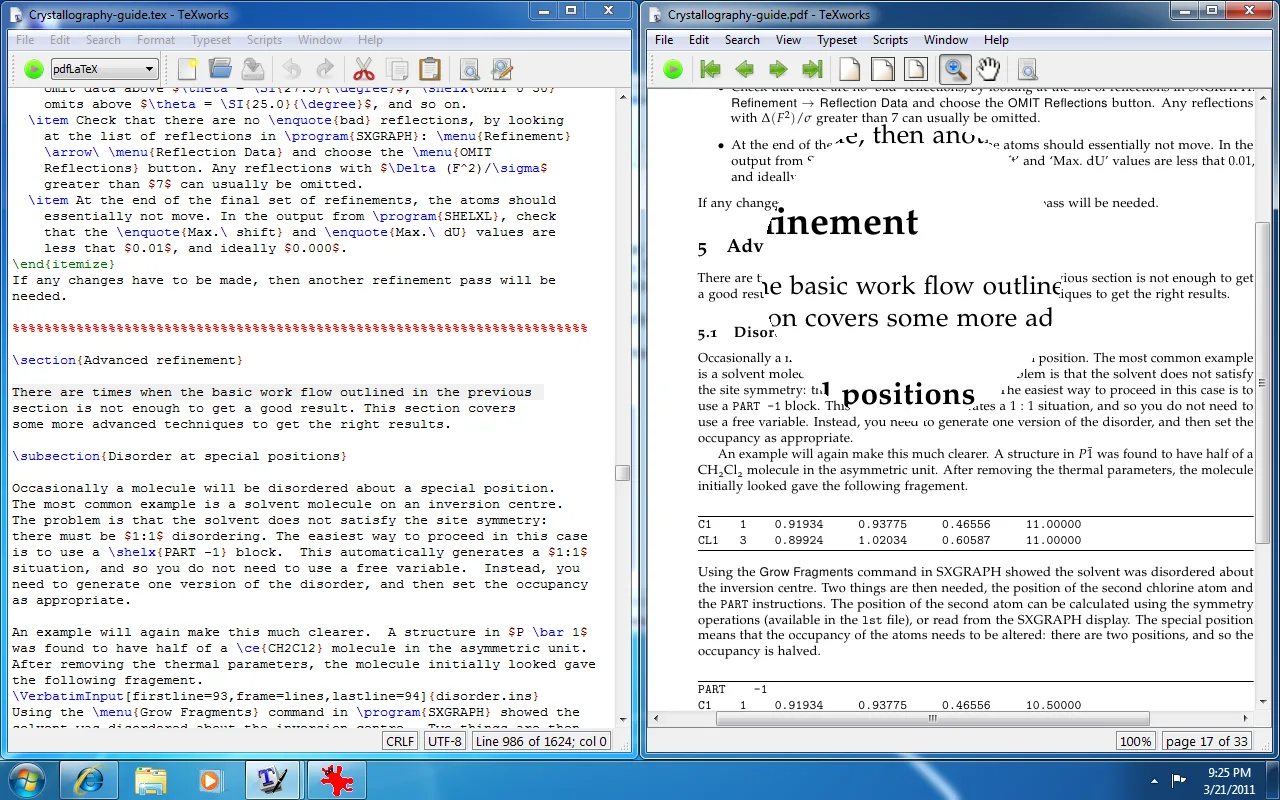
TeXworks brings TeX source editing and PDF preview into one working environment. Write a LaTeX or ConTeXt document, run a configured typesetting engine, and inspect the resulting PDF without switching to an external viewer. Syntax highlighting, command completion, spell-checking and templates support the writing process. SyncTeX links positions in the source and PDF so you can move between the markup and its output.
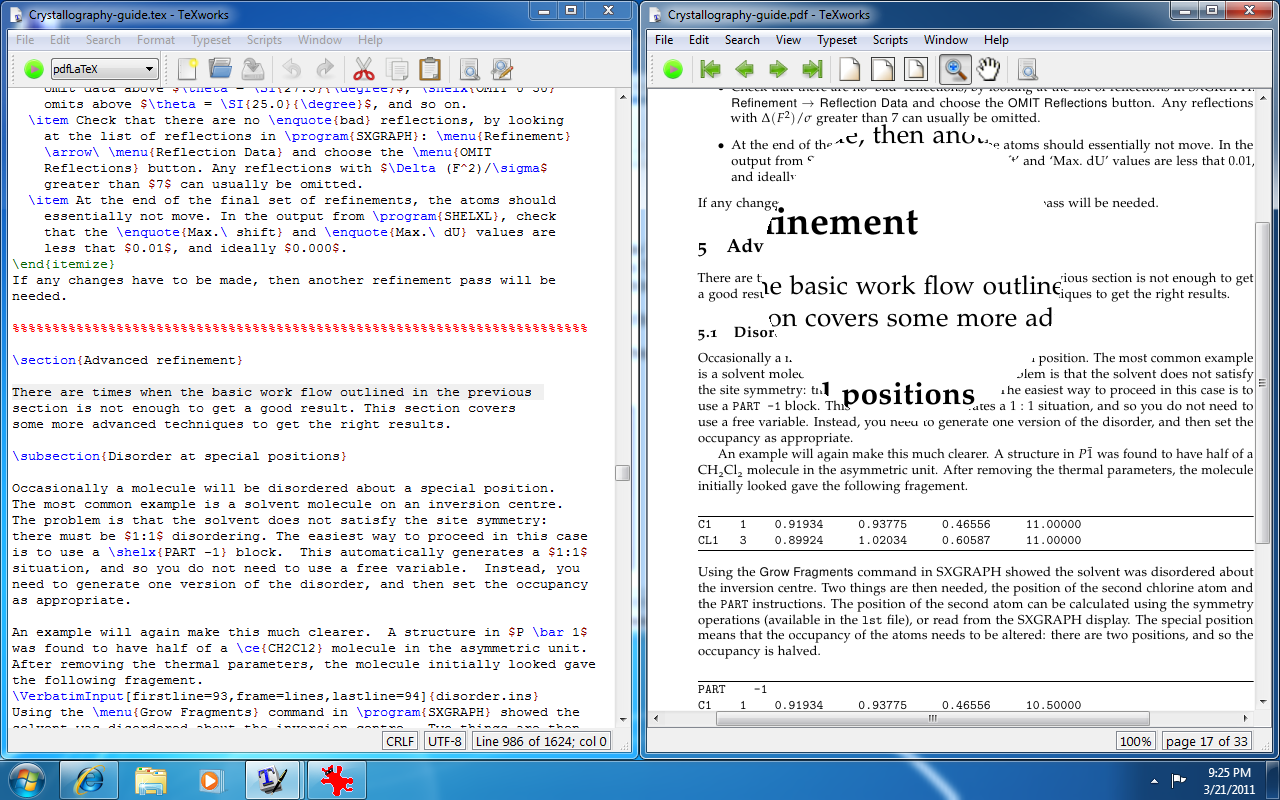
The linked download is the publisher's TeXworks 0.6.11 EXE installer for Windows 10 and later, not the separate legacy Windows 7 build. TeXworks is an editor and previewer, not a complete TeX distribution: install TeX Live or MiKTeX to supply the typesetting programs. Those distributions can already include TeXworks, so check their package manager before installing another copy. The screenshot is the publisher's historical TeXworks 0.4 interface on Windows 7; it illustrates the source-and-preview workflow, not the appearance of version 0.6.11.
What it offers
- Edit Unicode TeX source with syntax highlighting, command completion and spell-checking.
- Preview typeset documents in the integrated PDF viewer.
- Navigate between source text and PDF output with SyncTeX synchronization.
- Start from document templates and use configurable typesetting commands.
- Use continuous scrolling, two-page viewing and text selection in the PDF preview.
Good to know
- Typesetting requires a separate TeX distribution such as TeX Live or MiKTeX; the standalone editor is not a complete TeX system.
- The selected installer requires Windows 10 or later; the publisher provides a different legacy build for Windows 7.
Product images
Sources
References used for this listing. Retrieval dates do not indicate hands-on testing.
- TeXworks - Download — Windows discovery and gallery ↗Retrieved
- TeXworks — official introduction, features and screenshots ↗Retrieved
- TeXworks 0.6.11 — official release ↗Retrieved
- TeXworks 0.6.11 — official release asset metadata ↗Retrieved
- TeXworks 0.6.11 README — purpose and license ↗Retrieved
- A short manual for TeXworks — installation requirements ↗Retrieved
More in development
View category ↗
010 Editor 17.0
Inspect and edit binary files on Mac with 010 Editor, a paid text and hex editor with Binary Templates, file comparison and a 30-day trial.
010 Editor 17.0
Inspect and edit binary files with 010 Editor for Windows, a text and hex editor with Binary Templates, file comparison and scripting. Includes a 30-day trial.
10x Editor
Edit and navigate C++ projects on Windows with a built-in parser, workspace search and Visual Studio project support. A paid license is required after the 30-day trial.