

Development Windows
Thonny for Windows
Write and debug Python with Thonny, a free IDE for beginners. Its Windows x64 installer includes Python 3.14, a variable viewer and step-by-step debugging.
- Operating system
- Windows 10 and Windows 11 (64-bit)
- Architecture
- x64 (Intel/AMD)
- Download package
- EXE installer with Python 3.14
This link is the x64 installer. Windows on Arm has a separate installer; version 5 no longer publishes installers for Windows 7, Windows 8 or 32-bit Windows.
Link checked · Download guidance
What is Thonny?
Thonny is a Python development environment for learning to write and understand code. Its editor and interactive shell let you work on scripts and try Python commands in the same application. The Windows x64 installer bundles Python 3.14, so a separate Python installation is not required for that package.
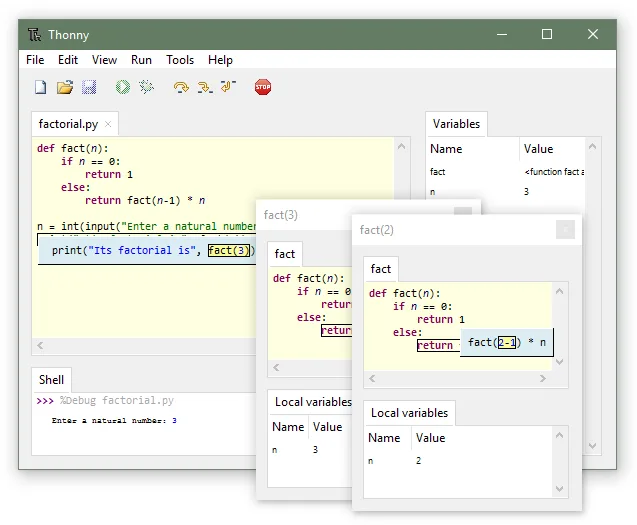
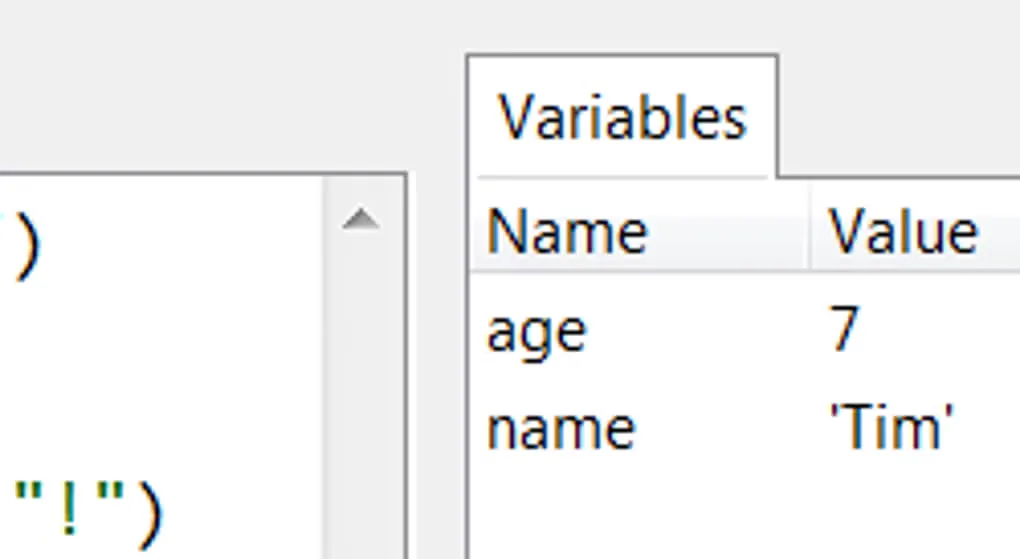
The debugger makes program execution visible. Step through statements or smaller expression evaluations, watch values in the Variables pane, and inspect separate local variables when entering a function call. Syntax-error highlighting and code completion help while editing; the package manager provides a graphical way to install third-party Python packages.
This download is the Intel/AMD x64 EXE for 64-bit Windows 10 or 11, not the separate Windows on Arm installer. Version 5 no longer provides installers for Windows 7, Windows 8 or 32-bit Windows. When upgrading from Thonny 4, follow the publisher's recommendation to uninstall the older version first; an existing configuration may also need its Python interpreter reselected. The screenshots illustrate the interface and debugging tools, not a verified capture of version 5.0.0.
What it offers
- Edit Python scripts and run interactive commands in the integrated shell.
- Use the Python 3.14 interpreter bundled with the selected Windows installer.
- Debug step by step without first setting breakpoints, including smaller expression-evaluation steps.
- Inspect variable values and separate local-variable tables for function calls.
- Use syntax-error highlighting, code completion and a graphical Python package manager.
Good to know
- The linked x64 installer requires 64-bit Windows 10 or 11; version 5 installers are no longer published for Windows 7, Windows 8 or 32-bit Windows.
- Upgrading from Thonny 4 may require uninstalling the older version and reselecting the Python interpreter in the existing configuration.
Product images
Sources
References used for this listing. Retrieval dates do not indicate hands-on testing.
More in development
View category ↗
010 Editor 17.0
Inspect and edit binary files on Mac with 010 Editor, a paid text and hex editor with Binary Templates, file comparison and a 30-day trial.
010 Editor 17.0
Inspect and edit binary files with 010 Editor for Windows, a text and hex editor with Binary Templates, file comparison and scripting. Includes a 30-day trial.
10x Editor
Edit and navigate C++ projects on Windows with a built-in parser, workspace search and Visual Studio project support. A paid license is required after the 30-day trial.