
Utilities Windows
Thumbs Viewer
View and extract cached thumbnails from Thumbs.db and related Windows database files, preview individual entries, and export entry information to CSV.
- Operating system
- Windows; publisher does not specify an exact supported-version range
- Architecture
- x64 (64-bit)
- Download package
- ZIP archive
This link is the 64-bit package; a separate 32-bit package is available. Requires the Visual C++ 2008 runtime library.
Link checked · Download guidance
What is Thumbs Viewer?
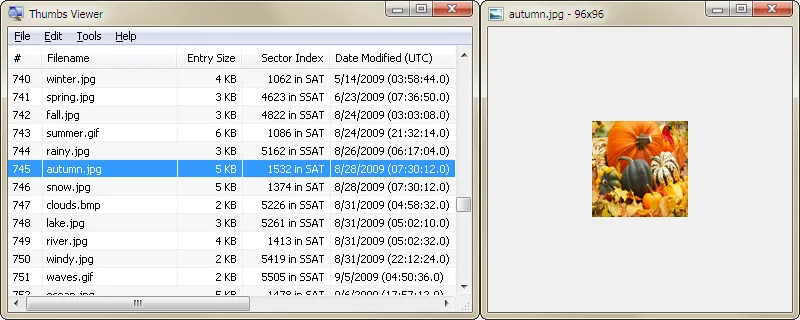
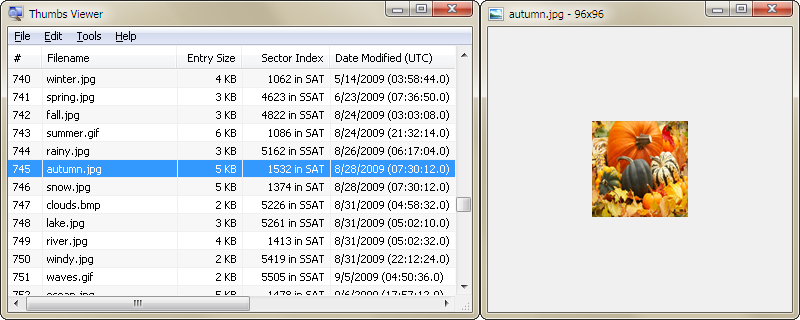
Thumbs Viewer opens Windows thumbnail databases so you can inspect their entries and save the thumbnail images they contain. It supports Thumbs.db, ehthumbs.db, ehthumbs_vista.db, Image.db, Video.db, TVThumb.db and musicThumbs.db. Selecting an entry opens a separate thumbnail preview, with controls to pan, center and zoom the image.
The entry list can be exported to CSV. For databases created by Windows Vista and later, the program can map local files to hashed filenames. Command-line options also let you open a database or save thumbnails and CSV output. Removing an entry from the displayed list does not modify the database.
This is not the publisher’s Thumbcache Viewer: thumbcache_*.db files require that separate application. Thumbs Viewer also requires the Visual C++ 2008 runtime library. The linked download is the 64-bit Windows ZIP package; the publisher offers a separate 32-bit package.
What it offers
- Extract thumbnail images from Thumbs.db and six other named Windows thumbnail database formats.
- Preview a selected thumbnail in a separate window with pan, center and zoom controls.
- Export entry information to a CSV file.
- Map local files to hashed filenames for databases created by Windows Vista and later.
- Open databases or save thumbnails and CSV output from the command line.
Good to know
- Does not handle thumbcache_*.db files; the publisher directs those files to Thumbcache Viewer.
- Requires the Visual C++ 2008 runtime library.
Product images
Sources
References used for this listing. Retrieval dates do not indicate hands-on testing.
More in utilities
View category ↗
1.1.1.1 with WARP 2026.8.2115.0
Encrypt traffic from your Mac to Cloudflare’s network with WARP, or use DNS-only mode for encrypted DNS queries to the 1.1.1.1 resolver.
1.1.1.1 with WARP 2026.8.2115.0
Encrypt traffic between your Windows PC and Cloudflare, or use encrypted DNS only, with the free 1.1.1.1 with WARP app.

3uTools 9.12.005
Manage iPhone and iPad photos, music, apps and backups from Windows with 3uTools, a free utility that also includes device checks and firmware flashing tools.