

Utilities macOS
Mozilla Thunderbird for macOS
Manage email accounts, calendars, contacts and tasks in Thunderbird, a free, open-source desktop email application for macOS.
- Operating system
- macOS 10.15 or later
- Architecture
- Intel and Apple Silicon Macs
- Download package
- DMG disk image
English (British) package. Publisher requirements list Intel x86 and Apple Silicon processors; no local installation or architecture inspection performed.
Link checked · Download guidance
What is Mozilla Thunderbird?
Thunderbird brings multiple email accounts into a desktop app on your Mac. Keep accounts separate or use a unified inbox, then search and organize messages without switching between webmail tabs. Calendars, contacts and tasks sit alongside email, so appointments and correspondence can be managed in the same application.
The publisher offers add-ons for extending the desktop app. Check their compatibility when changing release channels: Thunderbird warns that not all add-ons work with every channel. This entry links to the English (British) macOS disk image for version 159.0, rather than a Windows installer or the Android app. It requires macOS 10.15 or later; the publisher lists Intel and Apple Silicon Macs.
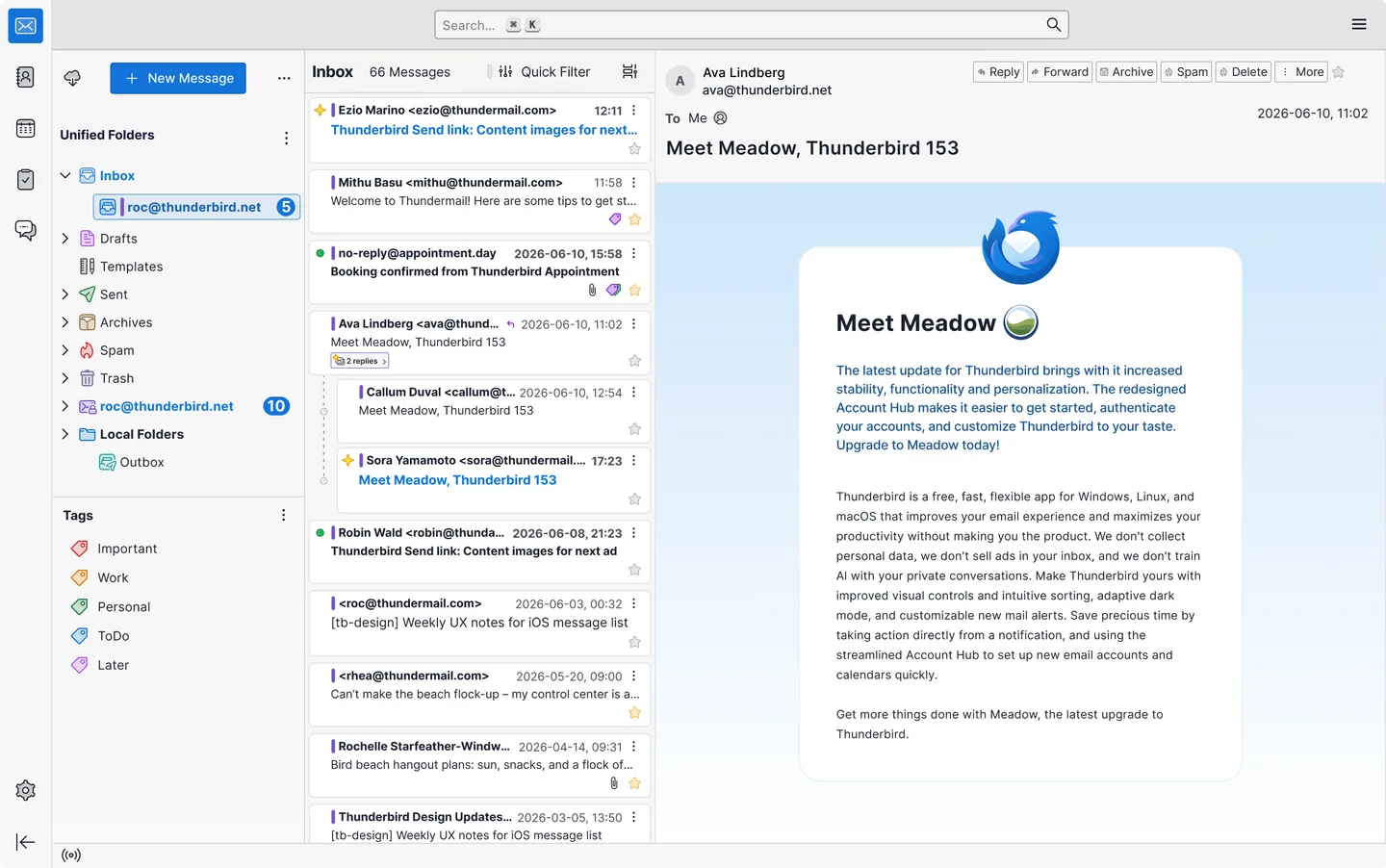
The screenshot is an official desktop interface illustration showing a unified inbox and message reader. It contains a Thunderbird 153 sample message and is not a capture of version 159.0 running on a tested Mac.
What it offers
- Manage multiple email accounts separately or in a unified inbox.
- Search and organize email within the desktop application.
- Manage calendars, contacts and tasks alongside email.
- Extend the application through the Thunderbird add-ons ecosystem.
Good to know
- Version 159.0 requires macOS 10.15 or later.
- Add-on compatibility can vary between release channels; not all add-ons work with every channel.
Product images
Sources
References used for this listing. Retrieval dates do not indicate hands-on testing.
More in utilities
View category ↗
1.1.1.1 with WARP 2026.8.2115.0
Encrypt traffic from your Mac to Cloudflare’s network with WARP, or use DNS-only mode for encrypted DNS queries to the 1.1.1.1 resolver.
1.1.1.1 with WARP 2026.8.2115.0
Encrypt traffic between your Windows PC and Cloudflare, or use encrypted DNS only, with the free 1.1.1.1 with WARP app.


3uTools 9.12.005
Manage iPhone and iPad photos, music, apps and backups from Windows with 3uTools, a free utility that also includes device checks and firmware flashing tools.