

Development Windows
TortoiseSVN for Windows
Manage Subversion working copies from Windows Explorer with TortoiseSVN, a free, open-source client for committing files, checking changes and resolving conflicts.
- Operating system
- Windows 10 or later
- Architecture
- x64
- Download package
- MSI installer
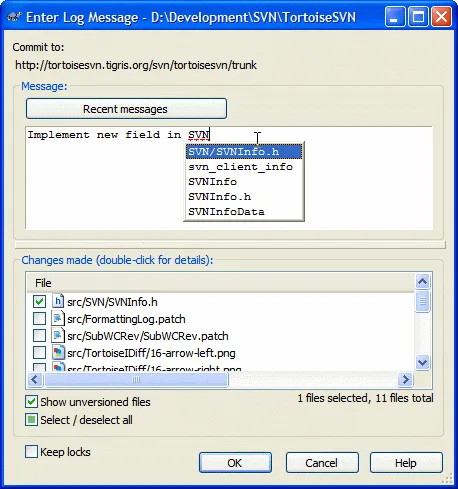
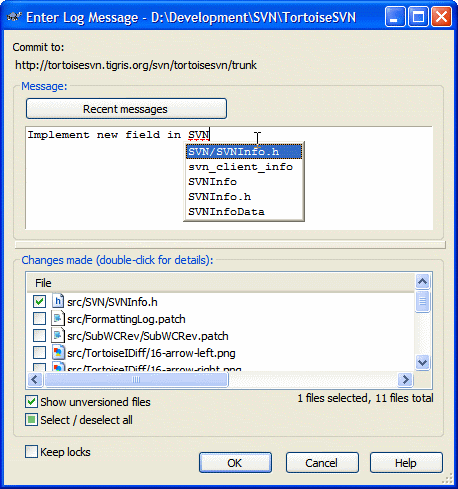
This link is the x64 package; separate 32-bit and ARM64 installers are listed by the publisher. The screenshot shows a historical interface.
Link checked · Download guidance
What is TortoiseSVN?
TortoiseSVN puts Apache Subversion version-control commands in Windows Explorer rather than tying them to one development environment. Use it to manage changes to source code or other files, review file status through overlay icons and prepare commits with a graphical log-message dialog. It does not require the separate Subversion command-line client to run.
The included TortoiseMerge tool shows file changes, helps resolve conflicts and applies patches. Revision graphs show where branches and tags were created, while branch and tag comparisons help review differences across project versions. Commit-message completion suggests paths and keywords from modified files.
This entry links to the publisher-listed TortoiseSVN 1.15.0 x64 MSI package. Separate 32-bit and ARM64 packages are available from the publisher. Version 1.15 requires Windows 10 or later and does not run on Windows 8.1. On x64 Windows, context menus and overlays inside 32-bit applications' file-open/save dialogs also require the x86 Visual C++ 2022 runtime; the publisher says Windows Explorer itself is not affected. The screenshot is a historical publisher example of the commit dialog, not a capture of version 1.15.0.
What it offers
- Access Subversion commands from Windows Explorer and see file status through overlay icons.
- Prepare commits with log-message completion for paths and keywords from modified files.
- View revision graphs and compare branches or tags.
- Use TortoiseMerge to inspect changes, resolve conflicts and apply patch files.
- Work with different development tools and any type of file rather than a single IDE.
Good to know
- TortoiseSVN 1.15 requires Windows 10 or later; Windows 8.1 is not supported.
- On x64 Windows, 32-bit applications need the x86 Visual C++ 2022 runtime for TortoiseSVN context menus and overlays in file-open/save dialogs. Windows Explorer is not affected.
Product images
Sources
References used for this listing. Retrieval dates do not indicate hands-on testing.
- TortoiseSVN - Download — normal-browser source observation ↗Retrieved
- Home · TortoiseSVN ↗Retrieved
- About · TortoiseSVN ↗Retrieved
- Downloads · TortoiseSVN ↗Retrieved
- Release notes for 1.15 · TortoiseSVN ↗Retrieved
- Commit Dialog · TortoiseSVN ↗Retrieved
More in development
View category ↗
010 Editor 17.0
Inspect and edit binary files on Mac with 010 Editor, a paid text and hex editor with Binary Templates, file comparison and a 30-day trial.
010 Editor 17.0
Inspect and edit binary files with 010 Editor for Windows, a text and hex editor with Binary Templates, file comparison and scripting. Includes a 30-day trial.
10x Editor
Edit and navigate C++ projects on Windows with a built-in parser, workspace search and Visual Studio project support. A paid license is required after the 30-day trial.