

Utilities Windows
Total Commander for Windows
Manage files in two side-by-side panes, rename batches and synchronize folders with Total Commander for Windows. Shareware with a 30-day evaluation.
- Operating system
- Windows 10 and 11 (64-bit)
- Architecture
- x64
- Download package
- EXE installer
This link is the 64-bit-only package. Separate 32-bit and combined installers are offered by the publisher. A license is required after the 30-day evaluation.
Link checked · Download guidance
What is Total Commander?
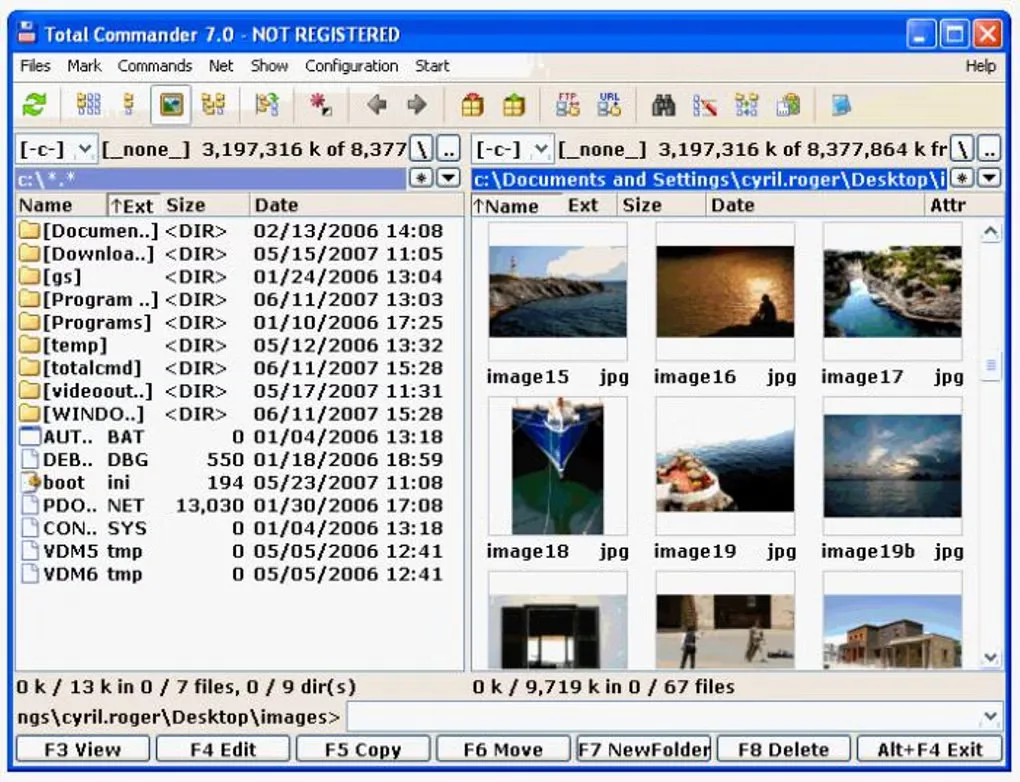
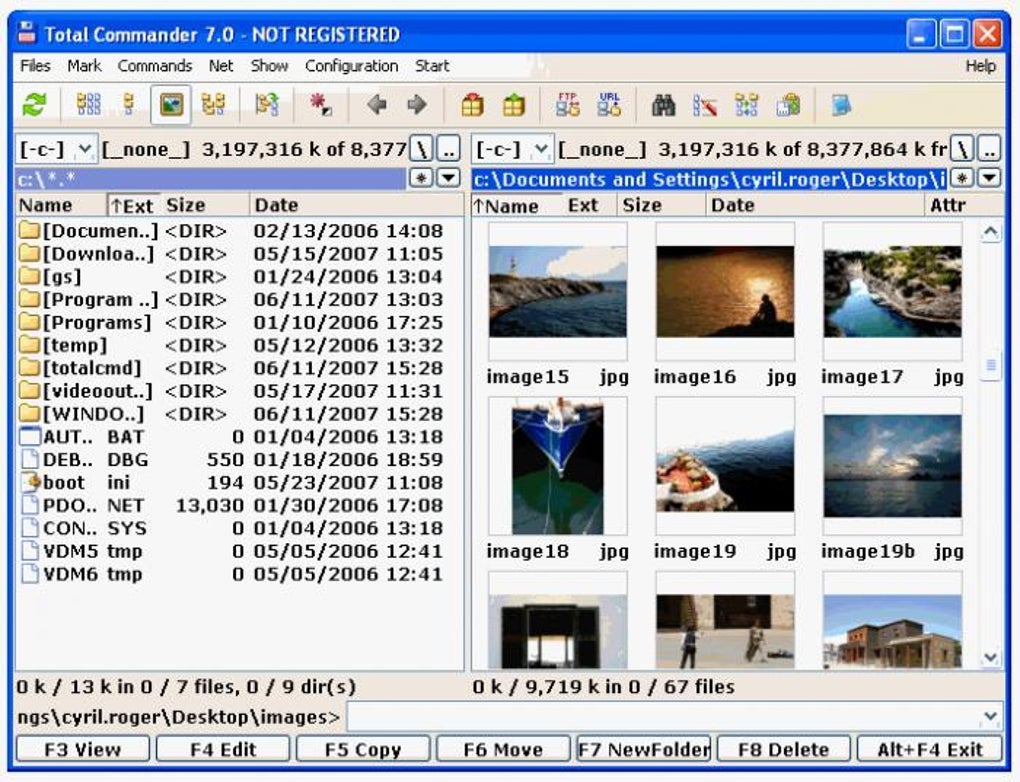
Total Commander is a Windows file manager with two side-by-side file panes. It brings copying and moving files, batch renaming, content comparison and folder synchronization into one workspace. Tabs and directory history help you switch between locations, while the search tools can find duplicate files or search file contents, including inside archives.
It also includes a ZIP packer, archive browsing and a built-in FTP client with FTPS support. This download is the 64-bit Windows EXE installer, not the separate 32-bit or combined package. The Windows edition is shareware: after the 30-day evaluation, you must purchase a license or remove the program.
What it offers
- Work with files in two side-by-side panes, with tabs and directory history.
- Rename multiple files using rules and search for duplicates or file contents.
- Compare files by content and synchronize directories, including subfolders.
- Create ZIP archives and browse supported archives like folders.
- Transfer files using the built-in FTP client with FTPS support.
Good to know
- The Windows edition is not freeware: after 30 days of evaluation, purchase a license or remove it.
Product images
Sources
References used for this listing. Retrieval dates do not indicate hands-on testing.
- Total Commander — official overview ↗Retrieved
- Total Commander — official Windows downloads ↗Retrieved
- Total Commander — Windows shareware terms ↗Retrieved
- Total Commander — release announcement ↗Retrieved
- Total Commander — official feature list ↗Retrieved
- Total Commander for Windows — observed Softonic screenshot gallery ↗Retrieved
More in utilities
View category ↗
1.1.1.1 with WARP 2026.8.2115.0
Encrypt traffic from your Mac to Cloudflare’s network with WARP, or use DNS-only mode for encrypted DNS queries to the 1.1.1.1 resolver.
1.1.1.1 with WARP 2026.8.2115.0
Encrypt traffic between your Windows PC and Cloudflare, or use encrypted DNS only, with the free 1.1.1.1 with WARP app.

3uTools 9.12.005
Manage iPhone and iPad photos, music, apps and backups from Windows with 3uTools, a free utility that also includes device checks and firmware flashing tools.