
Utilities Windows
TransMac
Open Mac-formatted drives and DMG images on Windows with TransMac. Read APFS volumes, copy files to HFS+ storage and manage disk images during a 15-day trial.
What is TransMac?
TransMac gives Windows users a way to browse Mac-formatted disks and disk images without a Mac. It opens APFS, HFS and HFS+ storage, including USB drives and supported optical media, along with DMG, DMGPART, sparsebundle and sparseimage files. Use it to retrieve files from a Mac disk, copy files to HFS+ storage or work with disk images. The publisher lists Windows Vista, 7, 8, 10 and 11.
Reading and writing are not interchangeable: APFS access is read-only, while copying files to Mac storage is supported for HFS+ disks and DMG images. TransMac can also save disk images, format storage as HFS+, and create, compress, expand or split DMG files. If Windows offers to format an attached Mac disk, cancel that prompt; the publisher warns against accepting it.
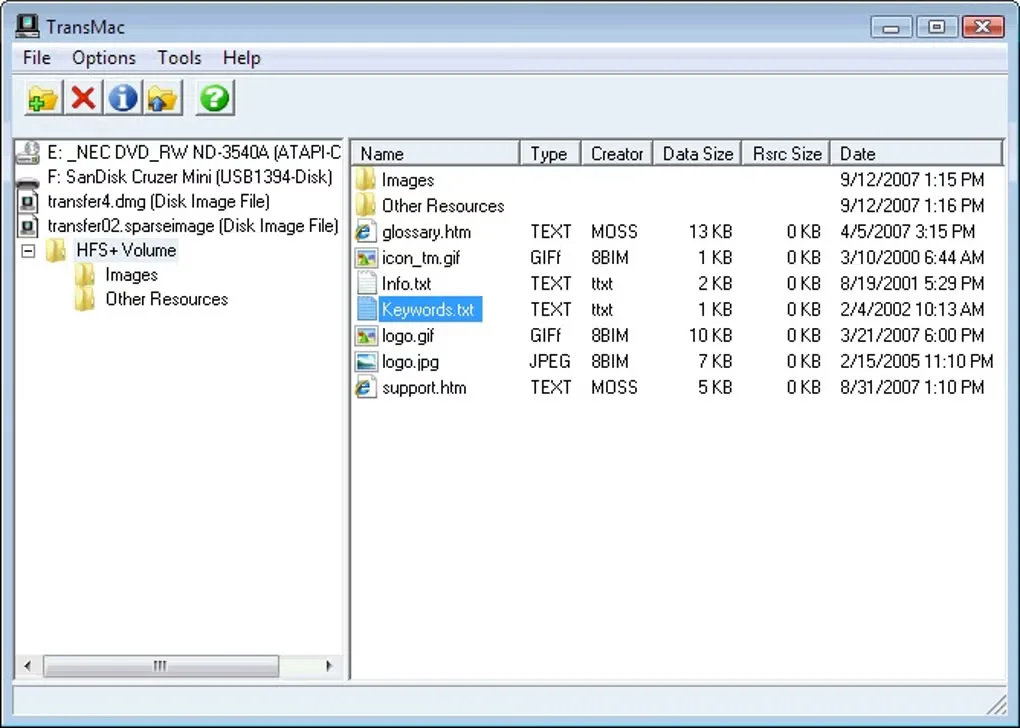
This is paid software with a 15-day evaluation period. A purchased license key is required to keep using it after the trial, and encrypted disk image support is reserved for the full version. The publisher distributes a ZIP archive containing the Windows setup program; extract the archive before running setup.exe. The gallery screenshot shows an older Windows-style interface and is not presented as proof of the current version’s appearance.
What it offers
- Browse Mac APFS, HFS and HFS+ disks and supported disk image formats from Windows.
- Copy files to HFS+ disks and DMG images; APFS volume access is read-only.
- Create, compress, expand and split DMG files.
- Save disk and flash-drive images or burn DMG and ISO images to supported media.
- Format storage as HFS+ for use with a Mac.
Good to know
- APFS volumes are read-only; do not expect to add, edit or delete files on them.
- The evaluation expires after 15 days; continued use requires a purchased license key.
- Encrypted disk image support requires the full version.
Product images
Sources
References used for this listing. Retrieval dates do not indicate hands-on testing.
- About TransMac for Windows ↗Retrieved
- TransMac V15.5 Information ↗Retrieved
- TransMac - Download ↗Retrieved
More in utilities
View category ↗
1.1.1.1 with WARP 2026.8.2115.0
Encrypt traffic from your Mac to Cloudflare’s network with WARP, or use DNS-only mode for encrypted DNS queries to the 1.1.1.1 resolver.
1.1.1.1 with WARP 2026.8.2115.0
Encrypt traffic between your Windows PC and Cloudflare, or use encrypted DNS only, with the free 1.1.1.1 with WARP app.

3uTools 9.12.005
Manage iPhone and iPad photos, music, apps and backups from Windows with 3uTools, a free utility that also includes device checks and firmware flashing tools.