

Utilities macOS
Transmit for macOS
Upload, download and synchronize files with Transmit, a macOS file-transfer app for FTP, SFTP, WebDAV, Amazon S3 and supported cloud services. Includes a seven-day trial.
Version 5.11.7 · Direct publisher file
Link checked · Download guidance
What is Transmit?
Transmit manages files on remote servers and cloud storage from a Mac. Its dual-pane browser lets you work with folders and transfer files between locations, making it useful for maintaining website files or organizing remote storage. Alongside FTP, SFTP, WebDAV and Amazon S3, the publisher lists connections to services including Backblaze B2, Box, Google Drive and Dropbox.
File Sync can mirror folders and supports local-to-local and remote-to-remote synchronization. Saved server connections can be synchronized between computers with Panic Sync. Built-in batch renaming, a Get Info sidebar and SSH key management provide additional tools without leaving the application.
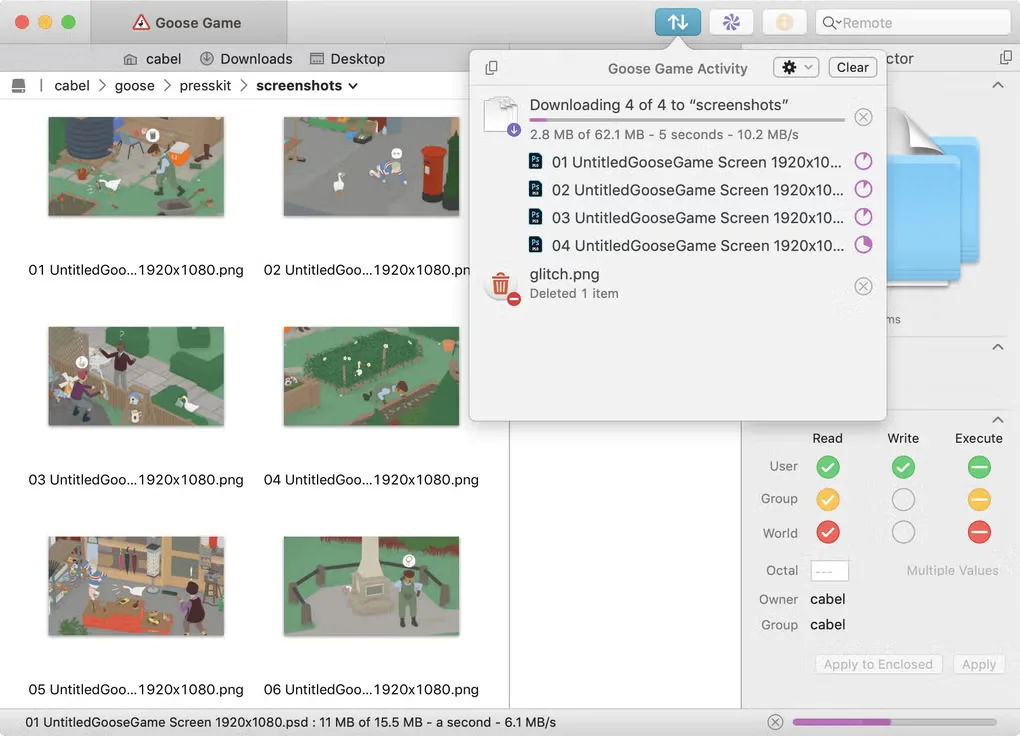
The publisher download is a ZIP archive for macOS 13.0 or later. It provides a full-version evaluation that works for seven days; continued use requires purchasing an unlock code. The screenshot shows Transmit 5's file browser and Activity Viewer, not a new installation or a test of the linked release.
What it offers
- Transfer and manage files using FTP, SFTP, WebDAV, Amazon S3 and supported cloud-storage connections.
- Browse locations in a dual-pane interface and organize saved server connections.
- Synchronize folders with File Sync, including local-to-local and remote-to-remote operations; synchronize saved sites between computers with Panic Sync.
- Rename files in batches, inspect file information in a sidebar and manage or generate SSH keys.
Good to know
- The full-version evaluation stops working after seven days; continued use requires a paid unlock code.
- The current publisher download requires macOS 13.0 or later.
Product images
Sources
References used for this listing. Retrieval dates do not indicate hands-on testing.
More in utilities
View category ↗
1.1.1.1 with WARP 2026.8.2115.0
Encrypt traffic from your Mac to Cloudflare’s network with WARP, or use DNS-only mode for encrypted DNS queries to the 1.1.1.1 resolver.
1.1.1.1 with WARP 2026.8.2115.0
Encrypt traffic between your Windows PC and Cloudflare, or use encrypted DNS only, with the free 1.1.1.1 with WARP app.


3uTools 9.12.005
Manage iPhone and iPad photos, music, apps and backups from Windows with 3uTools, a free utility that also includes device checks and firmware flashing tools.