
Utilities Windows
TSPrint Server
Print from a Windows terminal server to local workstation printers with TSPrint Server. This host-side component uses virtual printers and requires a compatible client; a 25-day trial is available.
Version 3.2.4.34 · Direct publisher file
Link checked · Download guidance
What is TSPrint Server?
TSPrint Server adds virtual printers to a Windows terminal server or remote desktop host so people can print remote documents on printers attached to their local workstations. The server converts and compresses each print job, then sends it through the remote desktop connection to a compatible TSPrint client. Its virtual driver avoids installing each workstation printer's individual driver on the server.
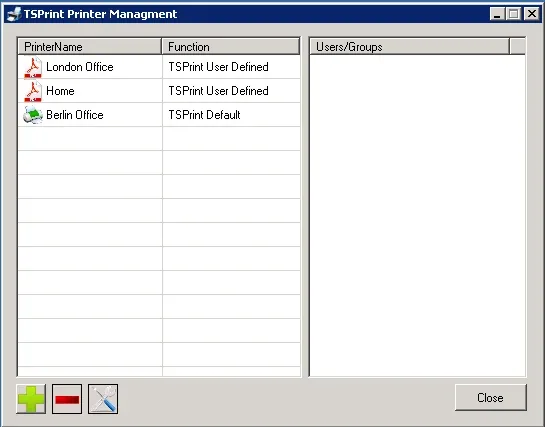
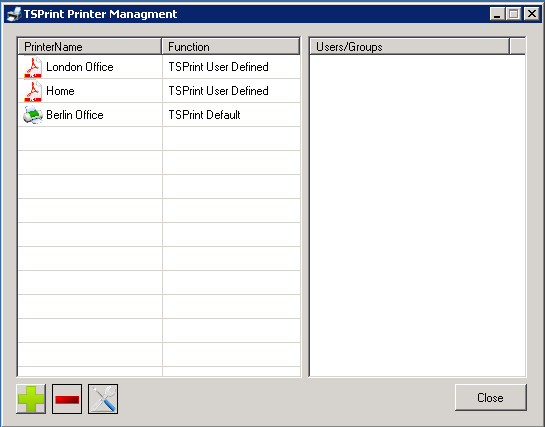
The supplied printers cover different workflows: TSPrint Default sends a job to the workstation's default printer, TSPrint Printer offers a local printer-selection dialog, and TSPrint PDF produces a PDF that can be saved locally or on the server. Administrators can use Printer Manager to create additional TSPrint printers and assign them to users or groups. The screenshot shows the publisher's documented Printer Management interface, not a verified view of version 3.2.4.34.
This download is the server component, not TSPrint Client. It belongs on the remote host; the connecting workstation also needs the corresponding client software. Server installation requires administrator privileges. Terminalworks offers a 25-day trial and paid licenses, so the server should not be treated as permanently free software.
What it offers
- Send print jobs from the remote Windows host to local workstation printers through a compatible TSPrint client.
- Use a server-side virtual printer driver instead of installing each local printer's individual driver on the host.
- Compress print jobs and carry them through the remote desktop connection using virtual channels.
- Choose default-printer output, a local printer-selection dialog or PDF output through the supplied virtual printers.
- Create additional TSPrint printers and assign them to users or groups in Printer Manager.
Good to know
- The server installer alone is not enough: connecting workstations need compatible TSPrint client software.
- The free evaluation lasts 25 days; continued licensed use requires purchase.
- Installing the server component requires administrator privileges on the remote host.
Product images
Sources
References used for this listing. Retrieval dates do not indicate hands-on testing.
More in utilities
View category ↗
1.1.1.1 with WARP 2026.8.2115.0
Encrypt traffic from your Mac to Cloudflare’s network with WARP, or use DNS-only mode for encrypted DNS queries to the 1.1.1.1 resolver.
1.1.1.1 with WARP 2026.8.2115.0
Encrypt traffic between your Windows PC and Cloudflare, or use encrypted DNS only, with the free 1.1.1.1 with WARP app.

3uTools 9.12.005
Manage iPhone and iPad photos, music, apps and backups from Windows with 3uTools, a free utility that also includes device checks and firmware flashing tools.