

Development Windows
tty7 for Windows
Keep terminal sessions running after closing the window, organise coding-agent panes and work with remote repositories in tty7 for Windows.
- Operating system
- Windows; Softonic lists Windows 11
- Architecture
- x86-64 (Intel / AMD)
- Download package
- EXE installer
Publisher also provides native ARM64 installers and portable ZIP packages. Minimum supported Windows version is not specified in the consulted publisher installation page.
Link checked · Download guidance
What is tty7?
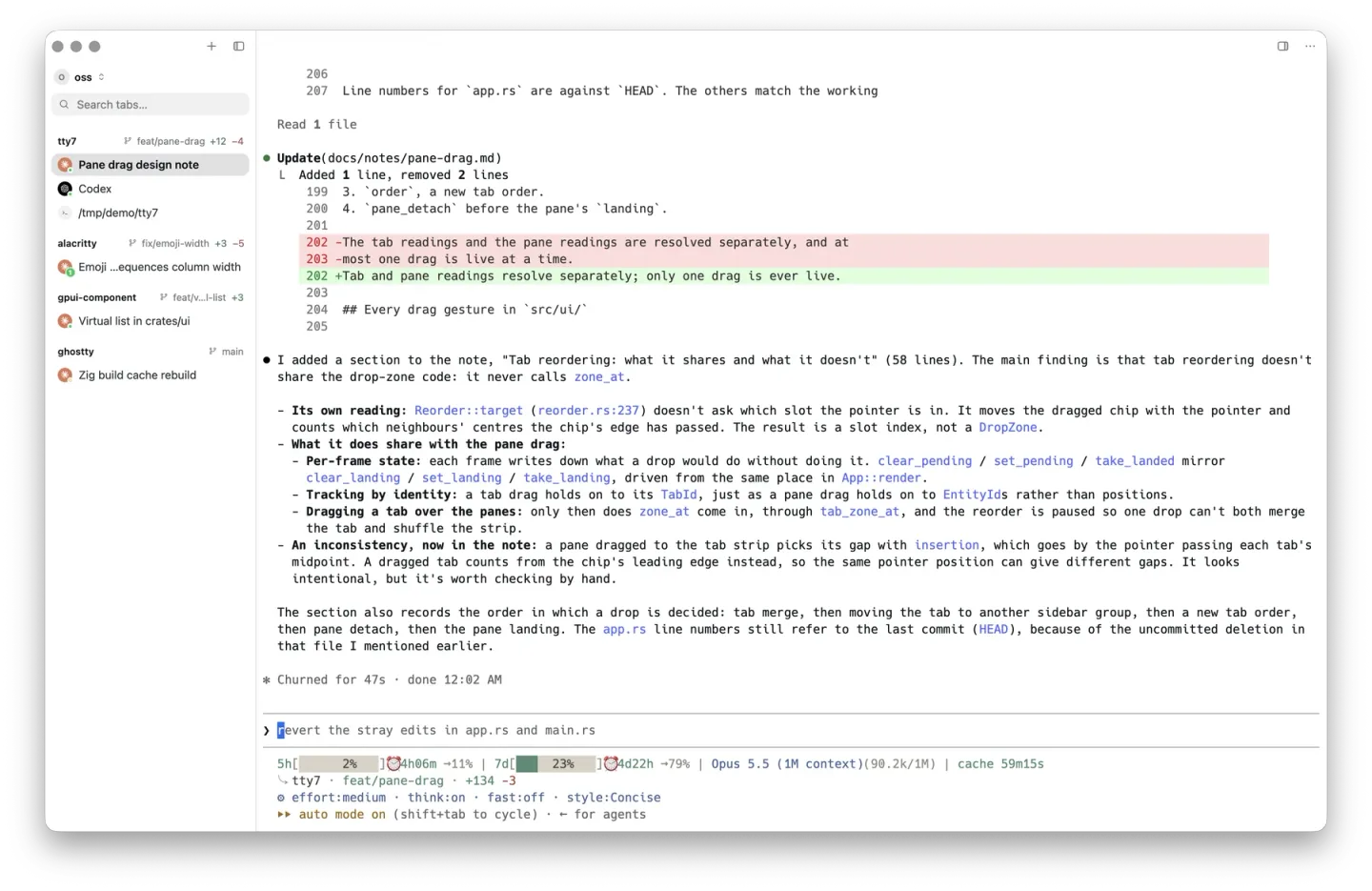
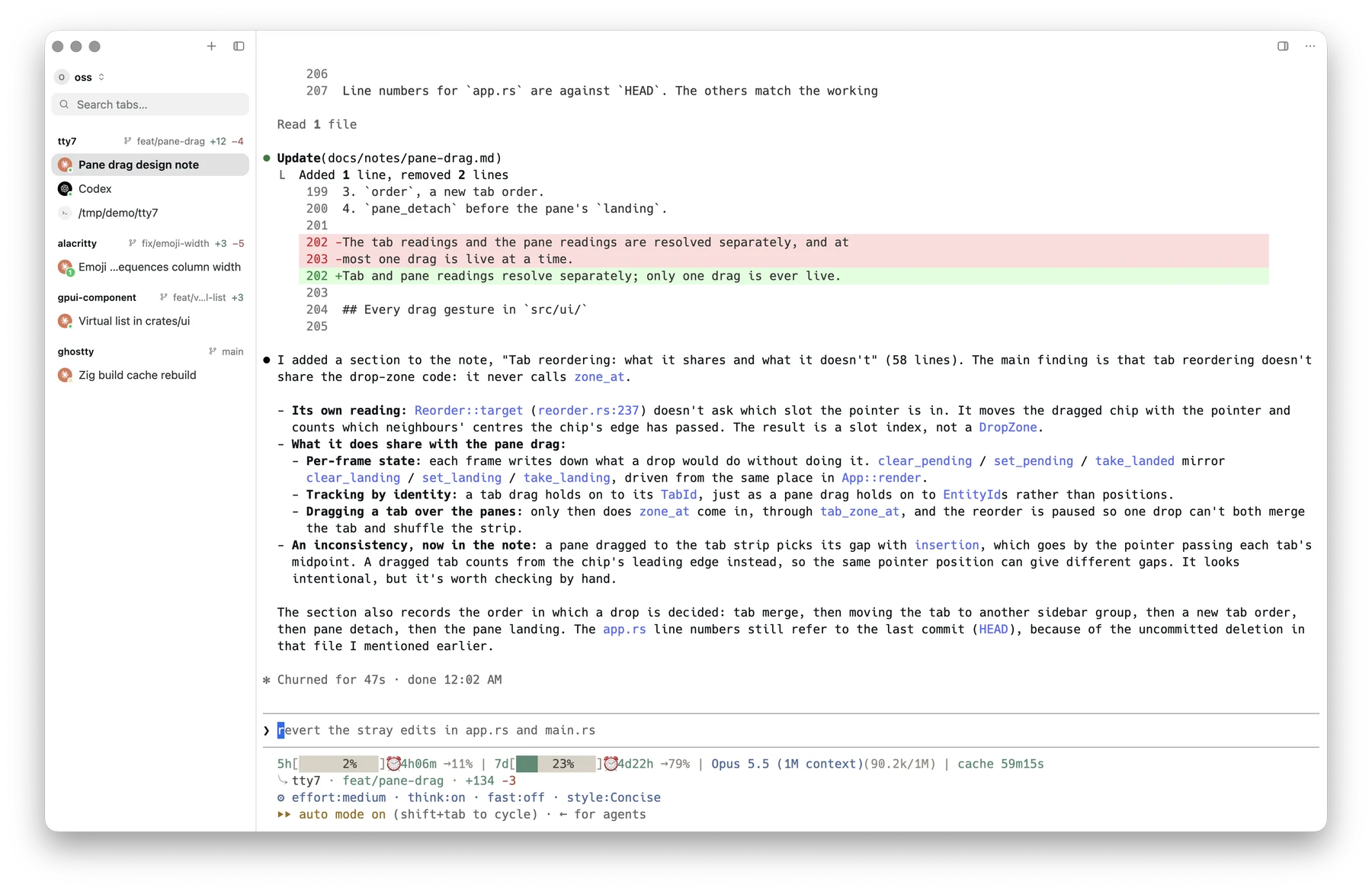
tty7 is a terminal workbench for developers who use several shells, repositories or coding agents at once. A background server owns the shells, so closing the application window does not end their processes. Tabs, split panes and a repository-grouped sidebar keep those sessions together, while history suggestions, completion and multi-line input help with command entry.
The workbench adds agent identity and Git context around supported tools such as Claude Code and Codex without replacing their own terminal interfaces. Its bundled CLI can open panes, send input and capture output. Remote workspaces add SSH profiles, SFTP and port forwarding for work on another machine.
Live agent status and notifications require the relevant integration hook under Settings → Integrations; detection alone does not enable every agent feature. After a reboot, restored layout, saved screen content and supported agent conversations are not the same as keeping arbitrary processes running through a shutdown. This entry links to the 26.10.0 Windows x86-64 EXE installer; ARM64 and portable ZIP packages are separate publisher downloads.
What it offers
- Keep shells running in a background server after closing the application window.
- Organise terminal tabs and split panes with repository and Git context in the sidebar.
- Use command-history suggestions, explained completion and multi-line prompt editing.
- Track supported coding agents and enable hooks for status and notifications.
- Use remote workspaces with SSH profiles, SFTP and port forwarding.
Good to know
- Live status, notifications and some session features depend on the supported agent and its integration hook; agent detection alone is not full integration.
- A reboot restores saved workspace state and supported agent conversations, not uninterrupted execution of arbitrary processes.
Product images
Sources
References used for this listing. Retrieval dates do not indicate hands-on testing.
More in development
View category ↗
010 Editor 17.0
Inspect and edit binary files on Mac with 010 Editor, a paid text and hex editor with Binary Templates, file comparison and a 30-day trial.
010 Editor 17.0
Inspect and edit binary files with 010 Editor for Windows, a text and hex editor with Binary Templates, file comparison and scripting. Includes a 30-day trial.
10x Editor
Edit and navigate C++ projects on Windows with a built-in parser, workspace search and Visual Studio project support. A paid license is required after the 30-day trial.