

Development macOS
TurboWarp for macOS
Create games, animations and stories with TurboWarp for Mac, a Scratch-based offline editor with a compiler, dark mode, addons and a built-in project packager.
- Operating system
- macOS 12 and later
- Architecture
- Universal (Intel and Apple Silicon)
- Download package
- DMG disk image
Regular non-store build. Separate legacy DMGs cover macOS 10.13 through 11; those are not the linked package.
Link checked · Download guidance
What is TurboWarp?
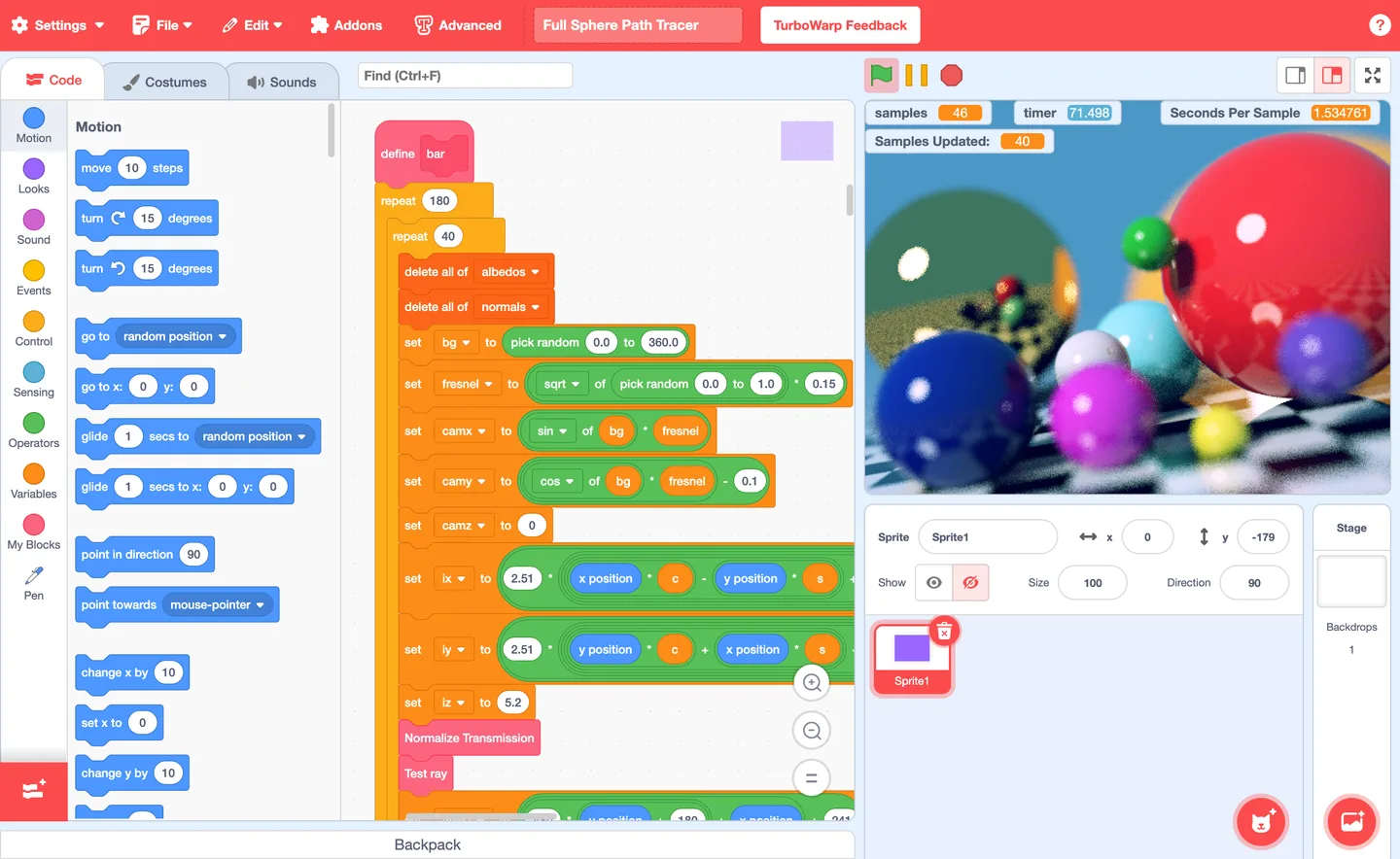
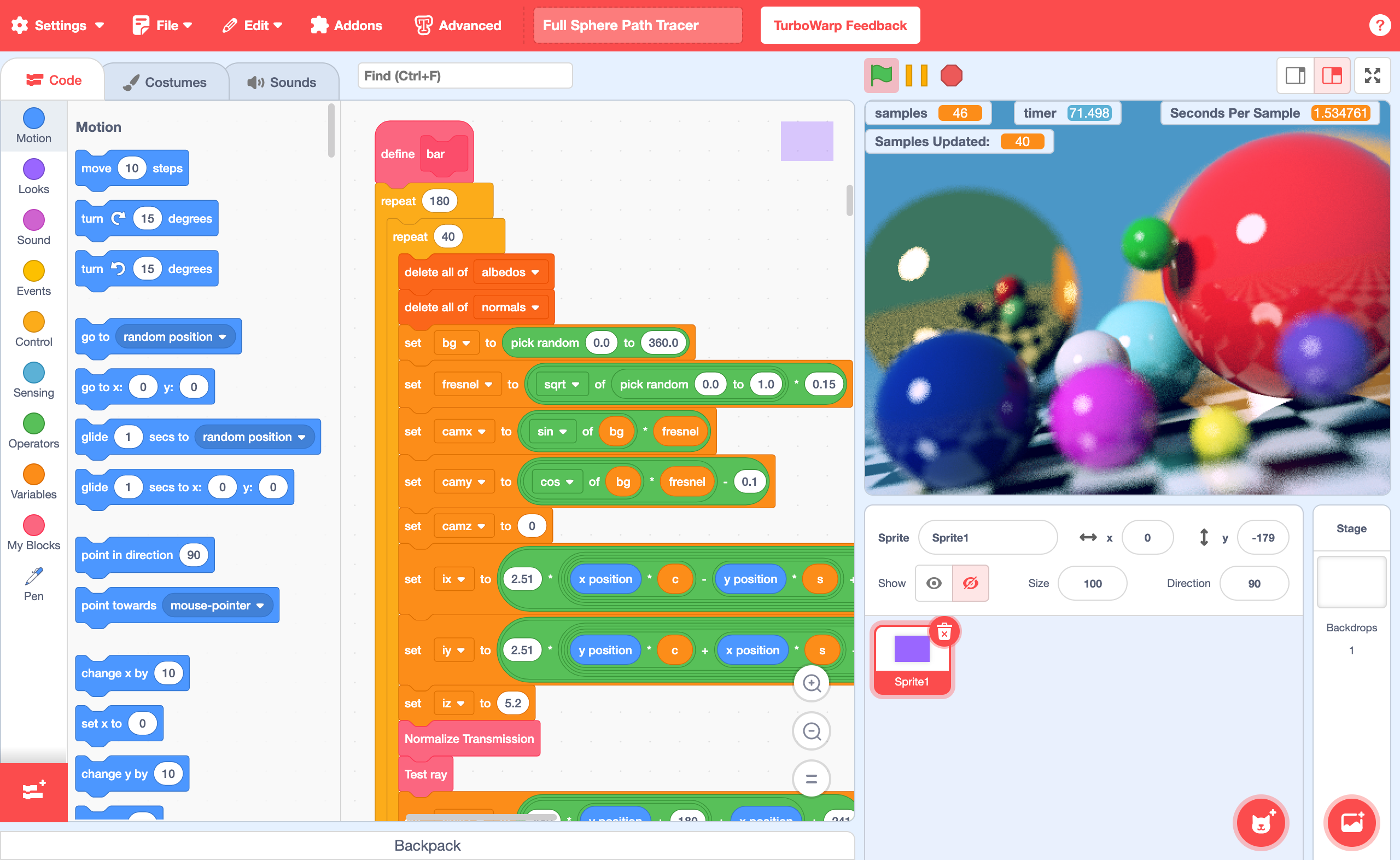
TurboWarp Desktop gives Scratch creators a local workspace for building games, animations and interactive stories on a Mac. Arrange code blocks, edit costumes and sounds, and run projects in the same editor. Its compiler runs projects as JavaScript, while addons provide editing tools such as a find bar, searchable dropdowns and folders.
Beyond the standard Scratch workflow, TurboWarp offers configurable frame rates and stage sizes, custom extensions and a backpack for reusing scripts, costumes, sounds or sprites. The built-in packager can turn projects into HTML files, ZIP archives or applications for Windows, macOS and Linux.
The linked download is the regular macOS 12-or-later DMG, not a legacy build or the Mac App Store edition. Open the disk image and drag TurboWarp into Applications. Manually downloaded copies are updated by replacing the app with a newer download; the publisher offers automatic updates through the separate Mac App Store edition. Macs running macOS 10.13 through 11 need separate legacy packages. TurboWarp is not affiliated with the Scratch Team.
What it offers
- Build games, animations and stories in a Scratch-based offline block editor.
- Compile projects to JavaScript and configure frame rates or stage dimensions.
- Use dark mode and editor addons including a find bar, searchable dropdowns and folders.
- Load custom extensions and reuse scripts, costumes, sounds or sprites through the backpack.
- Package projects as HTML, ZIP archives or desktop applications for Windows, macOS and Linux.
Good to know
- This regular DMG requires macOS 12 or later; macOS 10.13 through 11 use separate legacy builds.
- The direct-download edition is updated manually by replacing the app; automatic updates are available through the separate Mac App Store edition.
Product images
Sources
References used for this listing. Retrieval dates do not indicate hands-on testing.
More in development
View category ↗
010 Editor 17.0
Inspect and edit binary files on Mac with 010 Editor, a paid text and hex editor with Binary Templates, file comparison and a 30-day trial.
010 Editor 17.0
Inspect and edit binary files with 010 Editor for Windows, a text and hex editor with Binary Templates, file comparison and scripting. Includes a 30-day trial.
10x Editor
Edit and navigate C++ projects on Windows with a built-in parser, workspace search and Visual Studio project support. A paid license is required after the 30-day trial.