

Development Windows
TurboWarp for Windows
Create Scratch-based games, animations and stories offline with TurboWarp Desktop for Windows, a free editor with a JavaScript compiler, dark mode, add-ons and a built-in packager.
- Operating system
- Windows 10 and later
- Architecture
- x64 (64-bit)
- Download package
- EXE installer
Selected non-legacy x64 build. Separate ARM and 32-bit installers are available; Windows 7, 8 and 8.1 use legacy builds.
Link checked · Download guidance
What is TurboWarp?
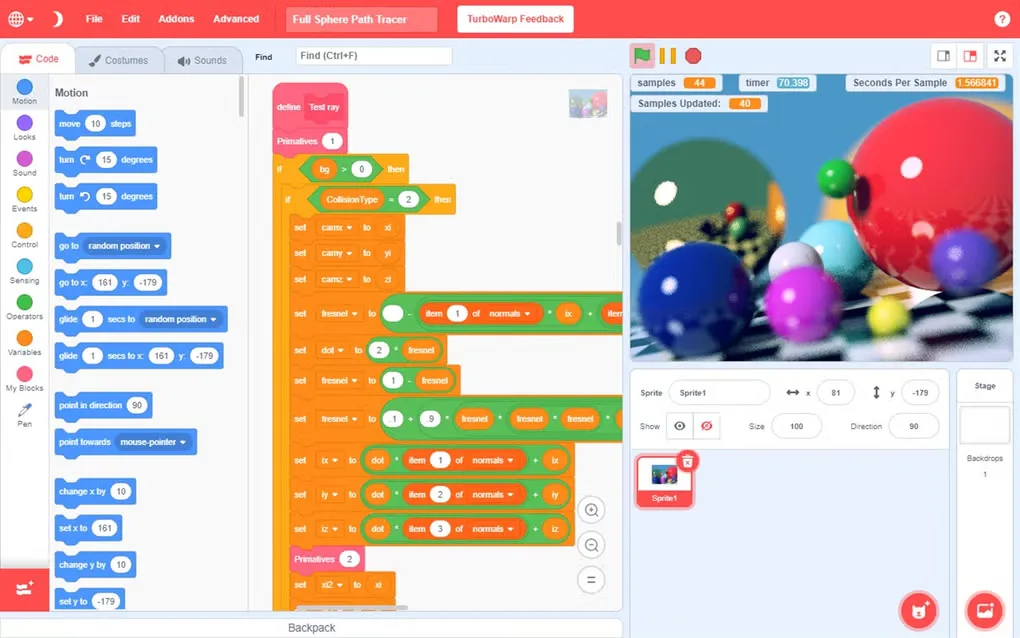
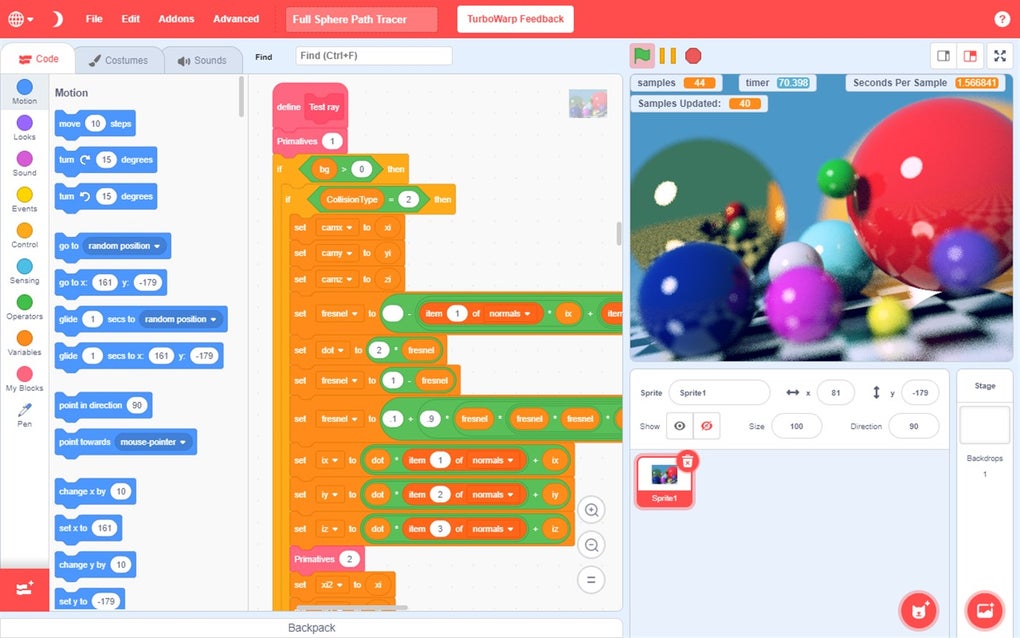
TurboWarp Desktop is an offline editor for building games, animations and interactive stories with Scratch-style blocks. Its compiler translates projects to JavaScript, while editor add-ons provide tools such as searchable dropdowns, a find bar and improved costume editing. Dark mode, adjustable frame rates and custom stage sizes let you adapt the workspace and project presentation.
The built-in packager exports projects as HTML, ZIP files or desktop applications. A local backpack lets you reuse scripts, costumes, sounds and sprites between projects. TurboWarp is an independent Scratch modification, not an application affiliated with the Scratch Team.
This download is the non-legacy Windows x64 EXE installer for version 1.17.0, released October 25, 2026. It targets Windows 10 and later; the publisher provides separate ARM, 32-bit and older-Windows packages. Updating this installer edition requires downloading and running a newer installer. The publisher offers a separate Microsoft Store edition for automatic updates.
What it offers
- Edit Scratch-based games, animations and stories in an offline desktop workspace.
- Compile projects to JavaScript and adjust the frame rate or stage size.
- Use dark mode and editor add-ons, including searchable dropdowns and a find bar.
- Package projects as HTML, ZIP files or applications for Windows, macOS and Linux.
- Reuse scripts, costumes, sounds and sprites through the backpack.
Good to know
- The linked non-legacy installer requires Windows 10 or later and is the x64 build; older Windows versions need a separate legacy package.
- Updates to this installer edition require downloading and running the new installer; the Microsoft Store edition is a separate option for automatic updates.
Product images
Sources
References used for this listing. Retrieval dates do not indicate hands-on testing.
- TurboWarp - Download — Windows discovery and screenshot gallery ↗Retrieved
- TurboWarp Desktop — publisher features, Windows packages and changelog ↗Retrieved
- TurboWarp Desktop — publisher Windows installation source ↗Retrieved
- TurboWarp/desktop — source and license ↗Retrieved
- TurboWarp Desktop v1.17.0 — publisher release metadata ↗Retrieved
More in development
View category ↗
010 Editor 17.0
Inspect and edit binary files on Mac with 010 Editor, a paid text and hex editor with Binary Templates, file comparison and a 30-day trial.
010 Editor 17.0
Inspect and edit binary files with 010 Editor for Windows, a text and hex editor with Binary Templates, file comparison and scripting. Includes a 30-day trial.
10x Editor
Edit and navigate C++ projects on Windows with a built-in parser, workspace search and Visual Studio project support. A paid license is required after the 30-day trial.