

Utilities Windows
Ueli for Windows
Launch Windows apps from a keyboard search box with Ueli, a free, open-source launcher with favorites and extensions for calculations and file search.
Version 9.29.1 · Direct publisher file
Link checked · Download guidance
What is Ueli?
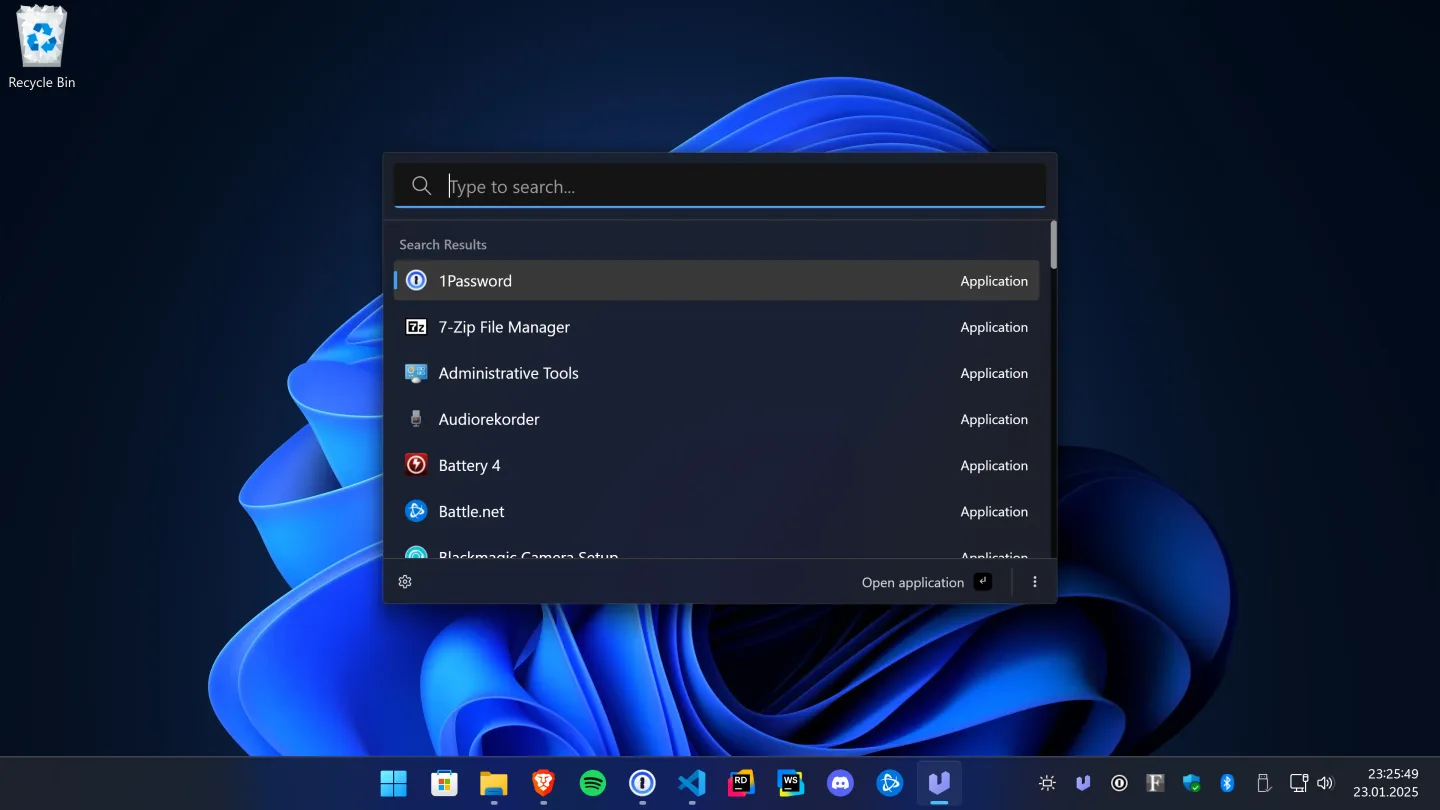
Ueli puts application search in a window you can show or hide with Alt+Space. Type an installed app's name, move through the results with the arrow keys and press Enter to open it. Favorites keep frequently used items at the top, while Ctrl+K opens additional actions for a selected result. It suits people who prefer finding and opening apps from the keyboard rather than browsing menus.
Extensions add specific tools to the same interface. Application Search can include Windows Store apps, and Calculator evaluates expressions and converts units directly in the search field. File Search can find files and folders, but its Windows integration requires Everything and the Everything command-line interface to be installed and configured separately. Enable the extensions you need in Ueli's settings.
This entry links to the publisher's Ueli 9.29.1 EXE installer on GitHub. The publisher warns that manually downloaded Windows binaries are unsigned and Windows can block installation or opening. A Microsoft Store installation option is also listed in the publisher's documentation. The screenshot shows the publisher's Windows interface, not an installation or execution performed for this entry.
What it offers
- Show or hide the launcher with Alt+Space, navigate results with the arrow keys and launch the selected item with Enter.
- Search installed applications by name and optionally include Windows Store apps through Application Search settings.
- Pin frequently used results to Favorites and open additional item actions with Ctrl+K.
- Calculate expressions and convert units in the search field with the Calculator extension.
- Search files and folders through the File Search extension after configuring its Windows prerequisites.
Good to know
- The publisher's manually downloaded Windows binaries are unsigned; Windows may block installation or opening.
- The Windows File Search extension requires Everything and its command-line interface, plus the CLI path configured in Ueli.
Product images
Sources
References used for this listing. Retrieval dates do not indicate hands-on testing.
- Ueli — publisher README and Windows installation notes ↗Retrieved
- Ueli release 9.29.1 — publisher release page ↗Retrieved
- Ueli 9.29.1 — publisher release assets ↗Retrieved
- Ueli Application Search — publisher documentation ↗Retrieved
- Ueli Calculator — publisher documentation ↗Retrieved
- Ueli File Search — Windows prerequisites ↗Retrieved
- Ueli — MIT License ↗Retrieved
More in utilities
View category ↗
1.1.1.1 with WARP 2026.8.2115.0
Encrypt traffic from your Mac to Cloudflare’s network with WARP, or use DNS-only mode for encrypted DNS queries to the 1.1.1.1 resolver.
1.1.1.1 with WARP 2026.8.2115.0
Encrypt traffic between your Windows PC and Cloudflare, or use encrypted DNS only, with the free 1.1.1.1 with WARP app.


3uTools 9.12.005
Manage iPhone and iPad photos, music, apps and backups from Windows with 3uTools, a free utility that also includes device checks and firmware flashing tools.