

Utilities Windows
Ultimate Windows Tweaker for Windows
Customize Windows 11 settings with Ultimate Windows Tweaker 5.2, a free portable utility for taskbar, File Explorer, context-menu and privacy adjustments.
- Operating system
- Windows 11
- Architecture
- Not specified in the cited publisher page
- Download package
- ZIP archive containing a portable application
Extract all files into one folder; run the executable as administrator. UWT 4.8 is a separate Windows 10 edition.
Link checked · Download guidance
What is Ultimate Windows Tweaker?
Ultimate Windows Tweaker brings Windows settings into a single, categorized interface. This entry links to the publisher's UWT 5.2 ZIP for Windows 11, rather than the older Windows 10 edition listed on Softonic. It is intended for users who understand the settings they are changing, not as a one-click promise of a faster PC.
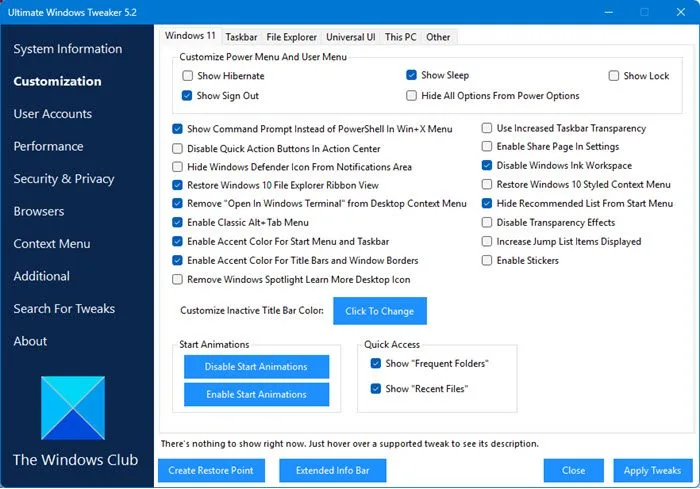
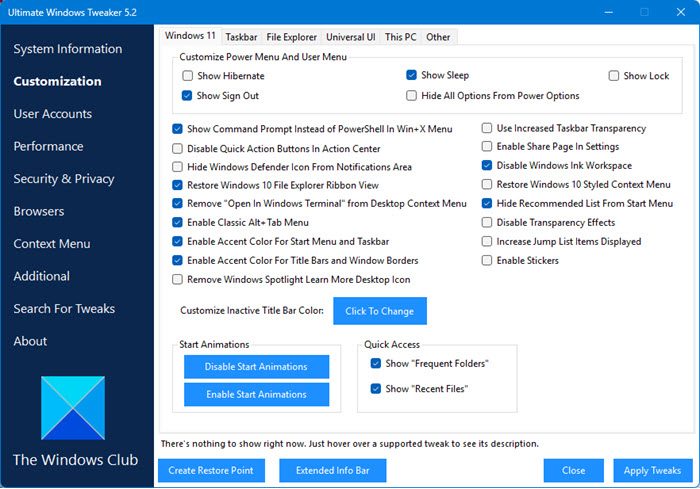
The interface groups customization, user accounts, performance, security and privacy, browser settings, and context-menu options. A search feature helps locate individual tweaks, while tooltips explain supported settings. The System Information page also provides access to System File Checker, DISM and restore-point creation.
The utility is portable: extract the ZIP, keep its contents together and run its executable as administrator. The publisher recommends creating a restore point before making changes and applying tweaks gradually. Some changes restart File Explorer or require a Windows restart. Windows 10 users need the separate UWT 4.8 edition; the linked UWT 5 package is for Windows 11.
What it offers
- Adjust taskbar, File Explorer and other Windows 11 interface settings from categorized panels.
- Review privacy, user-account and context-menu options in one interface.
- Search for tweaks and read explanatory tooltips before applying supported settings.
- Access restore-point creation, System File Checker and DISM from the System Information page.
- Export and import tweaks without installing the portable application.
Good to know
- The linked UWT 5 package targets Windows 11; Windows 10 requires the separate UWT 4.8 edition.
- Administrator access is required. Create a restore point first and change settings gradually; some tweaks restart File Explorer or require a system restart.
- The publisher notes that security software or SmartScreen may flag the utility. This entry does not independently establish that such warnings are false positives.
Product images
Sources
References used for this listing. Retrieval dates do not indicate hands-on testing.
More in utilities
View category ↗
1.1.1.1 with WARP 2026.8.2115.0
Encrypt traffic from your Mac to Cloudflare’s network with WARP, or use DNS-only mode for encrypted DNS queries to the 1.1.1.1 resolver.
1.1.1.1 with WARP 2026.8.2115.0
Encrypt traffic between your Windows PC and Cloudflare, or use encrypted DNS only, with the free 1.1.1.1 with WARP app.

3uTools 9.12.005
Manage iPhone and iPad photos, music, apps and backups from Windows with 3uTools, a free utility that also includes device checks and firmware flashing tools.