

Utilities Windows
Ultracopier for Windows
Manage file copies with Ultracopier for Windows, a copy-dialog replacement with copy lists, transfer-speed information and error and filename-collision handling.
- Operating system
- Windows 10 and later, as labeled by the publisher
- Architecture
- x86_64 (64-bit)
- Download package
- EXE setup installer
Selected publisher link is labeled Windows 10+ 64Bits. Other Windows packages are separate. No installation or runtime compatibility test was performed.
Link checked · Download guidance
What is Ultracopier?
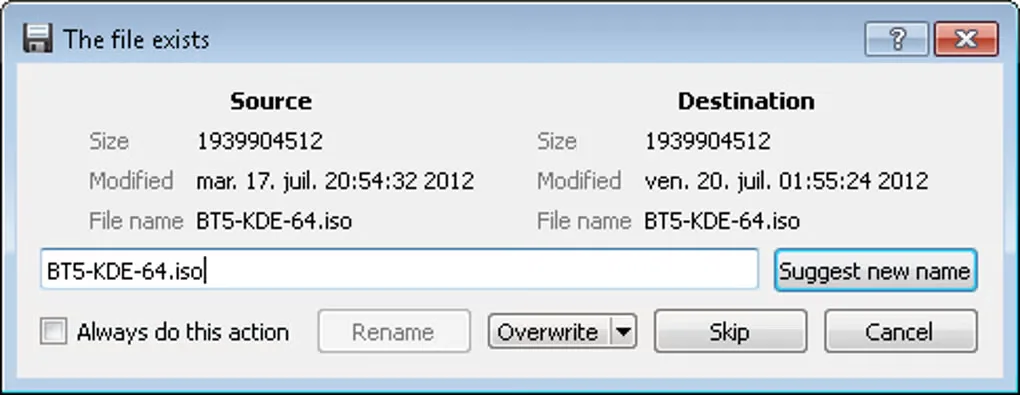
Ultracopier replaces file-copy dialogs with a dedicated interface for managing transfers. Its free edition includes a copy-list manager, transfer-speed information, error handling and filename-collision management. It is useful when you want explicit choices about conflicting files rather than treating every copy operation the same way. The publisher describes options such as overwriting newer files, always overwriting or retrying later.
The project publishes its source under GPLv3, while the publisher also offers a paid Ultimate edition. The current edition comparison places checksum verification, pause and speed limitation under Ultimate; do not assume these are included in the free Windows package. Plugins, skins and multiple languages are also listed by the publisher.
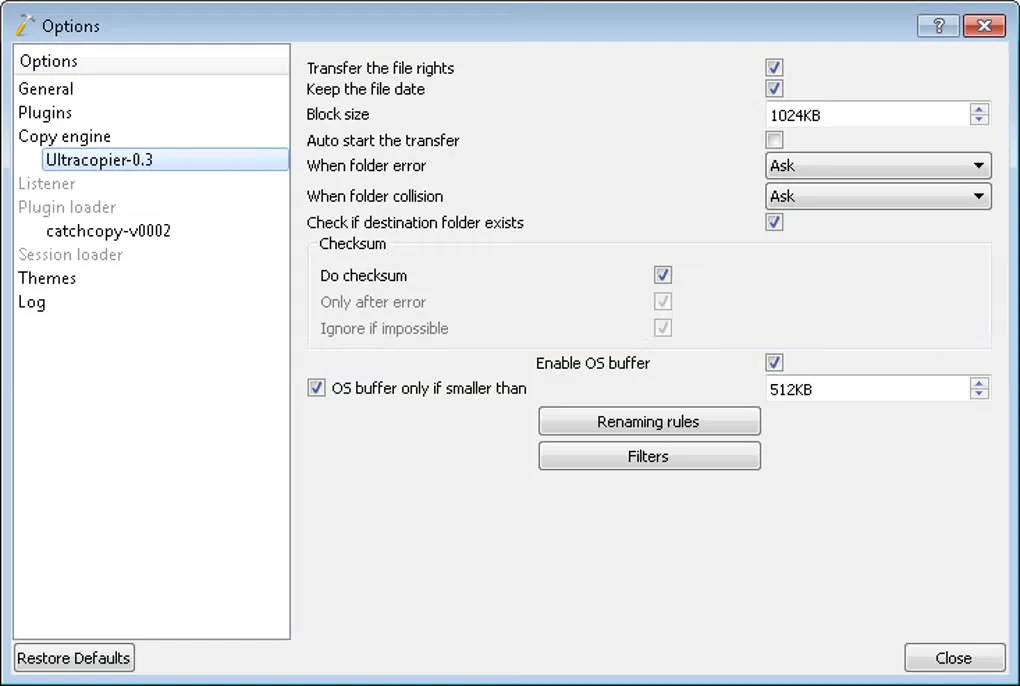
The linked download is the publisher's 3.1.0.7 EXE setup package labeled Windows 10+ 64Bits. Separate packages are listed for 32-bit Windows and older Windows versions. The screenshots are historical Windows gallery images from Softonic, illustrating copy-engine settings and a filename-conflict dialog rather than establishing the appearance or feature availability of version 3.1.0.7.
What it offers
- Manage a list of files to copy using the free edition's copy-list manager.
- View transfer-speed information during file-copy work.
- Handle copying errors and filename collisions with explicit choices.
- Use publisher-listed plugins, skins and multiple languages.
Good to know
- The publisher lists checksum verification, pause and speed limitation as Ultimate features, not as free-edition features.
- This download is the Windows 10+ 64-bit setup package; 32-bit and older Windows systems require a different publisher package.
Product images
Sources
References used for this listing. Retrieval dates do not indicate hands-on testing.
More in utilities
View category ↗
1.1.1.1 with WARP 2026.8.2115.0
Encrypt traffic from your Mac to Cloudflare’s network with WARP, or use DNS-only mode for encrypted DNS queries to the 1.1.1.1 resolver.
1.1.1.1 with WARP 2026.8.2115.0
Encrypt traffic between your Windows PC and Cloudflare, or use encrypted DNS only, with the free 1.1.1.1 with WARP app.

3uTools 9.12.005
Manage iPhone and iPad photos, music, apps and backups from Windows with 3uTools, a free utility that also includes device checks and firmware flashing tools.