

Utilities Windows
UltraViewer for Windows
Control a Windows PC remotely, chat during support sessions and exchange files with UltraViewer. Free use is available, with paid plans for additional capabilities.
- Operating system
- Windows XP, 7, 8, 10, 11 and Windows Server, as listed by the publisher
- Architecture
- Not specified on the publisher download page
- Download package
- EXE installer
Publisher Windows support claims were not installation-tested. The portable option is marked unsupported.
Link checked · Download guidance
What is UltraViewer?
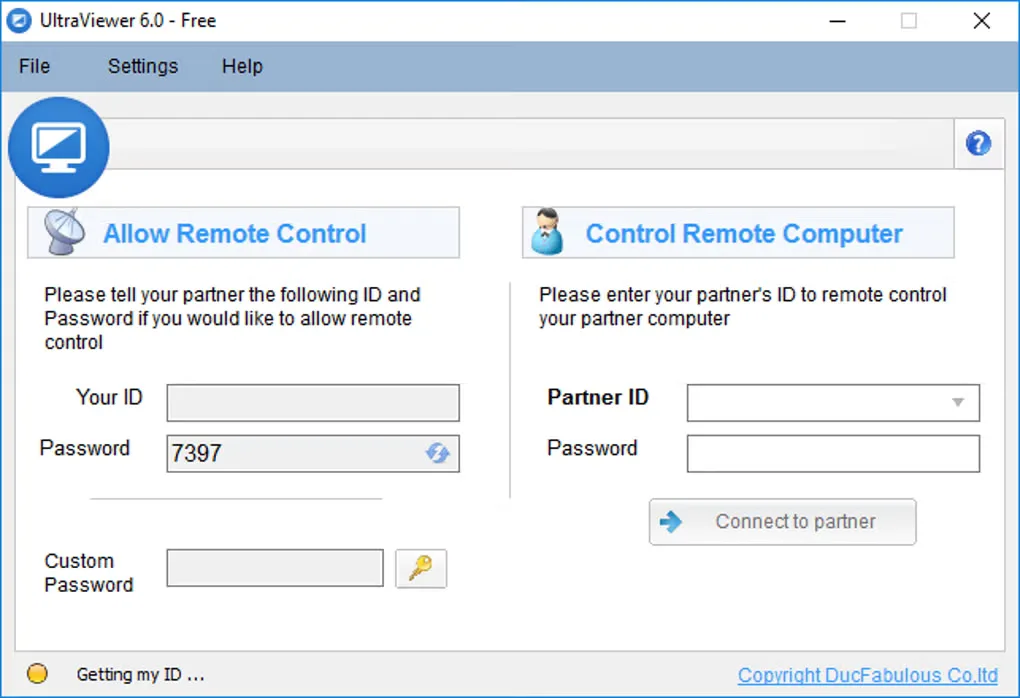
UltraViewer helps you support another Windows user by viewing and controlling their computer remotely. The person receiving help shares the ID and password shown in UltraViewer; the supporter enters those details and connects. Built-in chat lets you discuss the problem during the session, and the chat window also supports sending and receiving files.
The person receiving support can watch the actions on their screen and end the connection by closing UltraViewer. Share connection details only with a person you intend to give access to your computer.
The publisher offers free use alongside paid Lite, Professional and Premium plans. Plan differences include remote endpoint allowances, concurrent sessions and file-transfer limits, so do not assume every advertised capability is included in free use. The official FAQ describes a Windows-only application, not a Mac alternative.
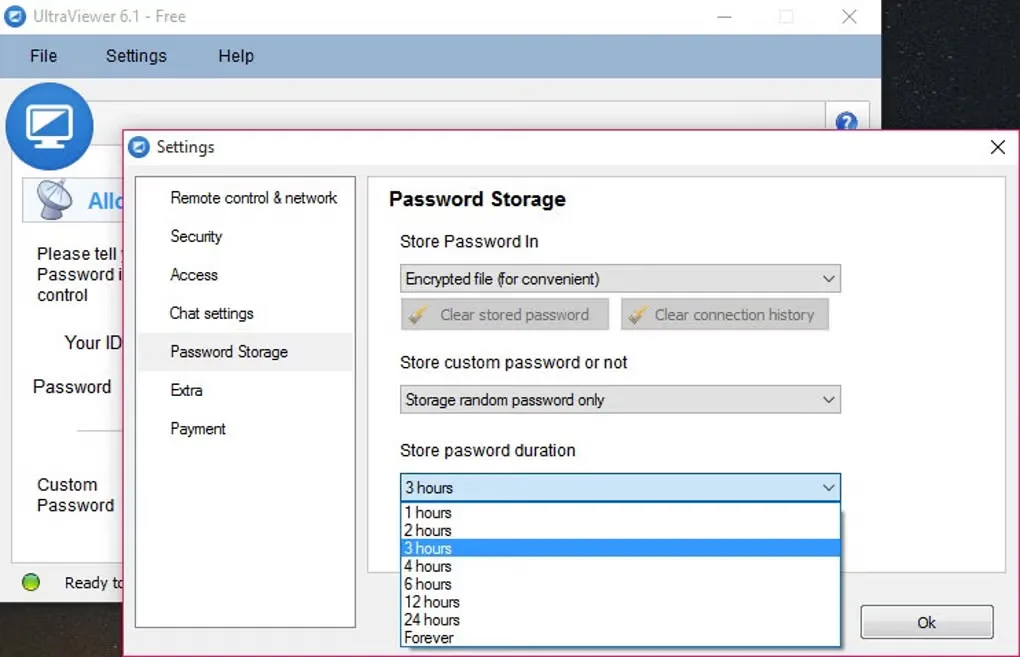
This entry links to the publisher's Windows EXE installer. The official download page identifies version 6.6.124, also named in the verified download response. Softonic lists a different version, 6.6.131; that listing is not used to label this installer. The gallery images show older UltraViewer 6.0 and 6.1 interfaces for illustration, not a verified preview of the current installer.
What it offers
- Connect to another Windows computer using the partner ID and password shown in UltraViewer.
- Chat during remote support; the publisher documents F1 as the default chat toggle.
- Send and receive files through the chat window.
- Let the supported user observe the session and stop remote control by closing UltraViewer.
Good to know
- Windows only according to the publisher FAQ; no macOS version is offered there.
- Capabilities depend on the plan. The paid Lite tier lists one concurrent session, three remote endpoints per month and up to 2 GB per file; higher tiers have different limits.
- The publisher marks the portable ZIP option as unsupported; this entry supplies the EXE installer instead.
Product images
Sources
References used for this listing. Retrieval dates do not indicate hands-on testing.
- UltraViewer — official remote desktop features ↗Retrieved
- Download UltraViewer — official EXE and portable status ↗Retrieved
- UltraViewer Support Center — connection, chat and platform requirements ↗Retrieved
- UltraViewer — paid plan capabilities and limits ↗Retrieved
- UltraViewer - Download — Windows product page and screenshot gallery ↗Retrieved
More in utilities
View category ↗
1.1.1.1 with WARP 2026.8.2115.0
Encrypt traffic from your Mac to Cloudflare’s network with WARP, or use DNS-only mode for encrypted DNS queries to the 1.1.1.1 resolver.
1.1.1.1 with WARP 2026.8.2115.0
Encrypt traffic between your Windows PC and Cloudflare, or use encrypted DNS only, with the free 1.1.1.1 with WARP app.

3uTools 9.12.005
Manage iPhone and iPad photos, music, apps and backups from Windows with 3uTools, a free utility that also includes device checks and firmware flashing tools.