
Utilities Windows
UltraVNC for Windows
Control a remote Windows PC, transfer files and chat with the other user using UltraVNC, a free, open-source VNC server and viewer.
- Operating system
- Windows 7, 8, 8.1, 10 and 11; Windows Server versions also listed by publisher
- Architecture
- x64
- Download package
- EXE installer
This link is the x64 installer. Separate x86 installers and MSI packages are listed by the publisher.
Link checked · Download guidance
What is UltraVNC?
UltraVNC lets you view and control another computer from your Windows PC. The computer sharing its desktop runs the Server, while the computer used to access it runs the Viewer. Mouse and keyboard control, file transfer and built-in text chat make it useful for helpdesk work or assisting someone on another Windows machine.
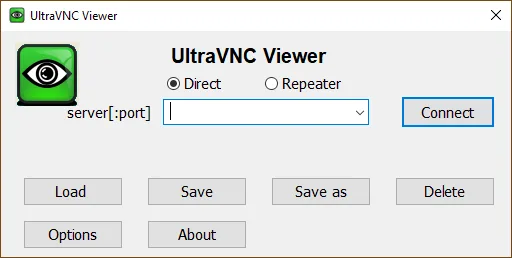
The Viewer connects to a VNC server rather than relying on a support access code. UltraVNC can transfer whole folders and compress them before transfer; its quick chat uses the existing connection. The download linked here is the Windows x64 EXE installer for version 1.8.3.1. Separate x86 and MSI packages are available from the publisher.
Connection setup needs attention: the publisher lists DSM encryption as optional, and connecting two computers behind NAT routers requires a separate Repeater. Do not assume a basic VNC connection automatically includes those capabilities.
What it offers
- View a remote desktop and control it with your mouse and keyboard.
- Transfer files and complete folders between the Viewer and Server.
- Use built-in text chat over the current VNC connection.
- Add optional DSM encryption for Viewer-to-Server communications.
Good to know
- DSM encryption is optional; it is not an automatic property of every VNC connection.
- Connecting computers that are both behind NAT routers requires the separate Repeater application.
Product images
Sources
References used for this listing. Retrieval dates do not indicate hands-on testing.
- Home - UltraVNC VNC OFFICIAL SITE, Remote Desktop Free Opensource ↗Retrieved
- UltraVNC 1.8.3.1 - UltraVNC VNC OFFICIAL SITE, Remote Desktop Free Opensource ↗Retrieved
- UltraVNC Features — publisher product page ↗Retrieved
- UltraVNC 1.8.3.X - Feedback — publisher developer post ↗Retrieved
- Index of /download/1800 — publisher distribution directory ↗Retrieved
More in utilities
View category ↗
1.1.1.1 with WARP 2026.8.2115.0
Encrypt traffic from your Mac to Cloudflare’s network with WARP, or use DNS-only mode for encrypted DNS queries to the 1.1.1.1 resolver.
1.1.1.1 with WARP 2026.8.2115.0
Encrypt traffic between your Windows PC and Cloudflare, or use encrypted DNS only, with the free 1.1.1.1 with WARP app.

3uTools 9.12.005
Manage iPhone and iPad photos, music, apps and backups from Windows with 3uTools, a free utility that also includes device checks and firmware flashing tools.