

Utilities Windows
UninstallView for Windows
Inspect installed Windows programs, export their details and launch their uninstall commands with UninstallView, a portable freeware utility from NirSoft.
- Operating system
- Windows XP through Windows 11, according to the publisher
- Architecture
- x64 (selected download); separate 32-bit build available
- Download package
- ZIP archive containing a portable executable
No installation required. Remote and external-drive access can require administrator privileges; remote uninstall also requires PsExec.
Link checked · Download guidance
What is UninstallView?
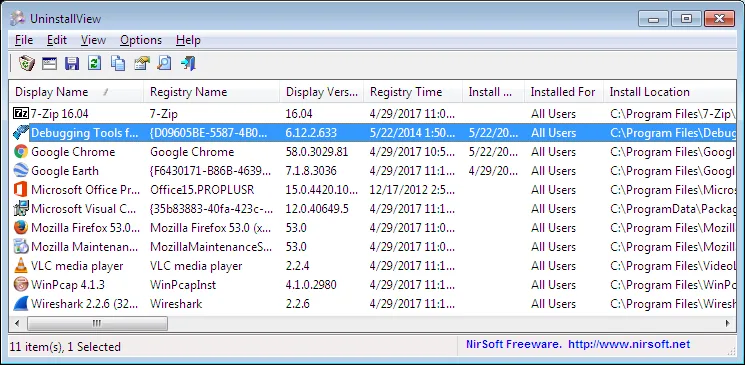
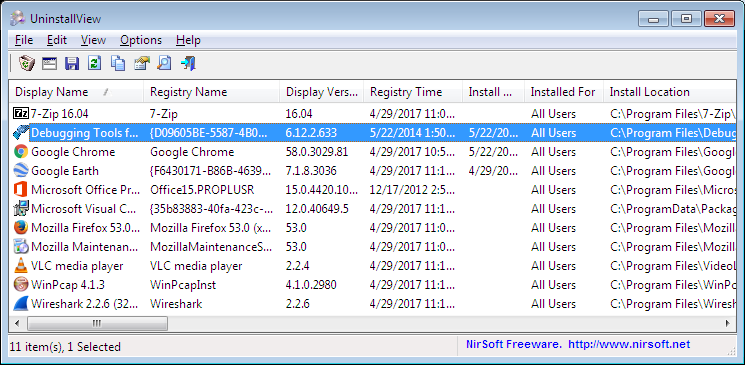
UninstallView puts installed software details in a table so you can inspect program names, versions, publishers, installation locations and uninstall commands together. It can read the current Windows system, a remote computer or an attached external drive. Export options include CSV, HTML, XML and JSON for keeping an inventory outside the application. The utility runs without installation; the linked download is the publisher's 64-bit ZIP package.
Removal uses the software's own uninstall command rather than a separate removal engine. A quiet uninstall is available only when the target program supplies a silent uninstall command. Remote uninstall requires Microsoft's PsExec alongside UninstallView, and the publisher warns that some uninstallers may not work properly when run remotely as SYSTEM. Windows Store apps can also be listed and uninstalled when Load Windows Apps is enabled.
What it offers
- Inspect installed program names, versions, publishers, install locations and uninstall command strings in one table.
- Load an installed-software inventory from the local system, a remote Windows computer or an external drive.
- Export inventory data to CSV, HTML, XML or JSON, including through command-line options.
- Launch standard uninstall commands or supported quiet uninstall commands.
- Include Windows Store apps by enabling Load Windows Apps.
Good to know
- Quiet uninstall depends on the target program providing a silent uninstall command; it is not available for every entry.
- Remote inventory needs administrator access. Remote uninstall additionally needs PsExec, and some uninstallers may not work correctly when executed remotely as SYSTEM.
- The publisher warns that information supplemented from outside the official uninstall Registry entries can be inaccurate.
Product images
Sources
References used for this listing. Retrieval dates do not indicate hands-on testing.
More in utilities
View category ↗
1.1.1.1 with WARP 2026.8.2115.0
Encrypt traffic from your Mac to Cloudflare’s network with WARP, or use DNS-only mode for encrypted DNS queries to the 1.1.1.1 resolver.
1.1.1.1 with WARP 2026.8.2115.0
Encrypt traffic between your Windows PC and Cloudflare, or use encrypted DNS only, with the free 1.1.1.1 with WARP app.

3uTools 9.12.005
Manage iPhone and iPad photos, music, apps and backups from Windows with 3uTools, a free utility that also includes device checks and firmware flashing tools.