
Utilities macOS
USBImager
Write raw or compressed disk images to USB drives with USBImager, a free, MIT-licensed utility. This Mac download is the publisher-linked ARM ZIP build.
- Operating system
- macOS; exact minimum version for this ARM package not established
- Architecture
- ARM; not established as Intel or universal
- Download package
- ZIP archive (macOS Cocoa build)
Publisher-linked package hosted by glowinthedark/usbimager on GitHub. Publisher instructs extraction into /Applications. No installation or execution was performed.
Link checked · Download guidance
What is USBImager?
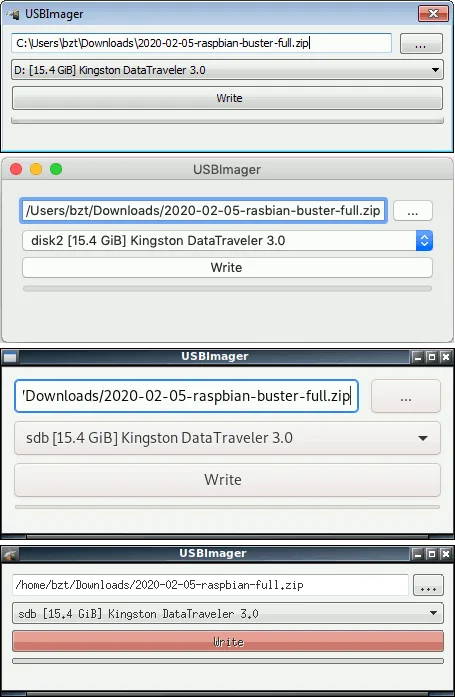
USBImager is a small graphical utility for writing operating-system images to USB drives. Select an image file on the first line, choose the destination device on the second, and use Write. The publisher documents raw image formats such as IMG, ISO and DD, plus on-the-fly reading of compressed images including GZ, BZ2, XZ and Zstandard. Writing an image replaces data on the selected device, so check the destination before starting.
The linked download is USBImager 1.0.10 for ARM macOS, hosted in the glowinthedark/usbimager GitHub repository and explicitly selected by the original publisher's Mac download mapping. It is not an Intel or universal build. The publisher instructs Mac users to extract the ZIP into /Applications; the exact minimum macOS version for this ARM package is not established by the retained evidence.
The publisher distinguishes its simplified write-only download interface from the standard interface, which also supports creating raw or Zstandard-compressed backups. Do not assume every standard-interface function is present in the selected package. When opening a multi-file archive as an image, USBImager uses only the first file, rather than presenting an archive browser.
What it offers
- Write operating-system disk images to a selected USB device through a minimal graphical interface.
- Read raw image formats including IMG, BIN, RAW, ISO and DD.
- Read GZ, BZ2, XZ and Zstandard-compressed images on the fly.
- Read supported ZIP, ZZZ, TAR, CPIO and PAX archives, using the first file as image input.
- Publisher-documented synchronized writes and optional disk-to-image write verification.
- Native multilingual interface; publisher documents automatic language selection when a dictionary is available.
Good to know
- The selected 1.0.10 ZIP is labeled ARM macOS; Intel and universal compatibility are not established, and the exact minimum macOS version for this package is unknown.
- Writing a disk image replaces data on the selected destination device; confirm the device before using Write.
- The homepage describes the download interface as write-only; backup creation is documented for the standard interface, not guaranteed for this selected package.
- For archives containing multiple files, only the first file is used as image input.
Product images
Sources
References used for this listing. Retrieval dates do not indicate hands-on testing.
More in utilities
View category ↗
1.1.1.1 with WARP 2026.8.2115.0
Encrypt traffic from your Mac to Cloudflare’s network with WARP, or use DNS-only mode for encrypted DNS queries to the 1.1.1.1 resolver.
1.1.1.1 with WARP 2026.8.2115.0
Encrypt traffic between your Windows PC and Cloudflare, or use encrypted DNS only, with the free 1.1.1.1 with WARP app.


3uTools 9.12.005
Manage iPhone and iPad photos, music, apps and backups from Windows with 3uTools, a free utility that also includes device checks and firmware flashing tools.