

Utilities macOS
UVtools for macOS
Inspect and repair sliced resin-print files, adjust print settings and convert supported formats with UVtools for Mac. This download is the Apple silicon ZIP.
- Operating system
- macOS 13 or later (publisher-stated minimum)
- Architecture
- ARM64 (Apple silicon)
- Download package
- ZIP archive
Intel x64 ZIP is separate. Requires at least 8 GB RAM plus 512 MB per CPU core. Publisher README pairs macOS 13 with the inconsistent codename Monterey; the codename is omitted.
Link checked · Download guidance
What is UVtools?
UVtools helps you examine sliced MSLA and DLP resin-print files before printing. You can inspect individual layers and thumbnails, review stored print settings, and check for problems such as islands, resin traps, suction cups and empty layers. Its editing and repair tools work on the sliced file, while calibration tools help prepare test prints.
Format conversion is useful when moving a supported sliced file between printer workflows. The project also documents PrusaSlicer integration and command-line operations for conversion, extraction and parameter changes. Repair is not guaranteed: the publisher describes issue correction as possible where supported and warns that experimental functions need care.
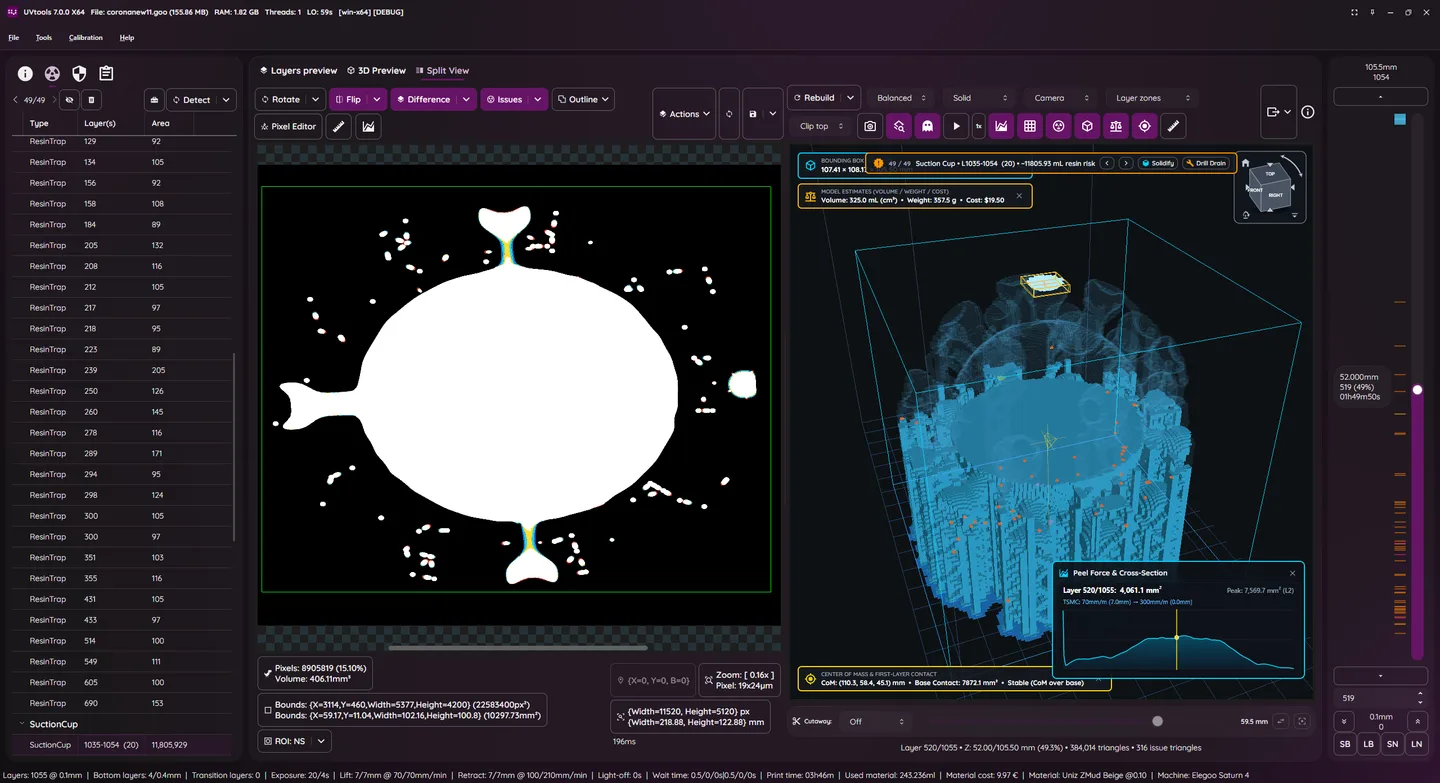
The linked version 7.1.2 archive is for Apple silicon Macs (ARM64). Intel Macs use the separate x64 archive on the publisher release page. The version-specific README specifies macOS 13 or later and at least 8 GB RAM plus 512 MB per CPU core. The screenshot is the publisher's Windows build illustration of the application interface, not a capture of this Mac package.
What it offers
- View, edit and extract individual layers and thumbnails from supported sliced files.
- Check for islands, overhangs, resin traps, suction cups and empty layers, with repair options where possible.
- Review and change stored print properties and settings.
- Convert supported sliced-file formats and generate calibration tests.
- Use documented command-line tools for conversion, extraction and print-parameter changes.
Good to know
- Automatic repair does not guarantee a printable file; the publisher warns that experimental functions require care.
- The selected ZIP is ARM64 for Apple silicon, not the separate Intel x64 package.
- Publisher requirements specify macOS 13 or later and at least 8 GB RAM plus 512 MB per CPU core.
Product images
Sources
References used for this listing. Retrieval dates do not indicate hands-on testing.
More in utilities
View category ↗
1.1.1.1 with WARP 2026.8.2115.0
Encrypt traffic from your Mac to Cloudflare’s network with WARP, or use DNS-only mode for encrypted DNS queries to the 1.1.1.1 resolver.
1.1.1.1 with WARP 2026.8.2115.0
Encrypt traffic between your Windows PC and Cloudflare, or use encrypted DNS only, with the free 1.1.1.1 with WARP app.

3uTools 9.12.005
Manage iPhone and iPad photos, music, apps and backups from Windows with 3uTools, a free utility that also includes device checks and firmware flashing tools.