

Utilities Windows
ValiDrive for Windows
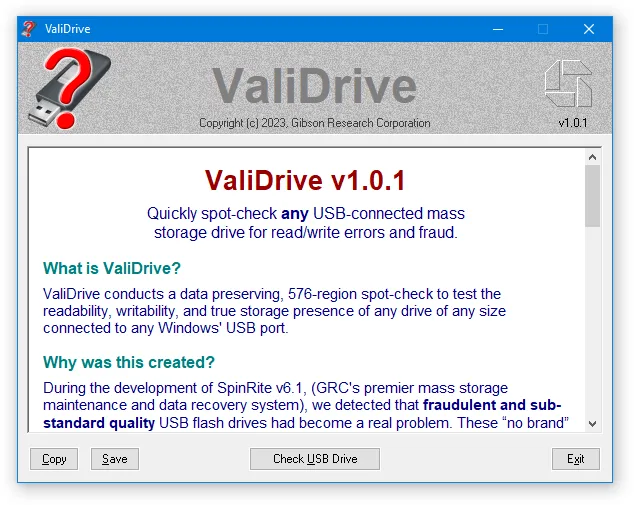
Spot-check USB drives for missing storage with ValiDrive, a free Windows utility that writes and reads test data across the drive's declared capacity.
What is ValiDrive?
ValiDrive checks whether a USB storage device actually stores data at sampled locations across its advertised capacity. It is useful when a flash drive reports a large size but may contain much less physical storage. The Windows utility reads each sampled region, writes random test data, reads it back and restores the original contents, according to Gibson Research Corporation.
The drive map distinguishes validated storage, read errors, write errors and locations that silently fail to retain the test data. A final report summarizes read and write access times, helping explain why some drives respond slowly during the check.
This is a spot-check, not a complete surface test. A green result does not establish that every location is reliable, and the procedure performs real writes rather than a read-only inspection. Use its results to investigate suspicious capacity, not as a full-drive health certificate.
What it offers
- Check 576 evenly distributed regions in a random, non-repeating sequence across the USB drive's declared storage space.
- Write random test data and read it back to detect locations that report success without storing the contents.
- Restore each region's original contents after testing, as described by the publisher.
- Distinguish validated regions, read errors, write errors and missing storage on a drive map.
- Review read and write access-time statistics in the final report.
Good to know
- The sampled check is not a comprehensive test of every byte; an all-green map does not rule out untested bad regions.
- Testing temporarily writes to the drive. Although the publisher describes restoration of the original data, this is not a read-only scan.
- Alternating small reads and writes can be slow on lower-end flash drives; the publisher explains that this workload differs from copying large files.
Product images
Sources
References used for this listing. Retrieval dates do not indicate hands-on testing.
More in utilities
View category ↗
1.1.1.1 with WARP 2026.8.2115.0
Encrypt traffic from your Mac to Cloudflare’s network with WARP, or use DNS-only mode for encrypted DNS queries to the 1.1.1.1 resolver.
1.1.1.1 with WARP 2026.8.2115.0
Encrypt traffic between your Windows PC and Cloudflare, or use encrypted DNS only, with the free 1.1.1.1 with WARP app.


3uTools 9.12.005
Manage iPhone and iPad photos, music, apps and backups from Windows with 3uTools, a free utility that also includes device checks and firmware flashing tools.