

Utilities Windows
VeraCrypt for Windows
Create encrypted file containers or encrypt non-system partitions and USB storage with VeraCrypt. This Windows download is the portable EXE and requires administrator rights.
- Operating system
- Windows 11; Windows 10 version 1809 or later; Windows Server 2019 or later
- Architecture
- x64 and ARM64; Windows Server: x64 only
- Download package
- Portable EXE (not the installer)
Administrator rights required for portable mode. No 32-bit Windows support. Windows ARM64 supports non-system volumes only.
Link checked · Download guidance
What is VeraCrypt?
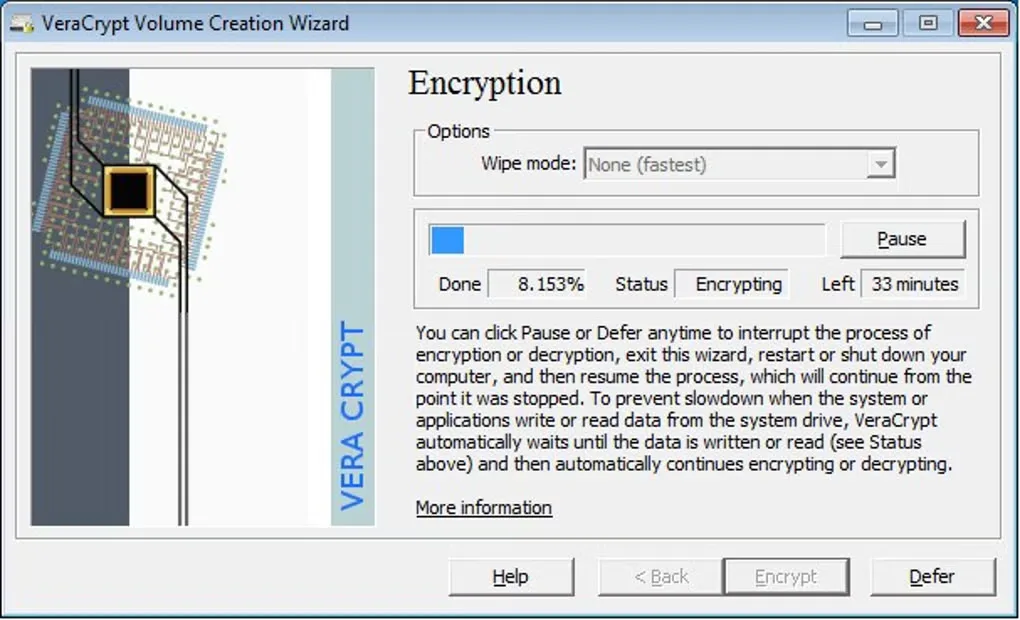
VeraCrypt protects stored files by placing them in an encrypted volume. A file container mounts as a disk, so you can work with its contents through ordinary applications while VeraCrypt encrypts and decrypts data on the fly. It can also encrypt a non-system partition or storage device, rather than keeping the encrypted volume inside a file.
The linked package is VeraCrypt Portable 1.26.30, not the installer. Portable mode runs without installing the application but still needs administrator privileges to load its driver; it can also leave evidence of use in the Windows registry. This release supports Windows 11 and Windows 10 version 1809 or later on x64 and ARM64, plus Windows Server 2019 or later on x64. It does not support 32-bit Windows.
Encrypting the Windows system partition is a separate setup task, not the same as mounting a container. The publisher lists system encryption for supported x64 Windows 10 and 11 systems only, not Windows ARM64. Read the system-encryption and recovery documentation before choosing that route. VeraCrypt cannot recover a forgotten password or missing key for you.
What it offers
- Create a virtual encrypted disk inside a file and mount it as a working disk.
- Encrypt non-system partitions and storage devices, including USB drives.
- Encrypt and decrypt volume contents automatically as applications read and write data.
Good to know
- Portable mode requires administrator privileges and can leave registry traces; it is not a no-admin or trace-free edition.
- Windows ARM64 supports non-system volumes only; system encryption is limited to supported x64 Windows 10 and 11 systems.
- The publisher cannot recover encrypted data if you lose the required password or key.
Product images
Sources
References used for this listing. Retrieval dates do not indicate hands-on testing.
- VeraCrypt — official downloads (redirects to veracrypt.io) ↗Retrieved
- VeraCrypt — official overview ↗Retrieved
- VeraCrypt — supported operating systems ↗Retrieved
- VeraCrypt — portable mode ↗Retrieved
- VeraCrypt — administrator privilege requirements ↗Retrieved
- VeraCrypt — operating systems supported for system encryption ↗Retrieved
- VeraCrypt — system encryption ↗Retrieved
- VeraCrypt — FAQ, password and key recovery ↗Retrieved
- VeraCrypt — publisher license text ↗Retrieved
- VeraCrypt - Download — Windows screenshot gallery ↗Retrieved
More in utilities
View category ↗
1.1.1.1 with WARP 2026.8.2115.0
Encrypt traffic from your Mac to Cloudflare’s network with WARP, or use DNS-only mode for encrypted DNS queries to the 1.1.1.1 resolver.
1.1.1.1 with WARP 2026.8.2115.0
Encrypt traffic between your Windows PC and Cloudflare, or use encrypted DNS only, with the free 1.1.1.1 with WARP app.

3uTools 9.12.005
Manage iPhone and iPad photos, music, apps and backups from Windows with 3uTools, a free utility that also includes device checks and firmware flashing tools.